
Learn How to Charge an Electric Scooter Properly & Safely
This post contains affiliate links. As an Amazon Associate, we earn from qualifying purchases.
To charge an electric scooter properly, follow a strict three-step sequence: plug the charger into the wall first, then connect it to the scooter’s dry charging port, and finally unplug from the wall, not the scooter, once the light turns green. Always use only the manufacturer’s supplied charger and charge within the specified temperature range of 32–113°F (0–45°C). Deviating from this order or using a third-party charger risks battery damage, fire, and voided warranties.
That sequence isn’t a suggestion. It’s the electrical pathway every OEM manual diagrams, and missing a step is how you get a dead battery or a melted charger plug. The difference between a scooter that lasts three seasons and one that dies after six months often comes down to how you handle the 30 seconds before and after the charger light goes green.
What follows is the breakdown of why that order matters, the physical signs your charger is failing, and the exact temperature and timing numbers pulled from Segway and Razor service manuals. This isn’t about plugging in a phone. It’s about managing a lithium-ion pack that doesn’t forgive mistakes.
Key Takeaways
- Plug wall first, then scooter. Reverse the order and you can send a voltage spike into the battery management system, a common cause of early battery failure.
- Charge between 32°F and 113°F (0°C and 45°C). Charging in freezing temperatures permanently damages lithium-ion cells by causing internal plating.
- Initial charge is 8–12 hours; routine charges are 3–12 hours. Never assume a “green light” after 30 minutes means a full charge on a new or deeply drained battery.
- Unplug from the wall, not the scooter. This prevents arcing at the charger port, which can corrode the metal contacts over time.
- Inspect the charger cord before every use. Fraying near the plug or a swollen enclosure means stop immediately, it’s a fire hazard.
The 3-Step Charging Sequence (Plug, Wait, Unplug)
Most people jam the charger into the scooter first. That’s the first mistake. The correct order exists because the charger needs to stabilize its output before connecting to the battery’s management system. A sudden connection to a live battery can cause a small arc, degrading the port’s contacts slowly with each charge.
Step 1: Plug the Charger into the Wall Outlet
Find a wall outlet on a dedicated circuit, away from high-draw appliances like space heaters or microwaves. The charger light should illuminate, usually green, indicating it’s receiving power and in standby mode.
Common mistake: Using an extension cord or power strip. These can overheat under the sustained load of a 2–3 amp charger. Plug directly into the wall whenever possible.
If the charger light doesn’t turn on at the wall, try a different outlet. No light after that means the charger or its internal fuse has likely failed. Do not proceed.
Step 2: Connect the Charger to the Scooter’s Port
Ensure the scooter’s charging port and the charger plug are completely dry. Open the rubber charging port cover on the scooter and firmly insert the charger plug. You should hear or feel a distinct click. – The charger light will switch from green (standby) to red (charging). This confirms the circuit is complete and the battery is accepting a charge. – If the light flashes or stays green, the connection isn’t secure, the port is dirty, or the battery is already full. Check the plug for debris.
Place the scooter on a hard, non-flammable surface like concrete or tile during charging. Never charge on carpet, a bed, or in a cluttered garage near gasoline or solvents.
Step 3: Unplug from the Wall, Then the Scooter
Once the charger light turns from red back to solid green, the bulk charge is complete. The battery is now at about 80–90% capacity. The charger enters a trickle or maintenance phase to top off the cells. – Do not unplug the charger from the scooter first. This can cause a minor arc at the pins, which over months creates carbon buildup and resistance. – First, pull the charger plug from the wall outlet. This cuts power safely. – Then, disconnect the plug from the scooter’s port. Close the rubber cover immediately to keep dust and moisture out.
This sequence is non-negotiable for long-term port health. Reverse it, and you’re gambling with the most common point of failure on any scooter.
Charger Lights and What They Really Mean
A charger’s light is its only communication. Misreading it means you’re either undercharging and killing range or overcharging and stressing cells.
| Light State | What It Means | Action Required |
|---|---|---|
| Solid Green (Wall Only) | Charger is powered and in standby, ready to connect. | Proceed to connect to scooter. |
| Solid Red | Battery is actively accepting a bulk charge. | Leave it alone. Charging is in progress. |
| Solid Green (Connected) | Bulk charge is complete; charger is in trickle/maintenance mode. | Charging is functionally done. Unplug within 2-3 hours. |
| Flashing Red/Green | Error state. Could be faulty battery, bad connection, or charger malfunction. | Unplug immediately. Inspect connections and charger. |
| No Light | No power from outlet, charger failure, or internal fuse blown. | Do not use. Try another outlet, then replace charger. |
Where this goes sideways: Assuming “green means stop.” On most scooters, a green light while connected signals the start of the crucial trickle charge. Unplugging the second it turns green can leave your battery 10-15% undercharged, which accumulates over cycles and shortens overall battery lifespan.
Razor manuals are explicit: “Continue charging unit even if light turns green prior to 12 hours.” This trickle phase balances the individual cells within the battery pack. Skipping it is why one cell dies before the others, collapsing your total scooter range prematurely.
Temperature Rules: The Silent Battery Killer
Lithium-ion chemistry has strict thermal boundaries. Charge outside them, and you’re not just reducing performance, you’re physically altering the battery.
The Absolute Rule: Never charge at or below 32°F (0°C). In freezing temperatures, lithium ions plate onto the anode surface instead of intercalating properly. This creates permanent, needle-like dendrites that can pierce the internal separator, leading to short circuits, reduced capacity, and in extreme cases, thermal runaway. If your scooter has been in a cold car or garage, bring it to room temperature for at least two hours before plugging in.
The Ideal Range: 50–95°F (10–35°C). This is the sweet spot where the chemical reactions within the battery are most efficient. Charging here maximizes speed and long-term battery longevity.
The Danger Zone: Above 113°F (45°C). High heat accelerates degradation and increases internal pressure. If the scooter or charger feels hot to the touch before charging, stop. Let it cool. Never charge a scooter that’s just been ridden hard; the battery and motor are already saturated with heat.
This is why winter storage procedures are critical. A battery stored half-charged in a freezing garage won’t just be dead in spring, it will be permanently damaged.
Initial Charge vs. Routine Charge: Two Different Timelines
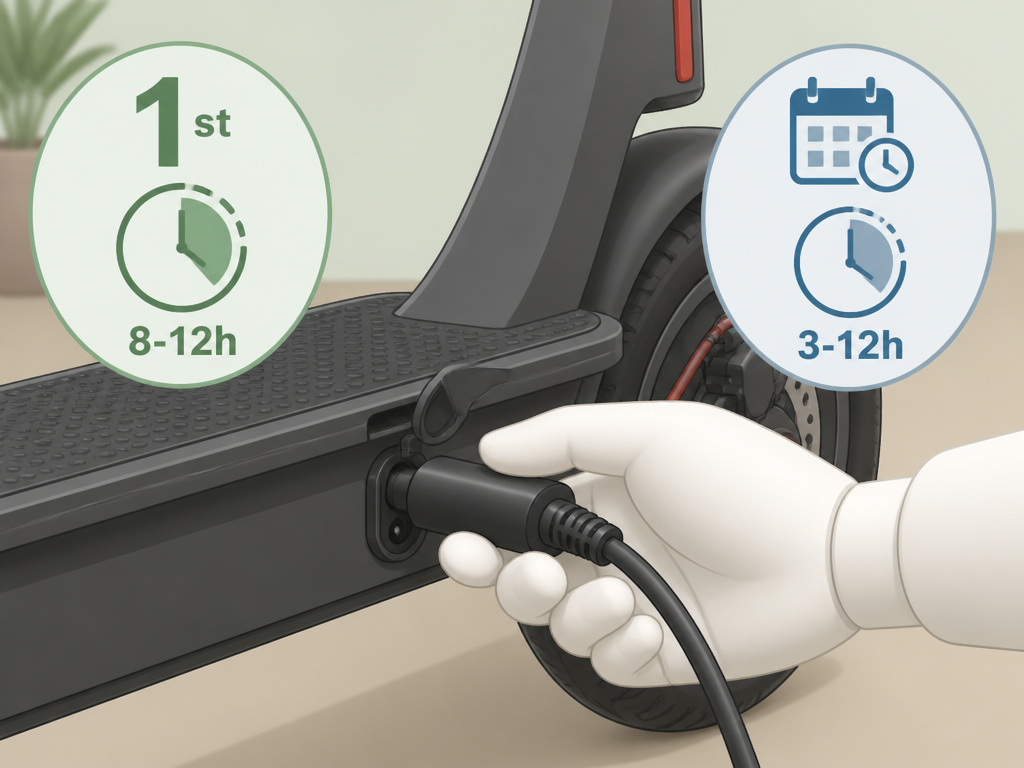
Your scooter’s first charge and every charge after are governed by different clocks. Confuse them, and you start the battery’s life at a deficit.
Initial Charge (The First One): 8–12 Hours. This is a hard rule from every manufacturer in our research. A Razor Vector requires 8 hours; a Razor PowerCore needs 12. This extended period conditions the new battery, ensuring all cells are evenly activated and brought to the same voltage level. Plug it in, walk away, and let the charger do its full cycle.
Routine Charge (After Each Ride): 3–12 Hours. Once the battery is broken in, charge times depend on depletion. – Segway Ninebot ZING C: Approximately 3 hours to full from empty. – Razor Models: “Up to 12 hours, even if the light turns green.” – Mercury Neo (Mobility Scooter): 10–14 hours for a full, optimal charge.
The part nobody mentions: The “up to 12 hours” note in Razor manuals is for a deeply discharged battery. If you ride for 15 minutes and plug in, it might turn green in 90 minutes. The manual is telling you not to trust that short cycle for a full balance. For maximum battery life, let it finish the full trickle phase occasionally, especially if you’ve been doing short trips.
Always charge immediately after riding. Letting a lithium-ion battery sit completely flat is one of the fastest ways to kill it. A fully drained cell can slip below its safe minimum voltage, becoming unrecoverable.
Charger and Port Maintenance

The charger is a wear item. The port is a vulnerability. Both need more attention than they get.
Where Most Chargers Fail
Inspect the charger before every use. Run your fingers along the cord, especially near the wall plug and the DC connector. – Fraying or exposed wires: Stop using it immediately. This is a live electrical hazard. – Swollen or cracked enclosure: The internal capacitors are failing. Replace the charger. – Loose plug that won’t stay seated: The internal pins are worn or bent. Do not force it.
The Segway manual states: “Regularly examine the charger for damage to the cord, plug, enclosure and other parts. If any damage is found, stop using until it is repaired or replaced.” This isn’t legal boilerplate. A damaged charger can deliver unstable voltage, cooking your battery’s management system.
Keeping the Charging Port Alive
The charging port is a direct gateway to the battery. Corrosion or dirt here causes resistance, which creates heat. – Always keep the rubber seal closed when not charging. This keeps out dust and moisture, the two main causes of contact corrosion. – If the port gets wet, do not charge. Dry it thoroughly with compressed air or a lint-free cloth. Charging a wet port, as Segway warns, risks electric shock and permanent short-circuit damage. – Use a surge protector. As the Segway KickScooter manual advises, this protects against voltage spikes from the grid that can fry both the charger and the scooter’s electronics.
A clean, dry port is your first line of defense. It’s simpler than dealing with the battery maintenance required after a electrical fault.
What to Do When Charging Goes Wrong
Sometimes, things don’t work. Here’s how to diagnose the most common failures.
| Symptom | Likely Cause | Immediate Fix |
|---|---|---|
| Charger has no light at wall | Blown outlet fuse, dead charger, faulty power cord. | Try a different outlet. If still no light, the charger is dead. Replace it. |
| Light stays green when connected | Battery is fully charged, dirty port, faulty BMS. | Clean charging port contacts with a dry cotton swab. If persists, professional diagnosis needed. |
| Scooter won’t turn on after charging | Deep discharge, BMS lockout, charger didn’t work. | Verify charger light was red during process. Try a different, known-good charger. |
| Charger gets extremely hot | Failing internal components, overloaded circuit. | Unplug immediately. Let cool. Do not reuse. Replace charger. |
| Burning smell during charge | Internal short circuit, melting wires. | Unplug everything. Move scooter outside if safe. Do not attempt to charge again. |
If your scooter is unresponsive, the battery may have entered a protection lockout. Some models require holding the power button for 10-15 seconds to reset. Consult your manual. Persistent issues often trace back to a neglected battery care routine or using an incorrect charger.
Frequently Asked Questions
Can I use a fast charger on my electric scooter?
Only if it is explicitly approved by the scooter’s manufacturer. Using a third-party fast charger forces higher amperage into a battery not designed for it. This generates excessive heat, degrades cells rapidly, and voids the warranty. The Segway manual is clear: “Only use the Segway supplied charger.”
Is it bad to leave the scooter plugged in overnight?
It depends on the charger. Modern chargers with smart circuitry switch to a harmless trickle charge. However, Razor manuals specify a “recommended maximum charging time of 24 hours.” For safety and battery health, make it a habit to unplug once the light turns green and you’ve allowed a couple hours for topping off. Don’t treat it like a fridge.
Why does my scooter battery die so fast?
Shortened range is usually a sign of battery degradation from improper charging, frequent deep discharges, charging in extreme temperatures, or using a damaged charger. It can also stem from factors affecting electric scooter range like tire pressure and rider weight. If it’s a sudden drop, one cell in the pack may have failed due to inconsistent charging.
Can I charge my scooter in the rain?
No. Never charge any electric scooter in the rain or if the charger, port, or outlet is wet. Water can cause a short circuit, electric shock, or permanent damage to the battery and electronics. This is a strict prohibition in every OEM manual. For operating in damp conditions, understand your model’s water resistance limits.
How do I store my scooter for a month?
For long-term storage, charge the battery to about 50-70%. Store the scooter in a cool, dry place with a temperature between 41–86°F (5–30°C). Recharge the battery for a few hours every 4-6 weeks to prevent it from self-discharging to a damagingly low voltage. This is a core part of proper winter storage.
Before You Go
Charging an electric scooter isn’t complicated, but it is specific. Get the sequence wrong, scooter first, wall second, and you introduce small failures that add up. Charge in the cold, and you permanently cripple the battery’s chemistry. Ignore a frayed charger cord, and you’re inviting a fire.
The rules are all in the manuals: plug order, temperature bands, inspection routines. Your job is to execute them without shortcuts. That discipline is what separates a scooter that delivers reliable miles for years from one that becomes a paperweight after a single season. Do the simple things right, every time. The battery will thank you with longer life and more consistent rides.
