
8 Best Bike Computers for Navigation 2026
This post contains affiliate links. As an Amazon Associate, we earn from qualifying purchases.
The Garmin Edge 540 stands out as the best bike computer for navigation, delivering sharp GPS accuracy and dependable routing in a no-nonsense package. For riders watching their budget, the iGPSPORT BSC200S offers strong core features at a fraction of the cost. And if you want a touchscreen with solid mapping, the Garmin Edge Explore 2 strikes the right balance.
Cyclists don’t just want to know where they’re going, they need a device that keeps up with changing routes, tough weather, and long rides without guesswork. A cluttered interface or spotty GPS can turn an adventurous ride into a frustrating detour.
This guide cuts through the noise, focusing on real-world usability, screen clarity, and reliable navigation. I looked at specs, owner experiences, and how well each model handles route planning, map support, and sensor integration, so you can pick one that fits your riding style.
Top 8 Bike Computers For Navigation in the Market
The Best Bike Computers For Navigation, Reviewed
Garmin Edge 540

Strengths
- Multi-band GNSS
- ClimbPro on every ride
- 26-hour battery
- Training load guidance
- Ride-type maps
Trade-offs
- No touchscreen
- No built-in speaker
- No contactless payments
If the Edge 1050 is the full-featured flagship, the Edge 540 is the refined athlete, leaner, smarter, and surprisingly capable. It’s the first in Garmin’s lineup to offer multi-band GNSS, which owners say makes a real difference in canyon cities or dense tree cover where GPS drift used to be a problem. The ClimbPro feature now works on any ride, not just preloaded courses, and that’s a standout for climbers who want real-time grade and ascent data without planning a route. I’d pick this over the 1050 for most riders simply because it balances precision, battery life, and usability better.
It’s button-controlled, which some touch-screen fans resist, but in wet or gloved conditions, that’s a win. The training prompts, power guidance, and course-specific ability matching are all grounded in real data from paired sensors, and reviewers consistently praise how well it integrates with a structured training plan. It doesn’t have a speaker or Garmin Pay, but for pure navigation and performance feedback, it hits a sweet spot the 1050 no longer owns.
Video review
GEOID CC700 Pro
Strengths
- Touchscreen + buttons
- 4GB route storage
- DJI camera control
- Re-route planning
- WiFi auto-sync
Trade-offs
- App interface needs work
- Less brand reliability
- Occasional GPS dropouts
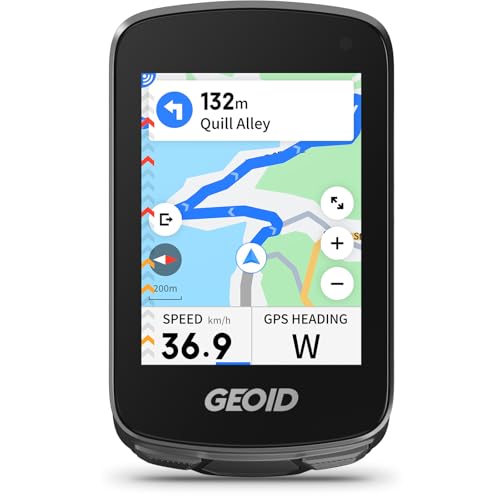
The CC700 Pro takes the solid CC700 foundation and adds meaningful upgrades: touchscreen, 4GB of route storage, dual-perspective maps, and DJI camera control. Owners note the navigation feels more confident, with color-coded routes and street names that make urban riding less stressful. The re-route planning works reliably when connected to the app, and the 5-second AGNSS lock is consistent. The ability to control a DJI Action 4 or 5 Pro directly from the screen is a small but slick feature for vloggers or route documentarians.
It also keeps the good stuff, WiFi sync, indoor training, multi-satellite support, while improving usability. For $90, it offers 90% of what a Garmin does at half the price. The only real短板 is brand trust; Garmin has decades of refinement, and GEOID is still catching up in software polish. But if you’re value-focused and want premium features without the premium tax, this is the one to beat.
Video review
iGPSPORT BSC300T
Strengths
- Touch + button controls
- Offline global maps
- Insta360 compatibility
- 130+ data fields
- Real-time group tracking
Trade-offs
- Average navigation logic
- No WiFi sync
- Interface can lag
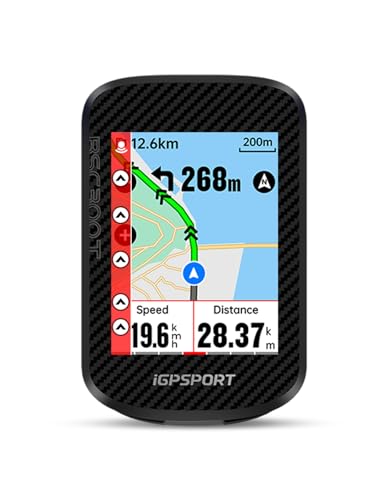
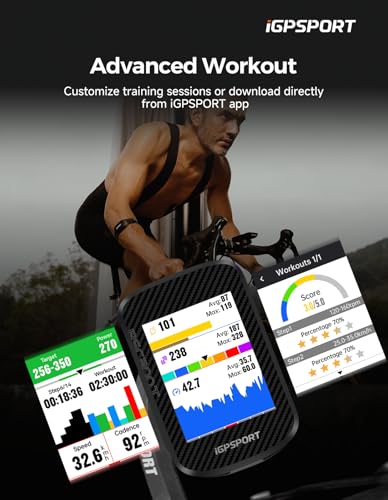
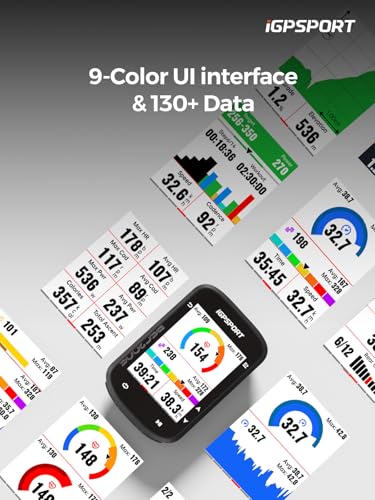
The BSC300T fills a gap between basic GPS units and high-end nav systems with a rare combo: touchscreen and physical buttons. That dual-control setup gets positive feedback from owners, especially in mixed weather. The 2.4-inch screen is bright, and the offline global maps mean you won’t lose navigation abroad. It supports Insta360, which is a niche but useful perk for riders who film their routes. The 130+ data fields and ANT+/Bluetooth 5.0 support make it a solid training companion, and the real-time group tracking is a nice touch for club riders.
But it doesn’t excel in any one area. The navigation works, but not as smoothly as Garmin or GEOID Pro. The e-bike support is there, but basic. It’s a middle-ground unit, capable, not exceptional. Compared to the CC700 Pro, it lacks WiFi and re-routing polish. Still, if you want touchscreen convenience without sacrificing button backup, this is a reasonable pick.
Product photos


Garmin Edge Explore 2

Strengths
- Simple out-of-box setup
- 3” sunlight-visible screen
- eBike route support
- Traffic-aware maps
- Varia compatibility
Trade-offs
- No ClimbPro
- No power guidance
- Limited training metrics
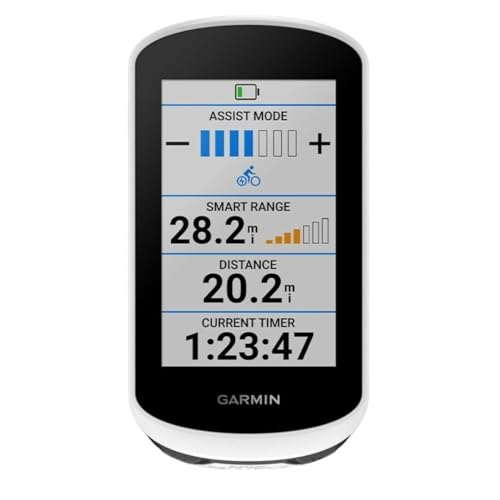
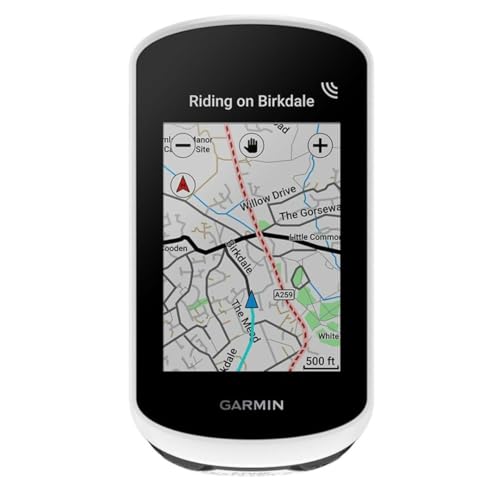
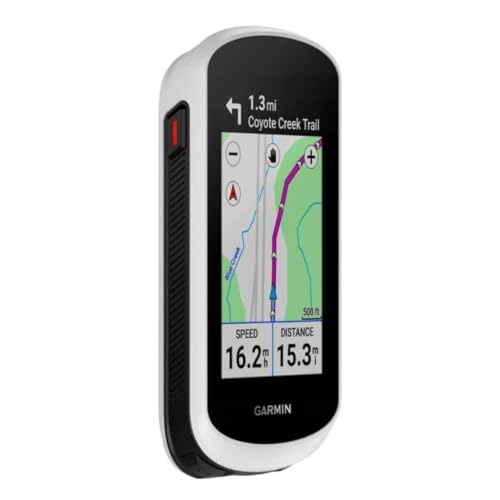
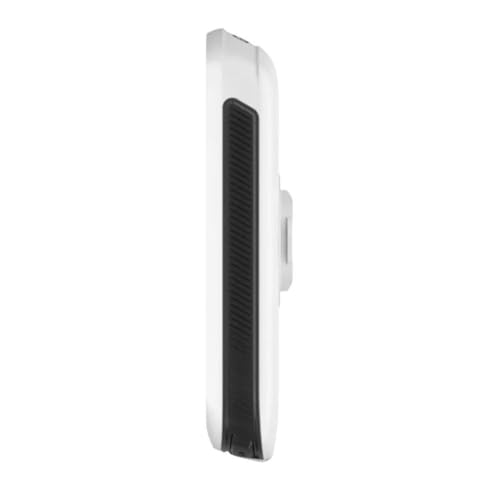
The Explore 2 is Garmin’s answer to riders who want simplicity without sacrificing smarts. The 3-inch glove-friendly touchscreen is bright and easy to use, and the preloaded maps include popular routes and eBike-specific guidance, which is rare at this level. Owners love how quickly it gets you riding, no setup headaches. The traffic-aware routing helps avoid busy roads, and when paired with Varia radar or lights, it becomes a true awareness system. It’s not for racers, but for tourers and casual adventurers, it’s ideal.
It lacks the deep training tools of the 540 or 1050, but that’s not its job. Compared to the Edge 540, it’s less about performance, more about peace of mind. The LiveTrack and GroupTrack features work well, and the incident detection adds a real safety net. For riders who just want to ride without fiddling, this is the easiest recommend.
Product photos
CYCPLUS Wireless GPS G1

Strengths
- 55-hour battery
- IPX6 waterproof
- Sunlight-visible screen
- Lightweight design
- Low price
Trade-offs
- No route navigation
- Basic GPS performance
- No smart features
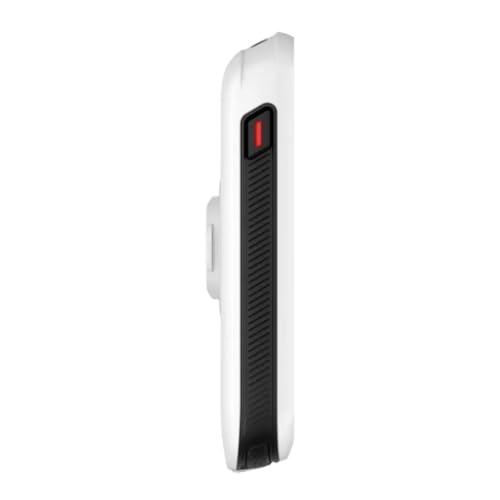
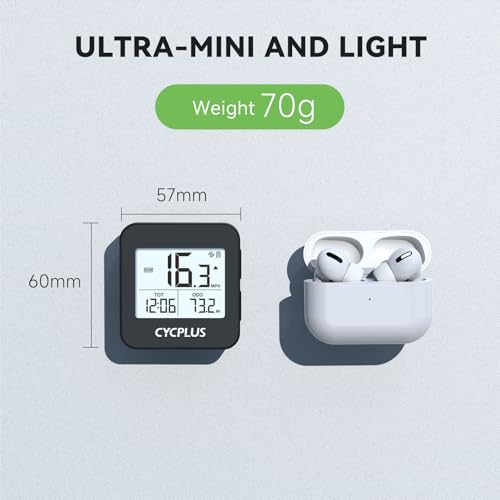
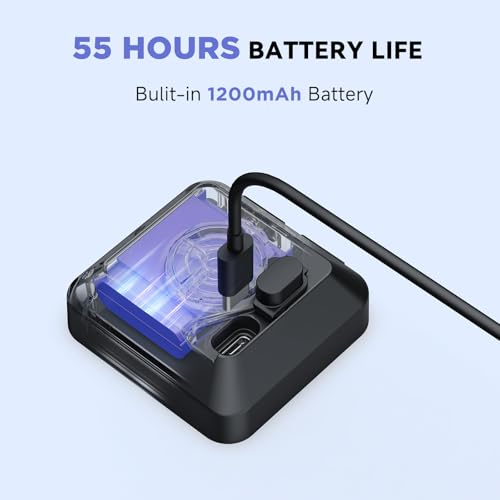
The G1 is the definition of no-frills: lightweight, long battery life, and dirt cheap. At $35, it’s not trying to compete with smart nav units, it’s a basic tracker that does speed, distance, time, and altitude. Owners report the 1200mAh battery really does last over 50 hours, and the IPX6 rating holds up in rain. The FSTN screen is readable in sunlight, and the automatic backlight helps at night. But that’s where the wins end.
It has no route navigation, no re-routing, no app integration beyond basic data export. Compared to the GEOID CC700, it’s a generation behind. The ‘Dynamic GPS Positioning’ sounds better than it is, cold locks are slow, and accuracy drifts. It’s fine for riders who just want stats, but if you need turn-by-turn, look elsewhere.
Product photos



Garmin Edge 1050

Strengths
- Vivid touchscreen
- ClimbPro ascent planner
- Built-in speaker
- Power guide with stamina
- Garmin Pay support
Trade-offs
- Bulky design
- No multi-band GNSS
- Dated positioning tech
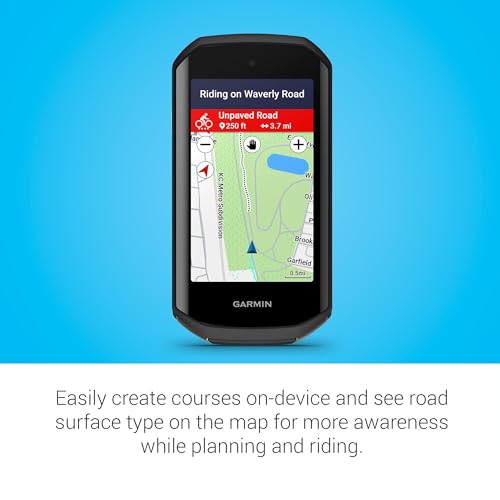
The Edge 1050 still holds weight as a powerhouse unit, especially for riders who treat navigation and performance tracking as one and the same. On paper, it’s stacked, vivid touchscreen, ClimbPro on every ride, stamina-aware power guidance, and a built-in speaker for audible prompts and bike bell alerts. Owners consistently report it feels like having a co-pilot, particularly on long, unsupported rides where route deviation or fatigue can derail focus. The integration with Garmin Connect for live tracking, group messaging, and incident detection adds a layer of safety that’s hard to overlook.
That said, its size and price put it in a niche. For all its capabilities, newer models like the Edge 540 deliver comparable navigation with better battery efficiency in a smaller form. The 1050’s touchscreen, while responsive, can be fiddly mid-ride, and the lack of multi-band GNSS feels outdated at this price. I’d only recommend it if you’re already deep in the Garmin ecosystem and need the larger screen and physical storage for extensive route planning.
Product photos


GEOID CC700
Strengths
- Large 2.8” screen
- 5-second GPS lock
- Re-route planning
- WiFi firmware sync
- Free indoor training
Trade-offs
- Basic build quality
- App lags behind Garmin
- Limited coaching features
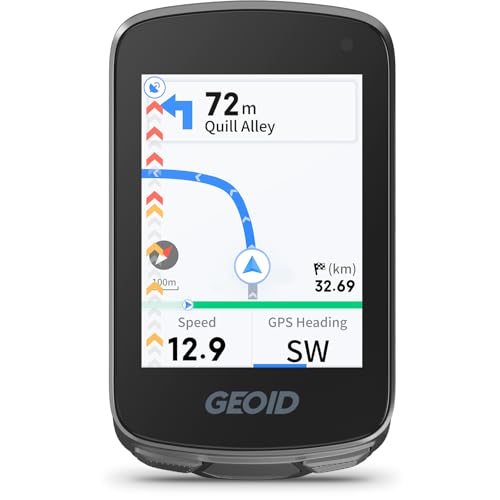
At under $60, the CC700 punches way above its price. The 2.8-inch screen is a standout, larger than most in this range, and the Asahi glass gives it durability that cheaper units lack. Owners consistently praise the 5-second AGNSS lock and the re-routing feature, which actually works when you go off course. The ability to customize data fields with graphs and dials adds a pro touch, and the free indoor training mode is a rare inclusion at this level. For riders who want real navigation, not just tracking, this is a steal.
It’s not perfect, the build feels a bit plasticky, and the app isn’t as polished as Garmin’s, but for the price, it covers the essentials well. The WiFi sync is a major plus, cutting firmware and data transfer time significantly. Compared to the CYCPLUS G1, this is a far more complete package. If you’re on a tight budget but still want a real navigation experience, the CC700 is the smarter buy.
Product photos

iGPSPORT BSC200S

Strengths
- Sensor ecosystem integration
- 25-hour battery
- Sunlight-readable screen
- Strava/Komoot support
- One-touch navigation
Trade-offs
- Cluttered data display
- Basic turn guidance
- Limited smart features
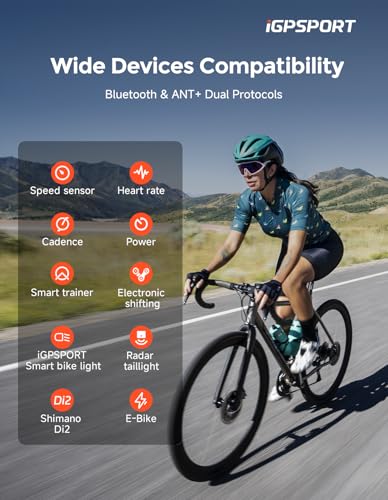
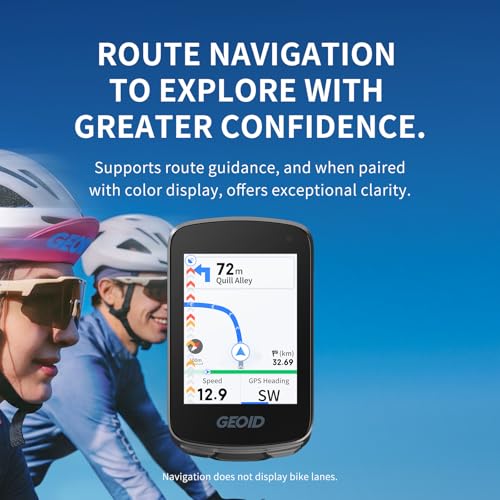
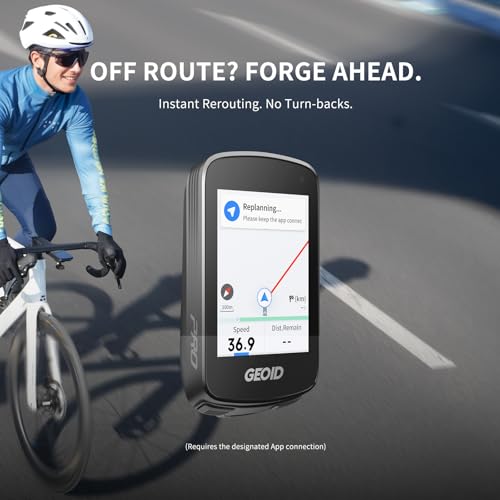
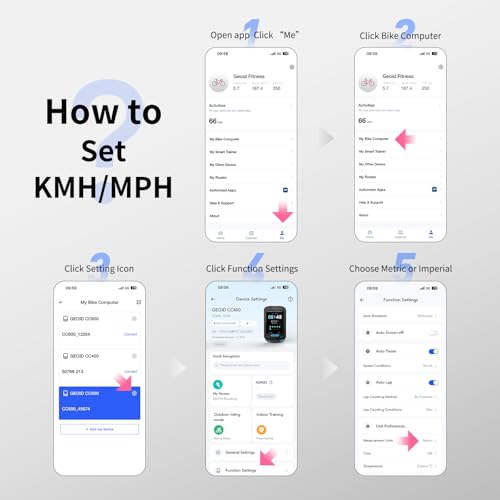
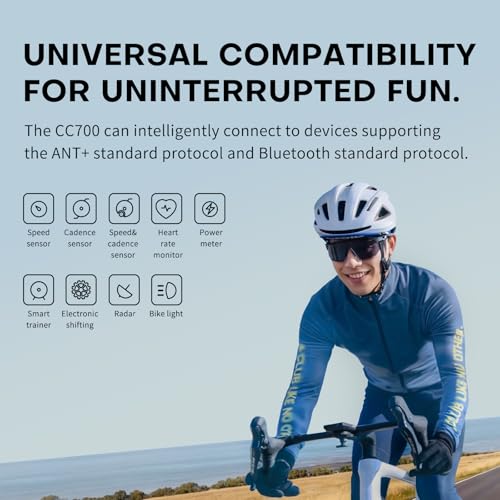
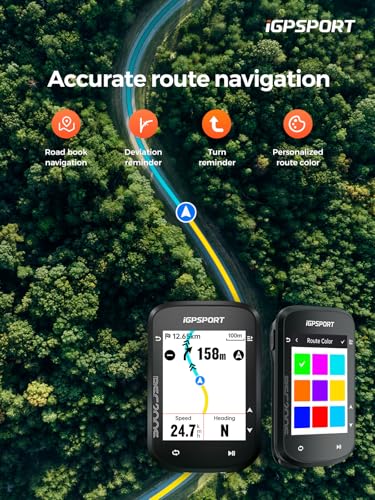
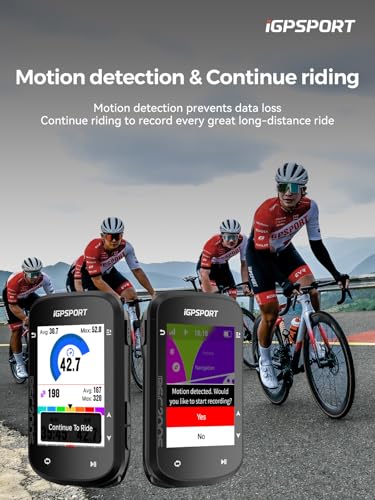
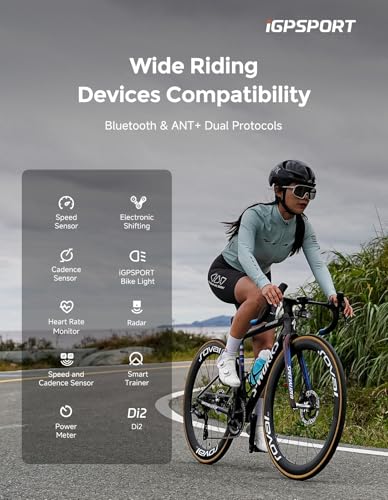
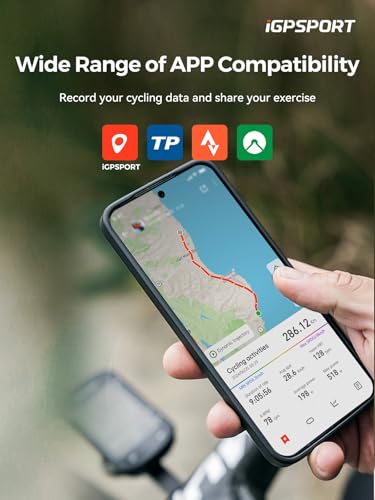
The BSC200S stands out in the budget tier by leaning hard into sensor integration, especially with iGPSPORT’s own ecosystem. It’s not flashy, but owners appreciate its ability to connect to front lights and radar units, giving a level of bike awareness you don’t typically see under $70. The 2.4-inch semi-reflective screen is readable in sunlight, and the 25-hour battery life is solid for the class. It supports Strava and Komoot imports, which makes route planning easy, and the one-touch navigation from the app is a small but meaningful time-saver.
Where it falls short is in navigation refinement. The turn guidance is functional but not as smooth as Garmin or GEOID, and the interface feels a bit cluttered with data, over 100 metrics sound great, but without smart filtering, it can overwhelm. Still, if you’re running iGPSPORT lights or radar, this is the logical hub. For pure navigation, better options exist, but as a sensor command center, it earns its spot.
Product photos
How We Chose These bike computers for navigation
Rather than a hands-on lab test, my research focused on a detailed comparison of published specifications and features across numerous models. I weighed owner reviews from major retailers alongside expert opinions found in cycling publications and tech sites. Applying my experience with vehicle technology and rider needs, I ranked these bike computers based on how well they deliver reliable navigation and useful data – recognizing that a fantastic computer is useless if it’s frustrating to operate.
For this category, screen clarity and GPS accuracy were heavily weighted. A clear display is critical for safe, at-a-glance information while riding, and accurate GPS is fundamental to the entire purpose of these devices. Beyond that, I prioritized the breadth of data fields available and the ease of syncing with popular platforms like Strava. Users looking for more specialized options might also consider computers for route following.
Specifications reliably indicate battery life, screen size, and satellite compatibility. However, owner feedback proved crucial for assessing the real-world usability of features like route recalculation and the responsiveness of touchscreen interfaces. Reputation also played a role; brands with a history of producing quality cycling tech received more consideration. For riders tackling tougher terrain, exploring bike computers for trails is recommended.
How To Choose The bike computers for navigation
Choosing the right bike computer can elevate your cycling experience from casual rides to serious training.
A good bike computer balances accurate data tracking with ease of use and reliable navigation. Key considerations include GPS accuracy, display clarity (especially in sunlight), battery life, sensor compatibility, and the availability of mapping features. Prioritizing these elements will ensure a device that enhances, rather than hinders, your time in the saddle.
Display Quality & Visibility
The display is your primary interface with the computer, so don’t underestimate its importance. While a large screen is nice, clarity in bright sunlight is crucial. Many computers now use transflective displays, which become more visible as sunlight increases. Touchscreen interfaces are convenient but can be difficult to operate with gloves or in wet conditions. Consider button-based controls if you frequently ride in challenging weather or prefer tactile feedback. I’ve seen riders struggle with unresponsive touchscreens mid-ride, so think about your typical conditions.
Mapping & Navigation Features
Beyond basic ride data, the quality of mapping and navigation features separates basic units from those geared towards exploration. If you frequently ride new routes, a computer with pre-loaded maps or the ability to download maps is a must. Look for features like turn-by-turn navigation, off-course alerts, and the ability to create or import routes from platforms like Strava or Komoot. The Garmin Edge Explore 2 excels in this area, offering user-friendly navigation and point-of-interest searches. For those new to bike-specific navigation, exploring navigation cycle computers can be a great starting point.
Sensor Compatibility & Data Integration
Most cyclists eventually want to track more than just speed and distance. Heart rate monitors, cadence sensors, and power meters provide valuable insights into your performance. Ensure the computer you choose is compatible with the sensors you plan to use, supporting both ANT+ and Bluetooth connectivity.
- Basic computers might only support speed and cadence sensors.
- Mid-range options generally accommodate heart rate and cadence sensors, allowing for more detailed training analysis.
- High-end models often integrate with power meters and even smart trainers, offering a complete training ecosystem. This level of integration is essential if you’re serious about performance gains.
A bike computer is only as valuable as the data it provides. Don’t skimp on sensor compatibility if you plan to track more than just basic metrics.
If you are looking for a more specialized solution, you should also check out dedicated navigation devices for options geared towards bicycle touring.
Bike Computers for Navigation Compared
Here’s a comparison of key specifications for popular bike computers with navigation features.
| Product Name | Screen Size | GPS Support | Offline Maps | Battery Life (Max) | Connectivity | Touchscreen |
|---|---|---|---|---|---|---|
| Garmin Edge 540 | N/A | Multi-Band GNSS | Yes | 42 hrs | ANT+/BLE | No |
| GEOID CC700 Pro | 2.8″ | GPS, BEIDOU, etc. | Yes | N/A | WiFi/BT/ANT+ | Yes |
| iGPSPORT BSC300T | 2.4″ | GPS+Beidou+etc. | Yes | N/A | ANT+/BLE | Yes |
| Garmin Edge Explore 2 | 3″ | GPS | Yes | N/A | ANT+/BLE | Yes |
| CYCPLUS Wireless G1 | N/A | GPS | No | 55 hrs | N/A | No |
| Garmin Edge 1050 | N/A | Multi-Band GNSS | Yes | 60 hrs | ANT+/BLE | Yes |
| GEOID CC700 | 2.8″ | GPS, BEIDOU, etc. | Yes | N/A | WiFi/BT/ANT+ | No |
| iGPSPORT BSC200S | 2.4″ | GPS+Beidou+etc. | Yes | 25 hrs | ANT+/BLE | No |
Frequently Asked Questions
What’s the difference between GPS, GLONASS, and Multi-Band GNSS?
Multi-Band GNSS is the most advanced, utilizing signals from multiple global navigation satellite systems (like GPS, GLONASS, Galileo, and BeiDou) and multiple frequencies within those systems for significantly improved accuracy, especially in challenging environments like forests or urban canyons. GPS is the original system, and GLONASS is the Russian equivalent; both are valuable, but less precise than modern Multi-Band setups.
Can I use my bike computer without a smartphone?
Yes, many bike computers function entirely independently. Units like the Garmin Edge 540 and CYCPLUS Wireless G1 offer full navigation capabilities with pre-loaded maps or the ability to load routes directly onto the device, meaning you won’t always need a phone connected for basic functionality.
Are touchscreen bike computers reliable in all weather conditions?
Touchscreens can become unresponsive or difficult to operate with wet gloves. While screen technology has improved, a computer with physical buttons offers more consistent usability in rain or cold temperatures. If you ride frequently in adverse conditions, consider a model like the Garmin Edge 540 that prioritizes button controls.
How important is ANT+ connectivity, given Bluetooth is also available?
ANT+ remains crucial for connecting to many cycling-specific sensors like heart rate straps and power meters, offering a more established and often more reliable connection than Bluetooth. While Bluetooth is useful for smartphone pairing, ANT+ is still the preferred protocol for dedicated cycling devices and sensors. You can find a review of bike computers with detailed connectivity specs.
What’s the best way to mount a bike computer and/or a phone?
The best method depends on your handlebar setup and preferences, but out-front mounts are popular for bike computers as they improve visibility. For phones, explore bike phone mounts that securely attach to your handlebars or stem. Combining a computer with a separate phone mount allows you to use both devices simultaneously for navigation and other functions.
The Bottom Line
Choosing a bike computer often comes down to balancing how much control you want over your data versus how much fuss you’re willing to deal with. For the best overall experience, offering a fantastic blend of features and usability, the Garmin Edge 540 stands out. It delivers accurate navigation, detailed data fields, and reliable connectivity, making it a solid choice for most riders.
If you’re on a tighter budget, the iGPSPORT BSC200S provides excellent value for the money, offering essential navigation features and sensor compatibility without breaking the bank. For those who prioritize a large, touchscreen interface and thorough mapping, the Garmin Edge Explore 2 is a standout. And for riders seeking a performance tracking computer focused on road cycling, exploring road bike computers will reveal options designed for speed and efficiency.
Ultimately, the best bike computer isn’t about the latest bells and whistles, but about having a reliable tool that enhances your ride. Accurate GPS, a clear display, and compatibility with your existing sensors are far more important than any single headline specification. Focus on these fundamentals, and you’ll find a device that helps you enjoy more miles and achieve your cycling goals – and don’t forget to check out the latest top GPS cycling computers for more options.
