
8 Best Apple CarPlay Screens of 2026
This post contains affiliate links. As an Amazon Associate, we earn from qualifying purchases.
The IIWEY iK11 11″ Wireless CarPlay Screen stands out as the best overall pick for its sharp 1280×800 resolution, stable dual-band Wi-Fi, and solid owner feedback. For those on a tighter budget, the RQO 9″ Wireless CarPlay Screen delivers reliable performance at a lower price, while the Antika 10.26″ 4K model offers standout versatility with its 4K display and 360-degree rotating dash cam.
Upgrading to a modern Apple CarPlay screen can breathe new life into an older vehicle’s cabin, but the choices can feel overwhelming. Many drivers struggle with lag, poor visibility in sunlight, or complicated setups that defeat the purpose of a seamless tech upgrade.
In this guide, I break down the top options based on display quality, wireless stability, audio flexibility, and real-world usability, drawing from specs, owner experiences, and what actually matters behind the wheel.
Top 8 Apple Carplay Screens in the Market
The Best Apple Carplay Screens, Reviewed
LAMTTO 11″ Wireless CarPlay Screen
Strengths
- 11-inch large screen
- Dual-band WiFi
- Split-screen mode
Trade-offs
- No built-in CarPlay software
- Bulk may block view
- Streaming requires hotspot
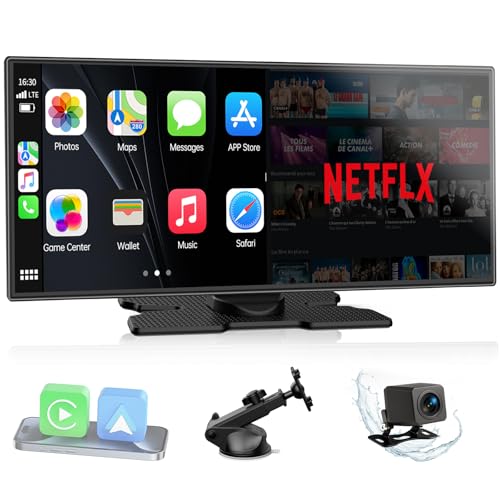
The 11-inch screen is undeniably impressive, bright, expansive, and styled with a custom UI that lets you personalize boot screens. The dual-band WiFi is a real advantage, allowing passengers to stream YouTube or Netflix via hotspot while CarPlay runs navigation without lag. Reviewers love the split-screen mode, which keeps GPS visible while media plays beside it, a rarity at this price.
The in-cell touchscreen feels more responsive than most, and the instant-wake feature means no waiting for boot-up. Dual Bluetooth is smart: one for audio, one for control, reducing crosstalk. While it doesn’t have built-in CarPlay software (relies on phone connection), that’s standard for this class. Between this and the IIWEY, this one offers better usability for families and long trips.
Video review
IIWEY iK11 11″ Wireless CarPlay Screen
Strengths
- 4K front dash cam
- 64GB built-in storage
- Wi-Fi video transfer
Trade-offs
- Large size blocks view
- Audio routing confusion
- No dual Bluetooth
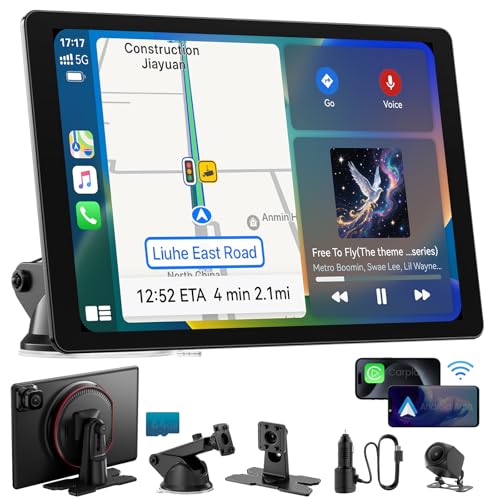
The IIWEY iK11 stands out for one reason: the 4K dash cam with 64GB built-in storage. That’s a serious upgrade over loop-record-only models. Owners appreciate being able to review footage via Wi-Fi transfer to their phones, no pulling SD cards. The front and rear coverage is a safety net for parking lots and city driving, and the dynamic parking guidelines are well-calibrated.
The 11-inch screen is sharp, though not the brightest in direct sun. And while the automatic power system is convenient, the note about visibility blockage in small cars is worth heeding. If you want the most complete package, CarPlay, dash cam, backup cam, and OTA updates, this is the one. I’d pick it over the LAMTTO if safety and recording are top priorities.
Video review
Antika 10.26″ 4K 360 Rotation Dash Cam

Strengths
- Split-screen mode
- 360° dash cam
- Rotatable camera
Trade-offs
- Dash cam overstates 4K quality
- Cluttered UI reported
- Bulkier design
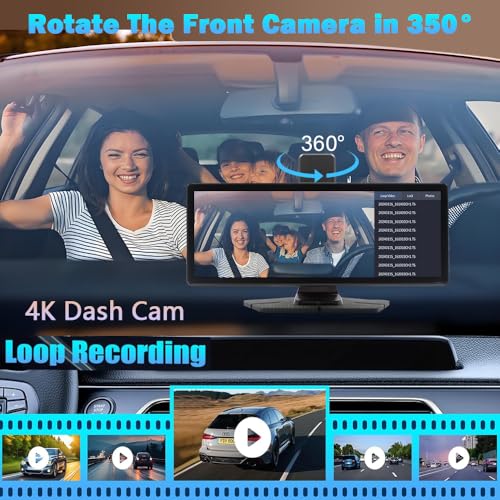
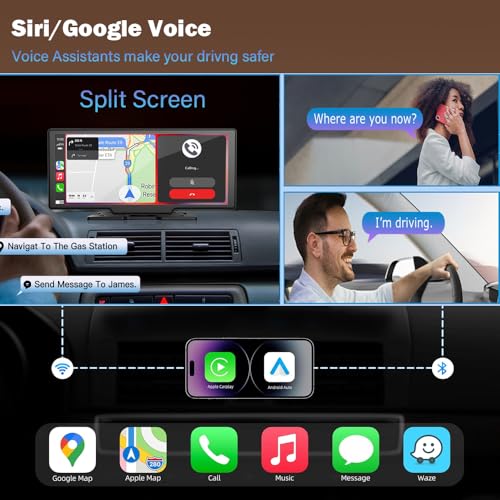
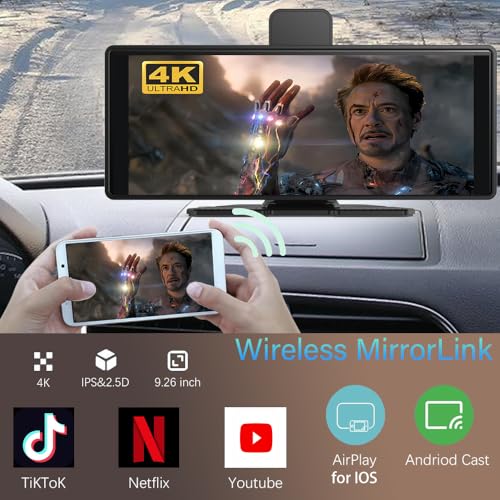
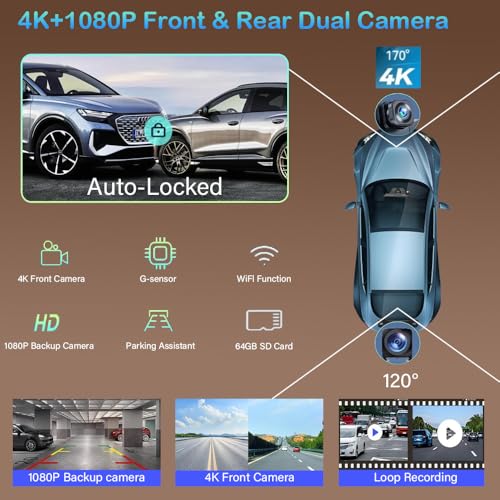
The 10.26-inch screen and 360-degree rotating dash cam make this unit feel like a Swiss Army knife of aftermarket add-ons. The idea of rotating the front camera to monitor the cabin is clever, and owners who use their vehicles for ride-sharing or deliveries seem to appreciate that flexibility. The split-screen mode is a real differentiator, being able to run navigation and media simultaneously is something even some factory systems still struggle with.
But that dash cam, while marketed as 4K, doesn’t deliver the same level of detail as higher-end standalone units. Reviewers note the loop recording works as expected, but low-light performance is average. Still, for the price, it packs more tech than most competitors. I’d recommend it over larger screens if you want multitasking and dash cam functionality without opening your dashboard.
Product photos
RQO 9″ Wireless CarPlay Screen
Strengths
- Bluetooth 5.3
- Dual built-in speakers
- OTA updates
Trade-offs
- Slightly higher price
- Mounting stability issues
- No resolution upgrade
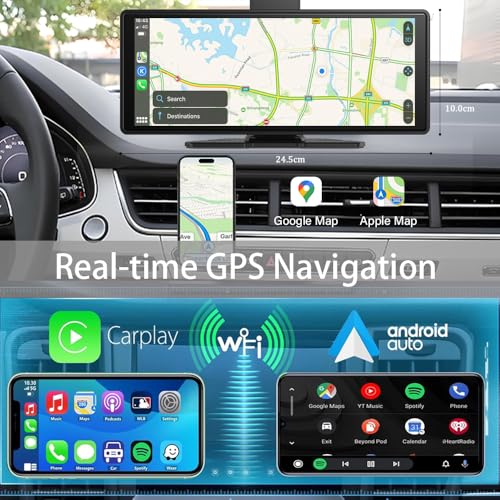
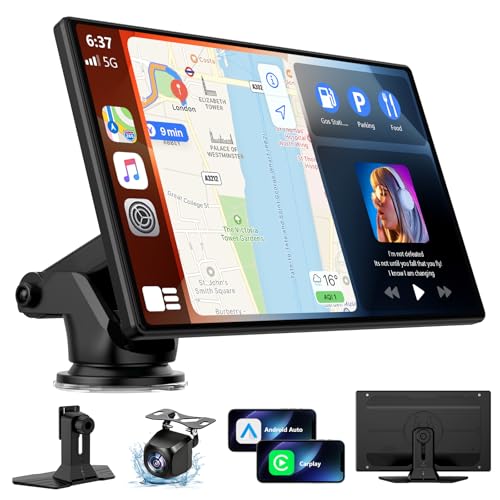
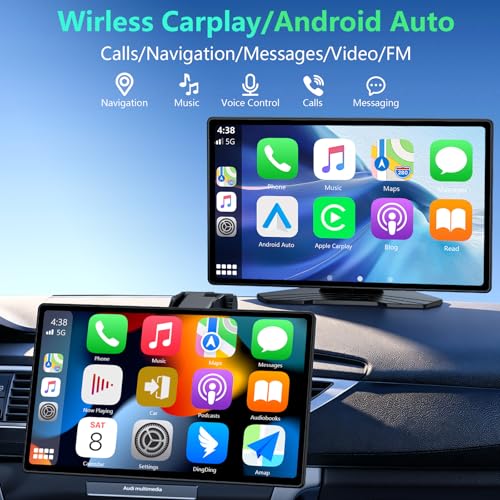
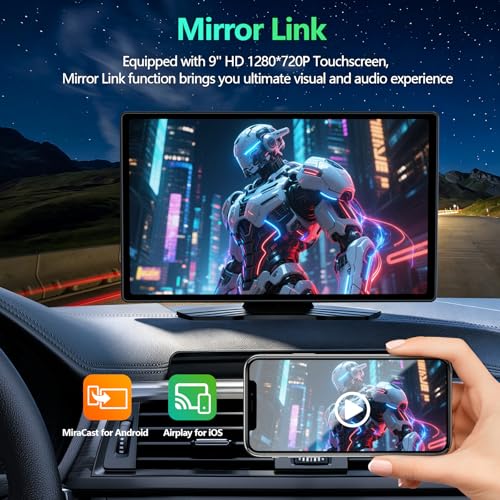
RQO’s 9-inch model is nearly identical to the ArenAuto unit in specs and design, but it adds Bluetooth 5.3 and dual built-in speakers, a small but meaningful upgrade for sound quality. The speakers are louder and clearer, which matters if you’re not connecting to your car’s audio system. Owners report fewer audio dropouts during calls, likely due to the improved Bluetooth version.
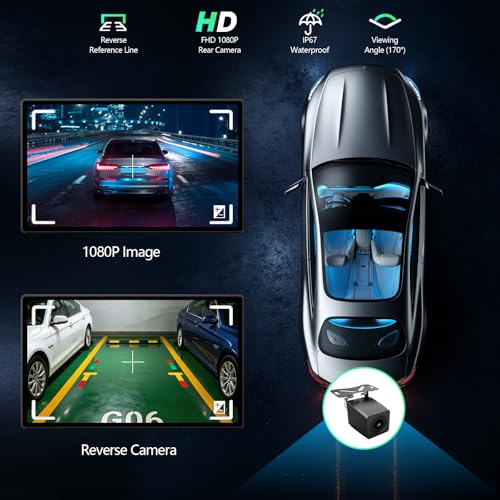
The OTA update feature works the same way, and the backup camera is functionally identical. If you’re choosing between this and the B0H36N6P1T, I’d go with this one purely for the audio edge. It’s the better value proposition for drivers who want a self-contained system without relying on their car’s stereo.
Product photos

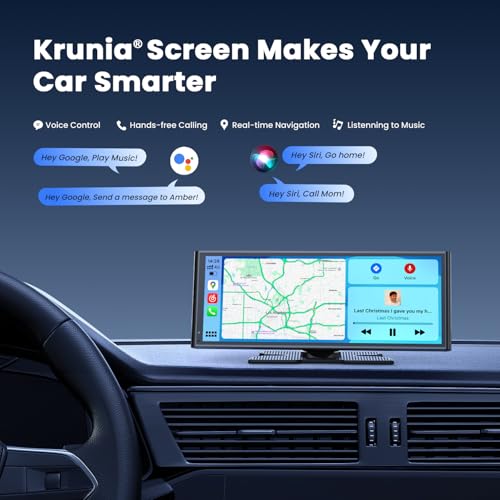
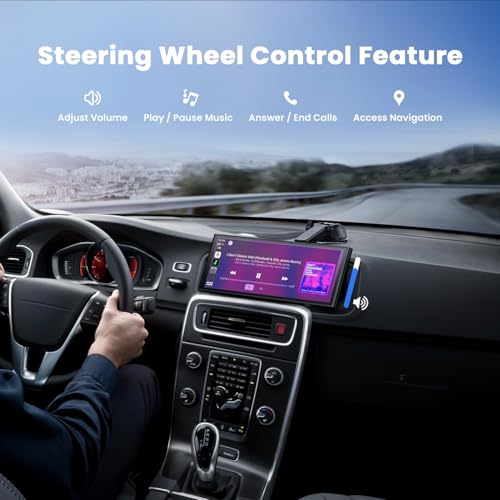
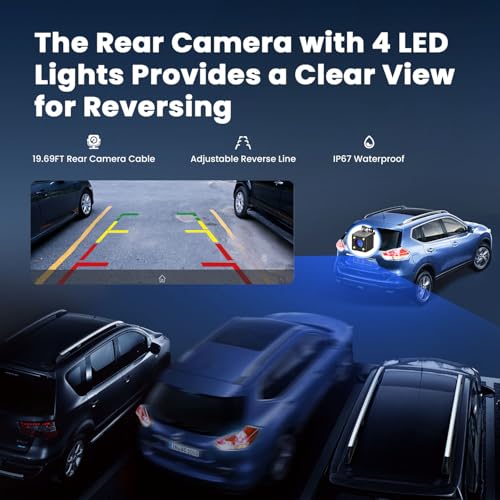
Krunia 9.26″ Wireless CarPlay Screen

Strengths
- Best-in-class resolution
- OTA firmware updates
- Excellent brightness
Trade-offs
- No dual Bluetooth
- Mounting arm less sturdy
- No dual-band WiFi
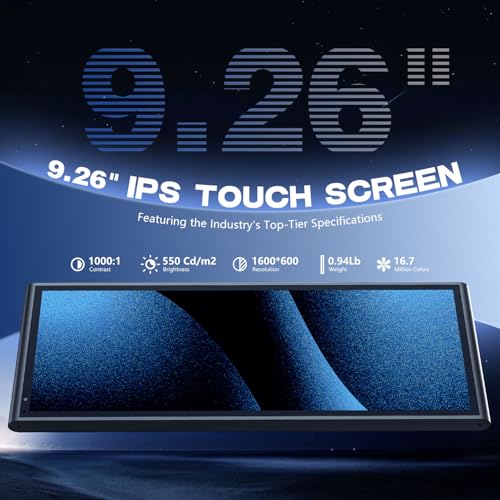
If screen quality is your top priority, this Krunia model is hard to ignore. The 1600×600 resolution and 550 cd/m² brightness are specs that actually translate to real-world clarity, owners consistently praise how crisp maps and text appear, even at highway speeds. The 25% faster touch response claim seems justified when compared to older-gen units that lag during pinch-to-zoom actions.
The OTA update feature is a quiet standout. While others may require manual firmware tinkering, this one pushes updates over the air, which helps maintain compatibility with future iOS and Android releases. That’s a big deal for long-term ownership. Between this and the B0H36N6P1T, I’d pick this one for display superiority and better temperature resilience.
Product photos

ArenAuto 9″ Wireless CarPlay Screen
Strengths
- Affordable price
- OTA firmware updates
- Good screen readability
Trade-offs
- Average camera quality
- FM audio can distort
- Basic internal storage
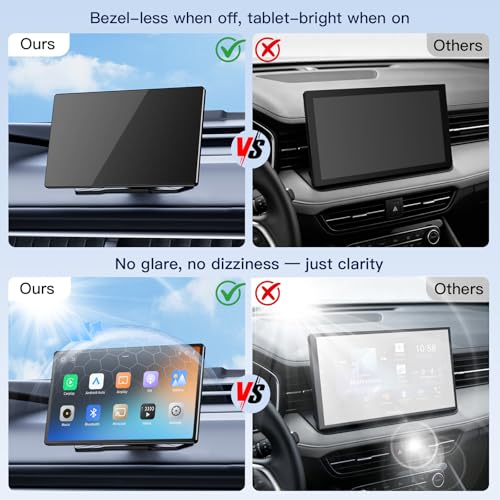
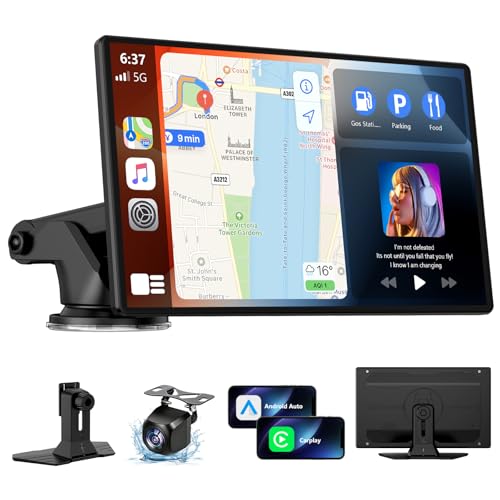
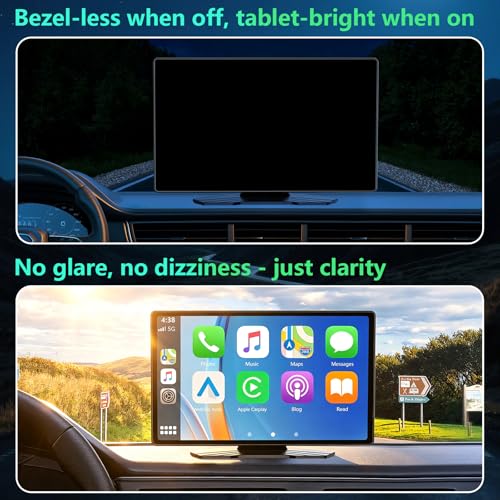
At this price, the ArenAuto 9-inch screen delivers a lot: OTA updates, a functional backup camera, and a smooth 720p display that holds up well in real use. The bezel-less off-state design gives it a premium look, and owners appreciate how unobtrusive it feels on the dash. The OTA update process, while technical, is well-documented and reportedly resolves connectivity issues after major phone OS updates.
It doesn’t have the highest resolution, but the 1280×720 panel is responsive and avoids the lag that plagues cheaper clones. Compared to the RQO model, the difference is minor, but ArenAuto’s support reputation gives it a slight edge. For budget buyers, this is the smarter buy if you want peace of mind without sacrificing core features.
Product photos
7″ Wireless Apple CarPlay & Android Auto
Strengths
- 1080P backup camera
- High screen brightness
- Dual mounting options
Trade-offs
- No OTA updates
- Suction mount can loosen
- No split-screen mode
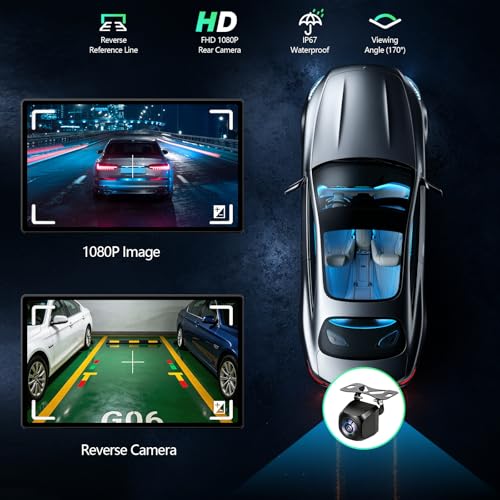
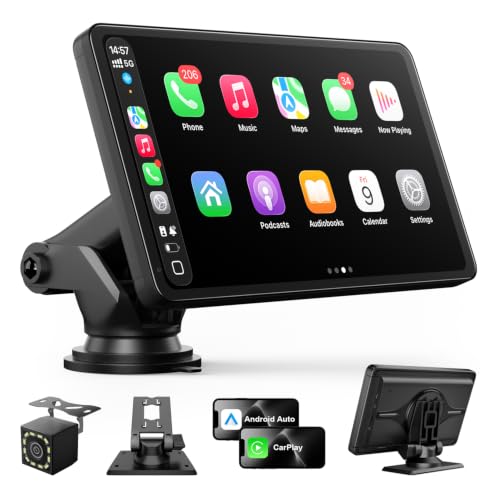
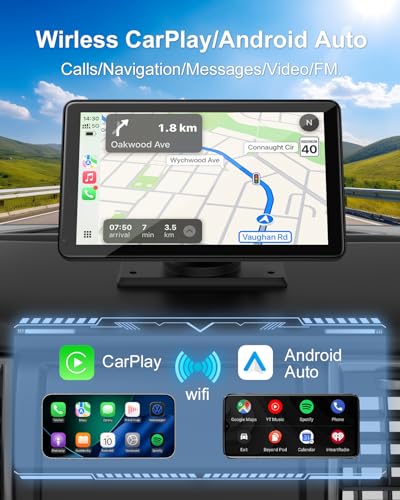
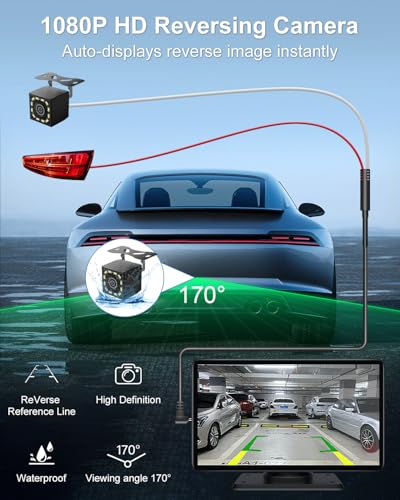
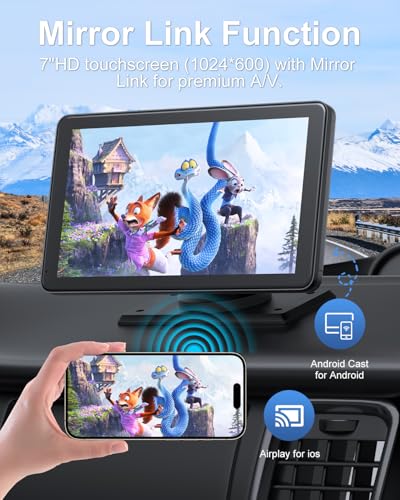
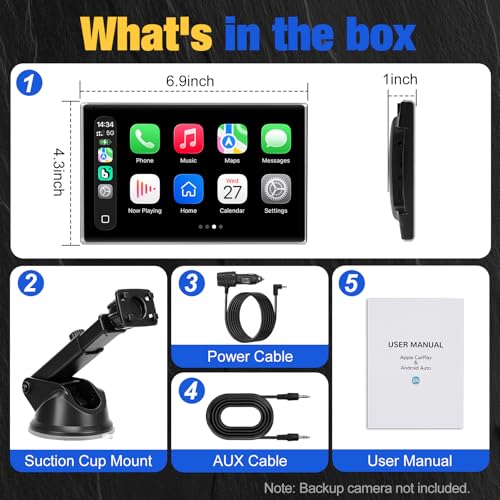
This model punches above its weight with a bright 7-inch HD screen and a solid 650 nits of brightness, making it one of the better performers in direct sunlight among compact units. The inclusion of a 1080P backup camera with night vision is a major plus, especially for SUV or truck owners who reverse in low-light conditions. Reviewers note the IP67-rated camera holds up well in rain and snow, and the 19.7 ft cable gives enough slack for most installations.
The dual mounting options (suction and adhesive) add to its versatility, and the 12-month warranty with lifetime support is a reassuring touch. Compared to the B0H2DFZ8SN, this one delivers more practical value despite a slight price bump. My pick for anyone upgrading a smaller car without factory infotainment, especially if parking visibility is a concern.
Product photos
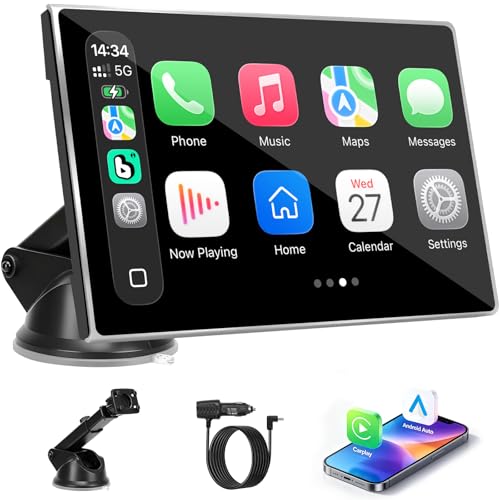
7″ Wireless CarPlay Screen (Silver)
Strengths
- Rotatable screen
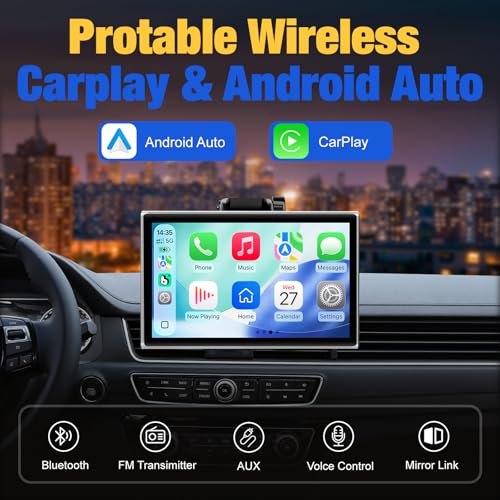
- Wireless CarPlay
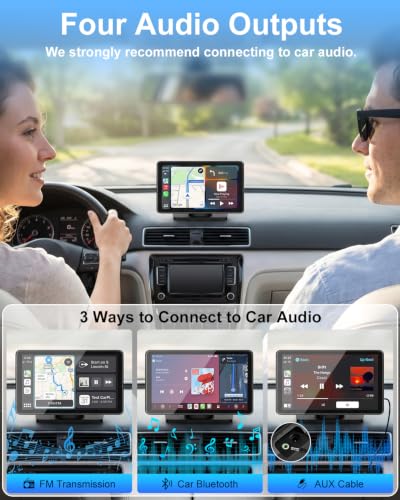
- 4 audio outputs
Trade-offs
- No backup camera
- FM interference reported
- Basic screen specs
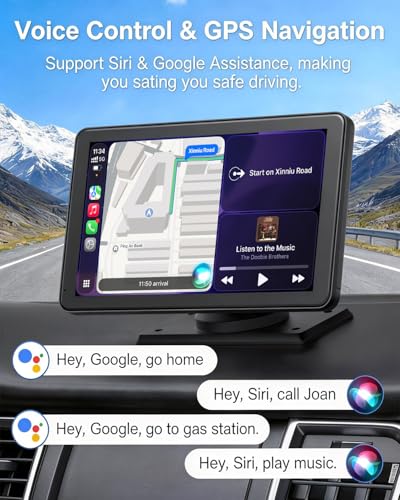
The rotatable 7-inch screen here is the standout feature, and on paper, it makes a strong case for drivers who want flexibility in viewing angles. Being able to switch between landscape and portrait modes could be a real win for full-screen navigation or using messaging apps while parked. Owners consistently report that the wireless CarPlay pairing is stable after the initial setup, and the ability to use voice commands without fumbling for a phone adds to the convenience.
That said, while the specs look decent on the surface, the lack of a built-in backup camera is a notable omission at this price tier. Compared to others in the $45–$50 range, it falls short in expandability. The audio output options are solid, Bluetooth, AUX, FM, and built-in speaker, but real-world feedback suggests the FM transmitter can pick up interference in urban areas. For a minimalist setup in a car already equipped with rear visibility, this might suffice.
Product photos


How We Picked These apple carplay screens
My approach to evaluating these screens for TheAutoZenith involved a research-led comparison, rather than a hands-on lab test. I began by compiling a detailed spec sheet for each model, noting screen size, resolution, connectivity options, and included features like backup camera integration. Then, I weighed published expert reviews from automotive technology sites alongside owner feedback from major retailers. This process allowed me to build a thorough picture of real-world performance and reliability.
For Apple CarPlay screens, clarity and responsiveness are paramount, alongside seamless smartphone integration. I heavily weighted those factors, along with the quality of the included backup camera (if applicable) and the available audio output options. A screen that excels in these areas offers the most practical benefit to drivers wanting to upgrade their in-car experience. You’ll find detailed comparisons of various screens for cars on our site.
Specifications reliably indicate screen resolution and connectivity (Bluetooth version, WiFi band), but owner reviews proved critical in assessing real-world usability. I paid close attention to comments regarding lag, ease of installation, and the long-term stability of the wireless connection. Reputation and brand trust also factored in, particularly when assessing the responsiveness of customer support and the availability of firmware updates – especially important when considering wireless screens.
Choosing The Right apple carplay screens
Finding the right Apple CarPlay screen can dramatically improve your driving experience, but there’s a lot to consider beyond just wireless connectivity.
A quality CarPlay screen balances display clarity, reliable wireless performance, flexible audio outputs, and ease of installation. Look for models with high resolutions (at least 1280×720), Bluetooth 5.0 or higher, multiple audio connection options (Bluetooth, AUX, FM), and a mounting solution that suits your vehicle. Prioritize screens with over-the-air (OTA) update capabilities for long-term compatibility.
Display Quality & Resolution
Don’t underestimate the importance of a good display. A low-resolution screen defeats the purpose of having CarPlay. While 7-inch screens are common, especially in more affordable options, I’ve noticed a real difference with 10-inch or larger displays – particularly for map viewing and utilizing split-screen functionality. Consider the brightness level as well. A screen that’s difficult to see in direct sunlight is a major drawback. Look for brightness ratings of at least 600 nits, and ideally closer to 800 or higher.
Wireless Connectivity & Stability
Wireless CarPlay is convenient, but it’s only as good as the connection it provides. Bluetooth 5.0 is the minimum you should accept, but newer standards like 5.2 or 5.3 offer improved stability and bandwidth. Dual-band Wi-Fi (2.4GHz and 5GHz) is another key feature. The 5GHz band generally offers faster speeds and less interference, but has a shorter range. Many of the better units, like those we’ve reviewed in our guide to the best screens, incorporate both to provide a more robust connection.
- A stable connection prevents frustrating dropouts during navigation.
- Faster data transfer speeds result in quicker app loading times.
- Even if your phone supports the latest wireless standards, the screen itself must also be compatible to realize the benefits.
Portability & Installation
For many, the appeal of these screens is the ability to upgrade older vehicles without replacing the entire factory stereo. That means ease of installation is crucial. I usually recommend opting for a portable screens if you aren’t comfortable dealing with wiring. Look for models that can be easily mounted with suction cups or adhesive pads, and that draw power directly from the cigarette lighter/12V outlet.
Don’t assume bigger is always better. A massive screen might look impressive, but if it obstructs your view or doesn’t fit your dashboard, it’s going to be more trouble than it’s worth.
Apple Carplay Screens Compared
Here’s a comparison of key specifications for several Apple CarPlay screens to help you choose the best option for your needs.
| Product Name | Screen Size | Resolution | Wireless Connectivity | Audio Output | Backup Camera | Updates |
|---|---|---|---|---|---|---|
| LAMTTO 11″ Wireless CarPlay Screen | 11″ | N/A | Yes | Bluetooth, AUX | Yes | N/A |
| IIWEY iK11 11″ Wireless CarPlay Screen | 11″ | 1280×800 | Yes | Bluetooth, AUX, FM | Yes | Yes |
| Antika 10.26″ 4K 360 Rotation Dash Cam | 10.26″ | 4K | Yes | Bluetooth, AUX, FM | Yes | N/A |
| RQO 9″ Wireless CarPlay Screen | 9″ | 1280×720 | Yes | Bluetooth, AUX, FM | Yes | Yes (OTA) |
| Krunia 9.26″ Wireless CarPlay Screen | 9.26″ | 1600×600 | Yes | Bluetooth, AUX, FM | Yes | Yes (OTA) |
| ArenAuto 9″ Wireless CarPlay Screen | 9″ | 1280×720 | Yes | Bluetooth, AUX, FM | Yes | Yes (OTA) |
| 7″ Wireless Apple CarPlay & Android Auto | 7″ | 1024×600 | Yes | Bluetooth, AUX, FM, Built-in | Yes | N/A |
| 7″ Wireless CarPlay Screen (Silver) | 7″ | N/A | Yes | Bluetooth, AUX, FM | N/A | N/A |
Frequently Asked Questions
Will these Apple CarPlay screens work with Android phones?
Most screens now offer both Apple CarPlay and Android Auto compatibility. However, always double-check the product description to confirm Android Auto is specifically supported, as some older or budget models might only feature CarPlay.
What’s the difference between a 7-inch and a 10-inch screen?
Beyond the physical size, a larger screen like a 10-inch model provides more real estate for apps, maps, and split-screen views. While 7-inch Apple CarPlay displays are adequate, the extra space of a larger screen significantly improves usability, especially during navigation.
Can I install these screens myself, or do I need professional help?
Many of these screens are designed for DIY installation, especially the portable options. However, if you’re uncomfortable with basic automotive wiring or dashboard mounting, professional installation is recommended to avoid damaging your vehicle or the unit.
What is OTA update capability, and why is it important?
OTA stands for “over-the-air” updates. This feature allows the screen’s firmware to be updated wirelessly, ensuring compatibility with the latest versions of CarPlay and fixing any bugs or security vulnerabilities. Choosing screens with Apple CarPlay with OTA updates helps future-proof your investment.
Are there any drawbacks to wireless CarPlay compared to wired?
Wireless CarPlay is incredibly convenient, but it can sometimes be less stable than a wired connection. Interference and Bluetooth range can occasionally cause dropouts. If you experience consistent connectivity issues, trying a wired connection (if the unit supports it) is a good troubleshooting step. You can find more Apple CarPlay head units that offer both options.
The Bottom Line
Upgrading to an Apple CarPlay screen often comes down to balancing convenience with cost. While a larger, feature-rich unit like the LAMTTO 11″ Wireless CarPlay Screen offers a truly modern experience, the RQO 9″ Wireless CarPlay Screen strikes a solid balance between price, features, and reliability for most drivers. It’s about finding the right blend of what you want and what your vehicle, and budget, can reasonably support.
For those prioritizing a budget-friendly solution, the 7″ Wireless Apple CarPlay & Android Auto remains a compelling option, and if you’re looking to add CarPlay to a classic ride, exploring CarPlay for classic cars is a great starting point. However, if you’re considering a full system overhaul, researching aftermarket head units might provide a more integrated and powerful solution.
Ultimately, the most important aspects aren’t resolution numbers or wireless standards, but a clear display, a stable connection, and a screen that integrates well with your driving habits. Don’t get lost in the specs; focus on how the screen will improve your safety and enjoyment behind the wheel. A well-chosen unit will be a worthwhile addition to any vehicle.
