
7 Best Car HUD Head Up Displays of 2026
This post contains affiliate links. As an Amazon Associate, we earn from qualifying purchases.
The VIVIHUD HUD Car GPS V5 stands out as the overall best car HUD for its seamless CarPlay and Android Auto integration, bringing navigation and media into your line of sight. For budget-conscious drivers, the W2 Heads Up Display Green delivers basic speed projection at a low price, while the wiiyii HUD A8 is the top pick for enthusiasts who want deep OBD2 data like engine temperature and fault codes.
Too many drivers take their eyes off the road for just a second, long enough to miss a hazard. A good HUD helps fix that by putting key info where you need it. But not all units are created equal. After comparing the field and weighing specs against real owner experiences, I focused on clarity, stability, and what data actually matters behind the wheel. This guide cuts through the noise to highlight the HUDs that deliver real value and help you stay focused.
Top 7 Car Hud Head Up Displays in the Market
The Best Car Hud Head Up Displays, Reviewed
VIVIHUD HUD Car GPS V5
Strengths
- Wireless CarPlay and Android Auto
- HD anti-glare display
- Voice control support
- OBD2 diagnostics
- Plug-and-play installation
Trade-offs
- Higher price point
- Larger footprint on dash
- Occasional Bluetooth pairing delay
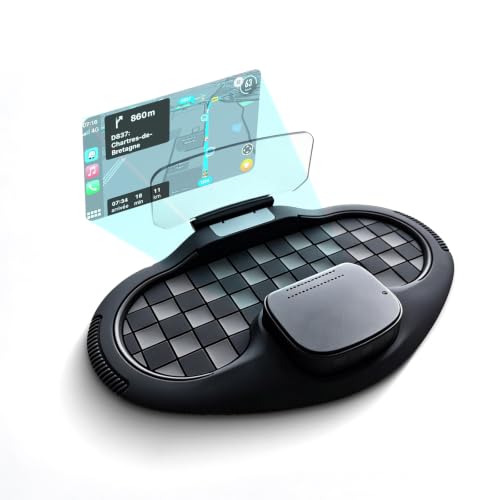
This is the complete package, wireless CarPlay and Android Auto transform it from a simple speed projector into a full infotainment extension. The ability to project navigation, messages, and voice assistant prompts directly onto the windshield is a major leap in usability. Owners consistently praise the anti-glare clarity and the stable base, which holds firm even on rough roads.
It pulls OBD2 data too, so you get speed, diagnostics, and warnings alongside smartphone features. The 2-year warranty and strong support response add peace of mind. Against the 5.5-inch OBD2 models, it’s clearly the upgrade, especially for iPhone users who rely on CarPlay. Yes, it’s the most expensive here, but the integration justifies the cost for tech-savvy drivers.
Video review
wiiyii HUD A8 5.5-inch Display
Strengths
- Large HD display
- OBD2 fault code reading
- Voltage and temp monitoring
- Speed unit switching
- Clear data layout
Trade-offs
- No GPS backup
- Limited to OBD2-compatible cars
- No navigation support
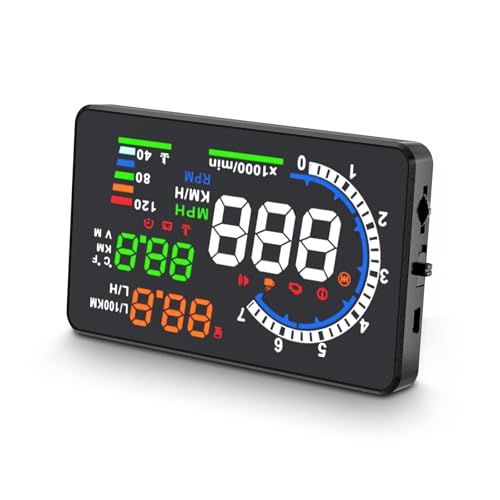
If you want to know what your car is thinking, this OBD2-linked HUD is a smart middle ground. The 5.5-inch display is among the largest in this category, and owners praise its clarity and the depth of data it pulls, speed, voltage, water temperature, even fault codes. Being tied to the OBD2 port means it reflects actual vehicle sensor data, not just GPS-derived estimates, which I prefer for accuracy, especially in stop-and-go traffic.
It doesn’t support wireless CarPlay or navigation, but the ability to read and clear fault codes adds real utility beyond most budget HUDs. Some users report initial pairing hiccups with older vehicles, but once connected, stability is generally solid. Against the VIVIHUD, it lacks smart integration, but for pure vehicle insight, it punches above its price.
Video review
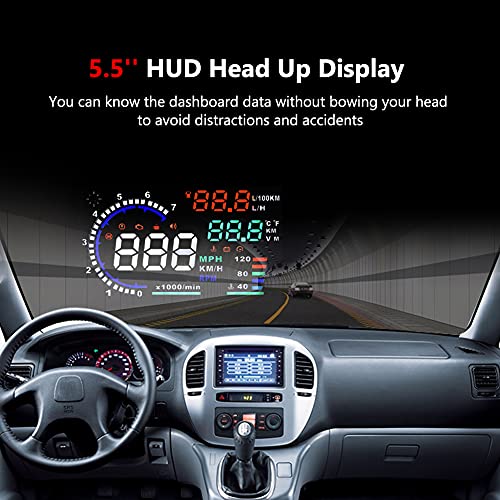
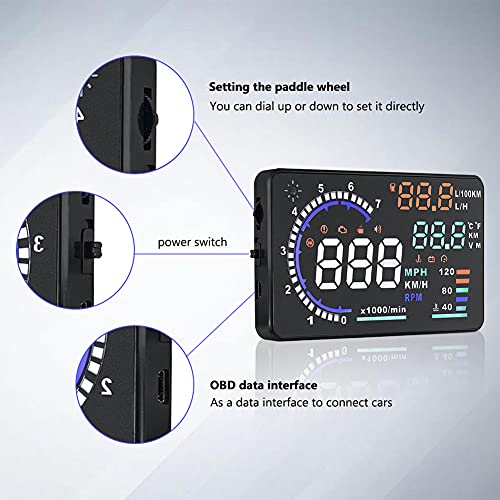
5.5” HUD Head Display Multi-Color
Strengths
- Rich OBD2 data
- Fuel consumption tracking
- Fault code detection
- Fatigue and overheat alerts
- Auto brightness adjustment
Trade-offs
- Busy display layout
- Occasional OBD2 pairing lag
- No smartphone integration
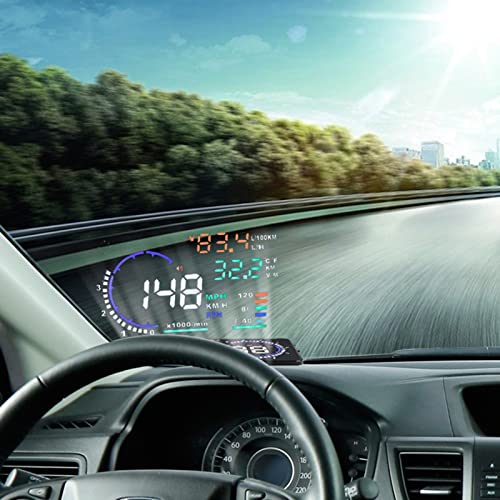
This is one of the most feature-dense HUDs in the sub-$75 range. The OBD2 integration pulls in a full suite of data, fuel consumption, RPM, battery voltage, fault codes, even shift reminders, and the multi-color display helps differentiate metrics at a glance. Reviewers often highlight the automatic brightness and anti-glare coating, which perform well in mixed lighting.
The fatigue driving alert is a thoughtful addition for long haulers, and the 180-day return window signals strong confidence from the seller. Compared to the wiiyii A8, it offers more active safety prompts and better fuel tracking, but the interface can feel cluttered if you enable all functions. I’d recommend this for drivers who treat their car like a machine to monitor, not just a mode of transport.
Product photos


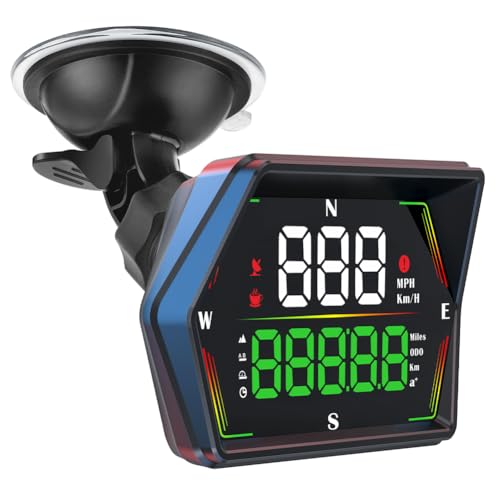
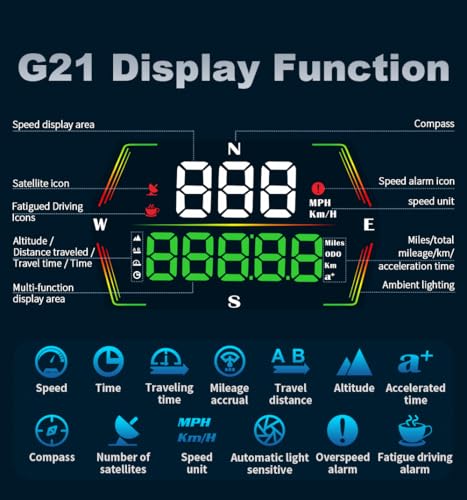
HUD Heads Up Display 2025 New
Strengths
- Excellent GPS accuracy
- Compass and ODO functions
- 6 display modes
- Fatigue driving alert
- Anti-glare metal shading
Trade-offs
- No OBD2 data
- GPS-dependent in tunnels
- Slightly higher price than basic models
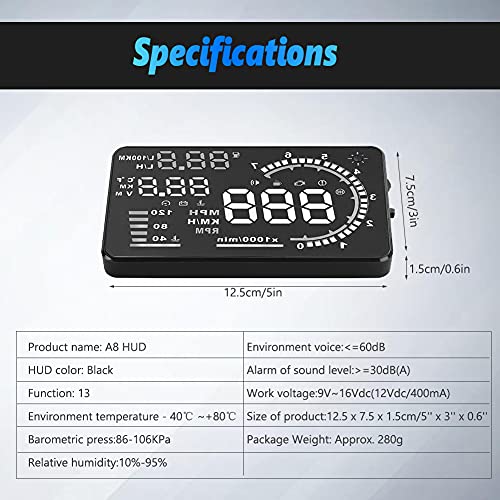
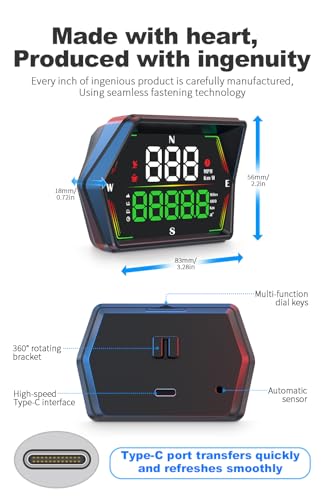
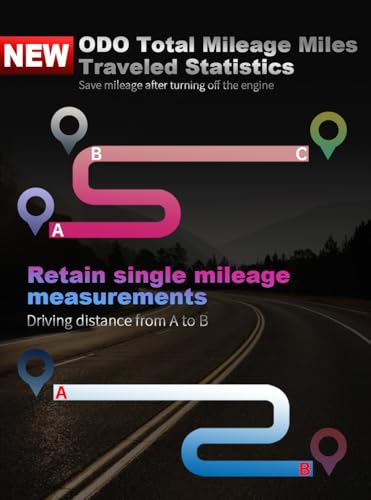
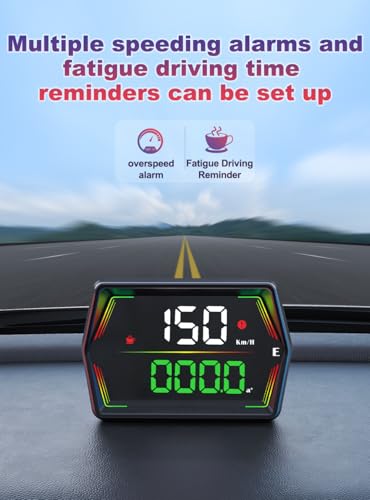
This 2025 model pushes GPS-based HUDs to their peak with a 10Hz dual-mode chip and 32-satellite tracking, on paper, it’s the most advanced standalone GPS unit here. Owners report near-instant signal lock and exceptional accuracy, even in urban canyons. The compass and ODO functions are rare at this level, and the fatigue alert after four hours of driving is a thoughtful safety touch.
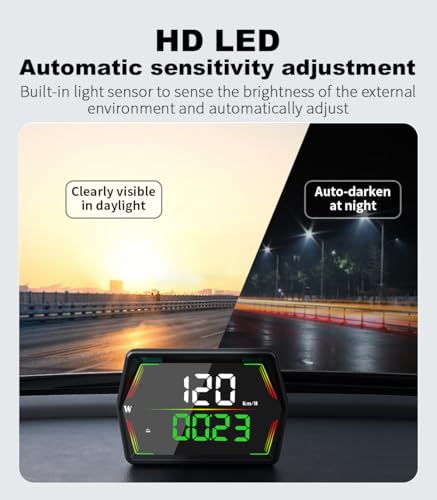
The six display modes let you customize what’s shown, and the anti-glare metal blackout tech delivers sharp readability. Against the W2, it offers more features and better data variety, though it still lacks OBD2 precision. For drivers who want the best GPS-only performance without tapping into the car’s computer, this is the one to beat.
Product photos
Mulcort Solar GPS HUD

Strengths
- Solar-powered charging
- Wireless convenience
- Altitude and temperature display
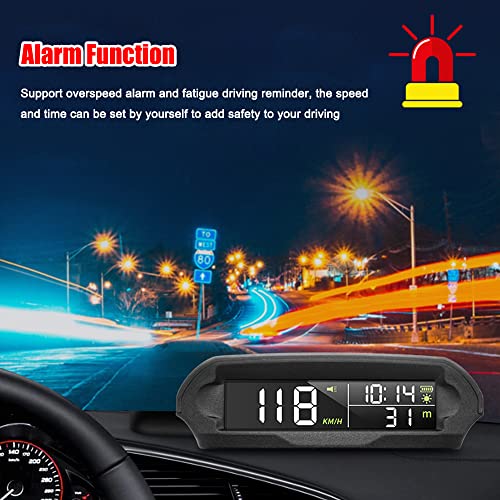
- Overspeed and fatigue alerts
- Dual power options
Trade-offs
- Lower screen brightness
- GPS-only speed source
- LCD visibility in direct sun
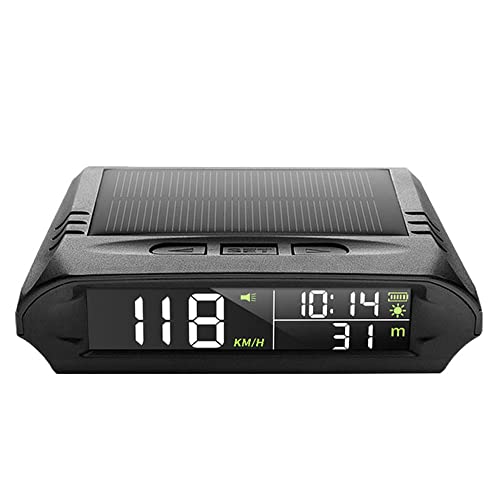
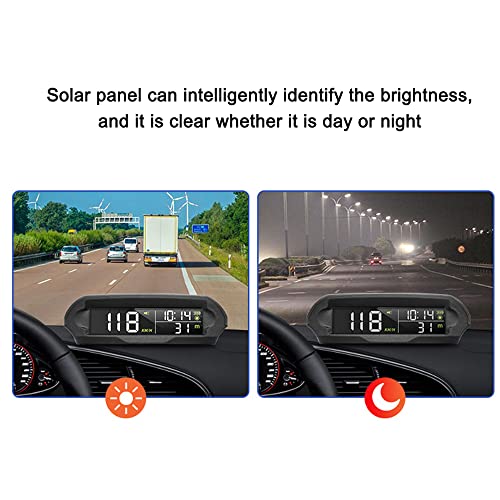
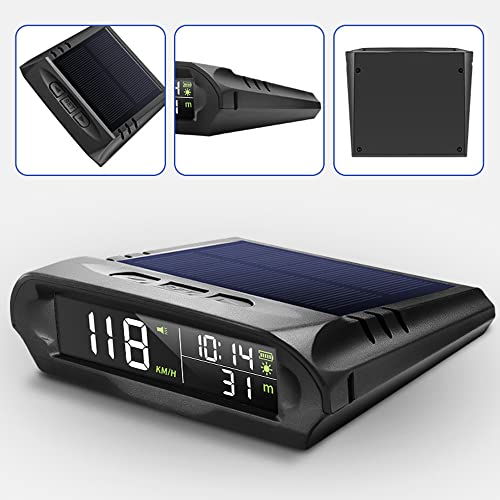
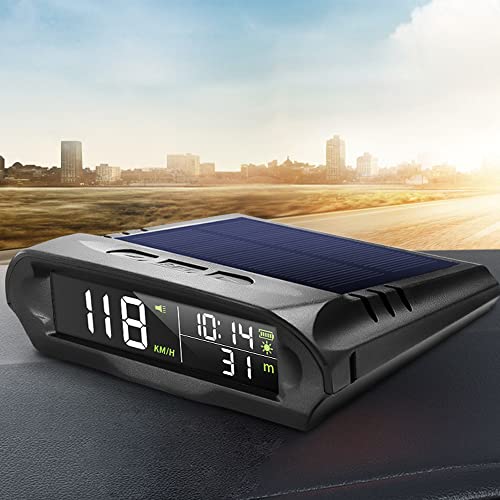
The solar charging feature is the standout here, and for good reason, it’s a real convenience for drivers tired of USB clutter. The built-in solar panel keeps the internal battery topped up in daylight, and owners report reliable operation even after days without direct sun. The GPS accuracy is decent, and the display includes fun extras like altitude and external temperature, which, while not critical, add a nice touch for road trippers and motorcyclists.
It’s not as bright or sharp as the larger OBD2 models, and the LCD lacks the punch of LED projectors in full sun. But for a wireless, self-sustaining HUD that shows more than just speed, it’s a smart pick. I’d place it above the basic GPS units for versatility, though it can’t match OBD2 precision in stop-and-go traffic.
Product photos
W2 Heads Up Display Green
Strengths
- High GPS accuracy
- Triple overspeed alarm
- Built-in sun visor
- Plug-and-play setup
- Stable signal reception
Trade-offs
- No OBD2 integration
- Basic display features
- Limited data range
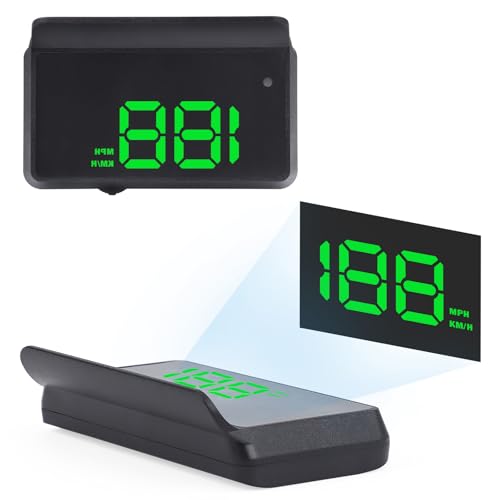
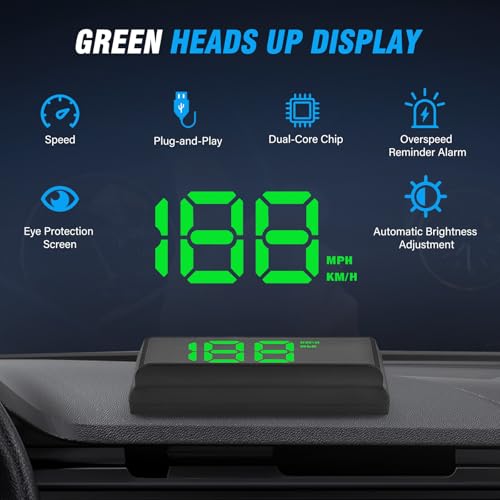
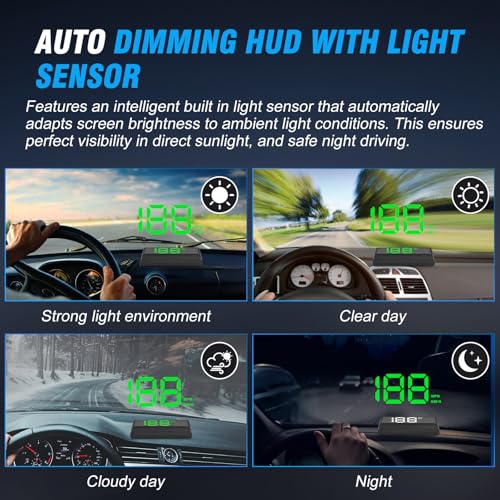
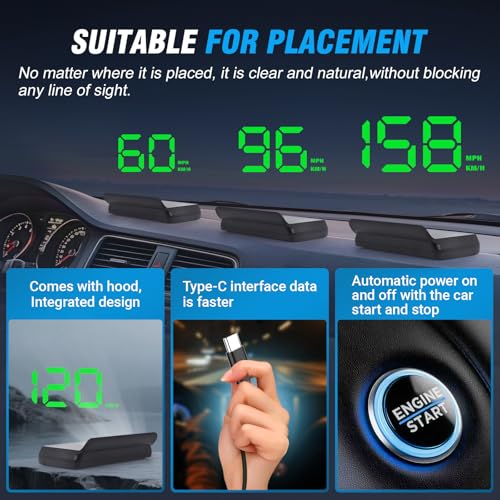
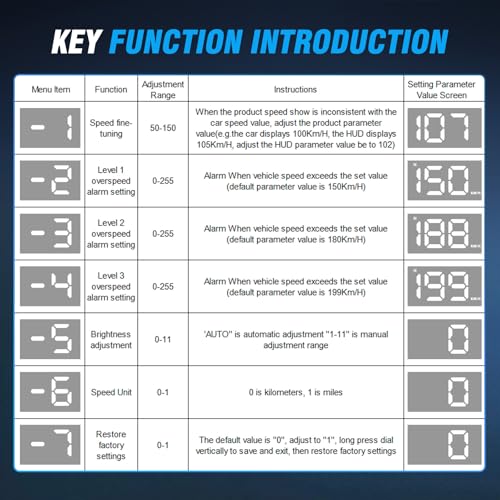
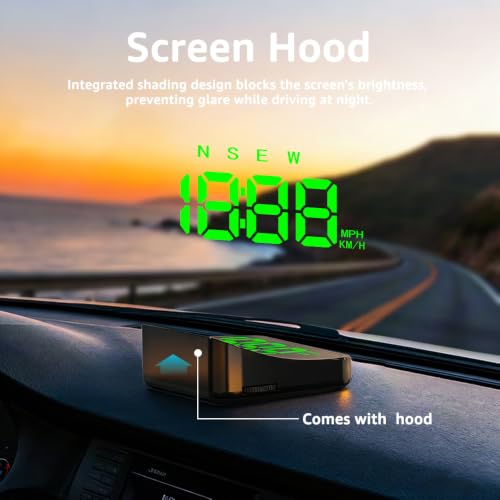
At this price, the W2 surprises with military-grade dual-core processing and a 10Hz GPS refresh rate, specs usually seen in more expensive units. Owners confirm the speed accuracy is solid, often within 1 km/h of dash readings, and the triple overspeed alert (80/120/150 km/h) is a unique safety feature. The built-in sun visor helps reduce ghosting, and the automatic brightness works well in most conditions.
It’s not flashy, but it’s dependable. Compared to the entry-level B0HC3DBJK4, it offers better signal stability and a more robust alert system. The lack of OBD2 data is expected at this price, but the GPS performance justifies the slight bump over the cheapest models. For budget-focused drivers who still want reliable tech, this is the smarter buy.
Product photos

Heads up Display for Cars Windshield
Strengths
- Compact design
- MPH/KMH switchable
- Adjustable brightness
- Overspeed alert
- Speed calibration
Trade-offs
- GPS signal drop in tunnels
- No OBD2 data
- Limited display info
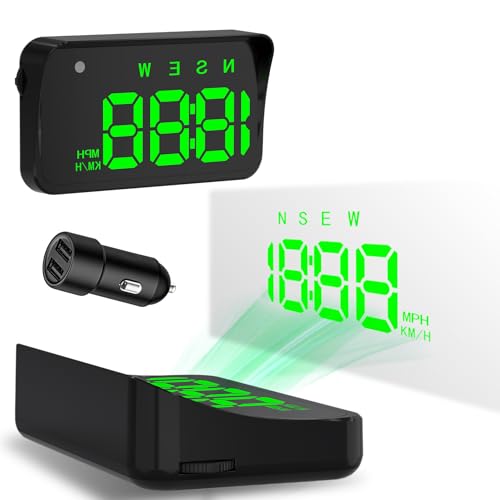
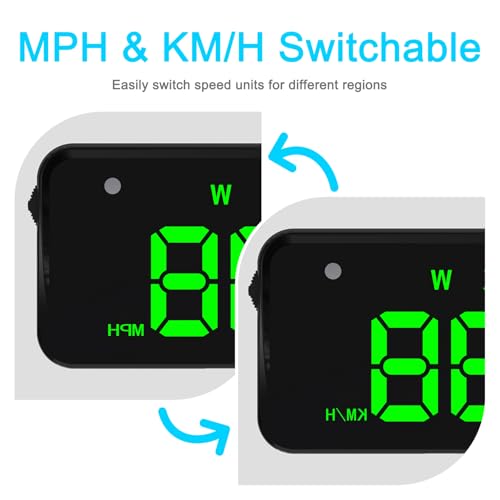
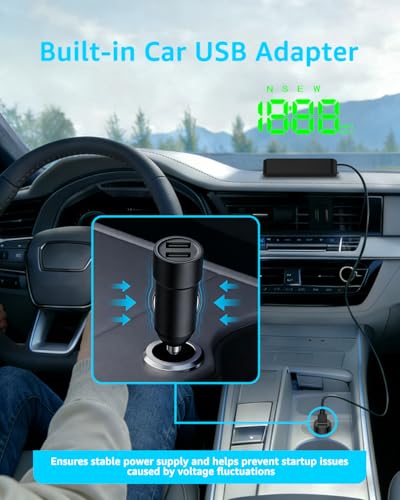
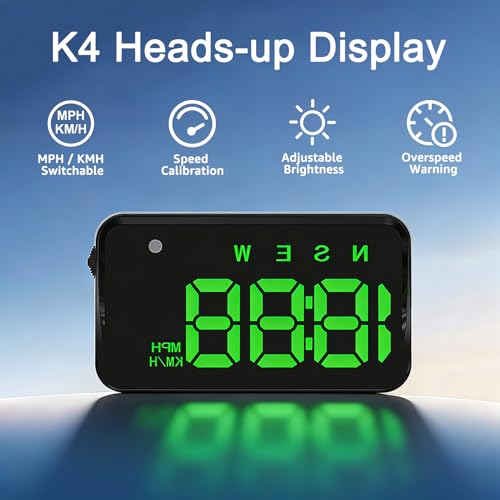
This compact GPS-based HUD delivers solid core functionality at a minimal cost. On paper, the dual-mode GPS + BDS with 10Hz refresh is impressive for the price, and owners consistently report quick satellite acquisition and stable speed tracking. The large anti-reflective display is easy to read in most lighting, and the ability to manually calibrate speed helps align it with your dash if discrepancies arise.
It’s strictly a speed-focused unit, no engine data or diagnostics, but for drivers who just want a clean, reliable readout without tapping into the OBD2 port, that’s a fair trade. Compared to OBD2 models, it lacks vehicle integration, but wins on universal compatibility. The overspeed alert is basic but functional, and the USB plug-and-play design means zero setup hassle.
Product photos
How We Evaluated car hud head up displays
As someone who’s spent years exploring automotive tech at TheAutoZenith, I approached researching car HUDs with a focus on practical usability and real-world benefits. Rather than a hands-on lab test with each unit, this evaluation is a research-led comparison of published specifications, owner reviews from various online retailers, and expert opinions found in automotive publications. I weighed these data points against my understanding of what truly makes for a helpful driving aid.
For car HUDs, clarity and data relevance are paramount. I heavily weighted the quality of the display – brightness, anti-glare properties, and readability in varying conditions – alongside the types of information presented. A HUD projecting only speed is far less useful than one displaying critical data like RPM, engine temperature, or even fault codes. Equally important was the method of power and connectivity; ease of installation and stable operation were key considerations.
Specifications reliably tell you about display resolution, refresh rates, and compatibility with different vehicle systems (like OBDII). However, owner feedback proved crucial for gauging the accuracy of GPS-based models, the effectiveness of automatic brightness adjustment, and the long-term reliability of solar-powered options. I also considered the value proposition offered by each unit, comparing feature sets against price points, and noting where some models excelled in niche areas like OBD2 data reporting or integration with best stereo head units. Finally, a stable and secure mounting solution is crucial, so I paid close attention to reviews mentioning issues with units sliding or vibrating, often requiring a quality dashboard phone mounts to complement the HUD.
Choosing The Right car hud head up displays
I’ve spent years observing how drivers interact with their vehicles, and one thing is clear: minimizing distractions is paramount. A well-chosen car HUD (head-up display) can be a significant step in that direction.
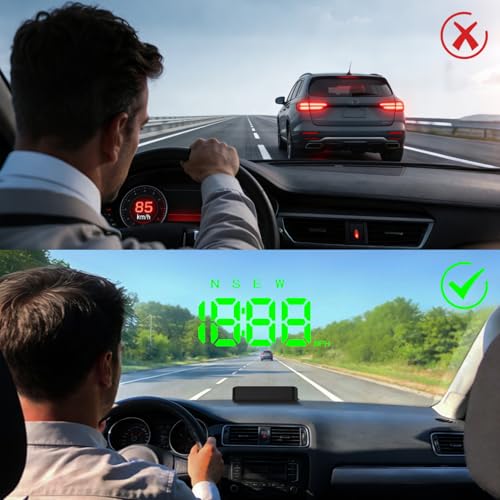
A quality car HUD projects crucial driving information onto the windshield, allowing the driver to keep their eyes on the road. Look for accurate data projection, clear visibility in varying light conditions, a stable mounting system, and compatibility with your vehicle. Prioritize models offering adjustable brightness, customizable displays, and alerts for speed and potential hazards.
Understanding Display Technology & Data
The core of a car HUD is how it shows you information. While some project directly onto the windshield using reflective film, many now use LCD or LED displays. I find LCDs offer better clarity, especially in direct sunlight, but they can suffer from glare if not properly shielded. Consider what data is most important to you. Are you primarily interested in speed, or do you want access to engine diagnostics, navigation prompts, or even call/message notifications? The VIVIHUD, for example, shines with its wireless CarPlay and Android Auto integration, offering a more connected experience. However, if you’re a data enthusiast, the wiiyii HUD A8’s focus on OBD2 information, engine temperature, voltage, fault codes, might be a better fit.
Mounting and Stability Are Critical
A shaky or poorly positioned HUD is worse than no HUD at all. A secure mounting system is essential. Suction cups are common, but their reliability can vary with temperature and dashboard texture. Models with non-slip bases, like the VIVIHUD, offer a more stable solution. Here’s what to consider regarding mounting:
- Adjustability: A fixed angle won’t work for every driver or vehicle.
- Dashboard Compatibility: Some dashboards are simply too curved or textured for a secure mount.
- Visibility: The projection needs to be clearly visible without obstructing your view of the road. A flexible angle is vital here; you don’t want to be straining your eyes or constantly readjusting the unit.
I’ve also noticed users often overlook the importance of a stable base, particularly in vehicles prone to vibrations.
Balancing Features with Value
The price of car HUDs varies dramatically, from budget-friendly options like the W2 Heads Up Display Green to more premium units. Don’t automatically assume that the most expensive model is the best. Often, you’re paying for features you won’t use. For instance, solar-powered options like the Mulcort Solar GPS HUD are appealing for their independence from USB power, but the added cost may not justify the benefit for many drivers. If you’re looking to expand your in-car tech, consider pairing your new HUD with some of the best heads-up displays and Bluetooth audio adapters for a truly modern driving experience.
A good rule of thumb: prioritize core functionality (accurate speed display, clear visibility) over a long list of rarely-used features.
Car HUD Head Up Displays Compared
Here’s a comparison of key specifications for various car HUD head up displays to help you make an informed decision.
| Product Title | Display Type | Connectivity | Data Displayed | Power Source | GPS Support | Solar Powered |
|---|---|---|---|---|---|---|
| VIVIHUD HUD Car GPS V5 | N/A | CarPlay/Android Auto | Navigation, Calls, Media, Speed | USB | No | No |
| wiiyii HUD A8 5.5-inch Display | LCD | OBD2 | Speed, Water Temp, Voltage, Mileage, Fault Codes | OBD2 | No | No |
| 5.5” HUD Head Display Multi-Color | N/A | OBD2 | Speed, RPM, Temp, Voltage, Fuel Consumption | OBD2 | No | No |
| HUD Heads Up Display 2025 New | LCD | USB | Speed, Direction, Altitude, Time | USB | Yes | No |
| Mulcort Solar GPS HUD | LCD | N/A | Time, Temp, Altitude, Speed | Solar/USB | Yes | Yes |
| W2 Heads Up Display Green | N/A | USB | Speed | USB | Yes | No |
| Heads up Display for Cars Windshield | LCD | USB | Speed | USB | Yes | No |
Frequently Asked Questions
What’s the typical lifespan of a car HUD?
Most car HUDs are expected to last between 3-5 years with regular use, though this significantly depends on build quality and environmental factors. Owner feedback suggests models with simpler displays and fewer electronic components tend to be more durable long-term.
Can a car HUD drain my car’s battery?
Yes, particularly USB-powered models, though the drain is usually minimal. However, leaving a HUD plugged in for extended periods when the car is off can deplete the car batteries, especially in older vehicles or cold weather.
Are solar-powered HUDs truly effective?
Solar-powered HUDs offer a convenient alternative to USB power, but their effectiveness varies based on sunlight exposure. They generally require supplemental USB charging during extended periods of low light or nighttime driving to maintain consistent operation.
Do I need professional installation for a car HUD?
Generally, no. Most car HUDs are designed for DIY installation and connect via a vehicle’s OBD2 port or USB adapter. However, if you’re uncomfortable working with your car’s electrical system, or if you are considering integrating with one of the best Android car stereos, professional installation is recommended.
What’s the difference between OBD2 and GPS-based HUDs?
OBD2 HUDs pull data directly from your car’s computer, providing information like engine temperature and fault codes. GPS-based HUDs use satellite signals to determine speed and location, and won’t provide engine diagnostics, but are more universally compatible with vehicles lacking an OBD2 port.
The Bottom Line
Choosing a car HUD ultimately comes down to balancing how much information you want with how much you’re willing to spend. While the VIVIHUD HUD Car GPS V5 stands out as the most versatile option, offering smartphone integration and a modern feature set, it’s not necessarily the best choice for everyone. For those seeking a straightforward, reliable display of essential driving data, the wiiyii HUD A8 provides excellent value.
If you’re on a tighter budget, the W2 Heads Up Display Green delivers a basic, functional experience. However, for drivers who prioritize detailed engine diagnostics, the wiiyii HUD A8’s OBD2 capabilities are unmatched. And for those looking to keep their interior spotless, pairing any of these HUDs with some quality car vacuums can complete your automotive care routine.
At the end of the day, the specifications matter less than a clear, easily-readable display and a secure mounting system. Don’t get lost in the details of refresh rates or resolution; focus on a HUD that minimizes distraction and keeps your eyes safely on the road. A well-chosen unit will enhance your driving experience, but it’s your attention and safe habits that truly matter most.
