
7 Best Car HUD Displays of 2026
This post contains affiliate links. As an Amazon Associate, we earn from qualifying purchases.
The VIVIHUD HUD Car GPS V5 stands out as the best overall car HUD display, combining reliable GPS speed tracking with seamless CarPlay and Android Auto integration. For those on a budget, the SinoTrack GPS Speedometer 5.5 inch delivers solid performance and useful extras like data logging without breaking the bank. If you want maximum versatility and your vehicle supports it, the MAIMEIMI OBD2 & GPS Dual HUD offers the broadest range of metrics and dual connectivity.
Most drivers want to stay informed without taking their eyes off the road, but not all HUDs deliver information clearly or work reliably across different vehicles and lighting conditions. A poor display can be more distracting than helpful, especially in bright sun or at night.
This guide cuts through the noise by focusing on real-world usability, based on specs, owner feedback, and what actually matters behind the wheel. I looked at display clarity, connection type, ease of setup, and long-term reliability to find the units that perform consistently, so you can make an informed choice without guesswork.
Top 7 Car Hud Displays in the Market
The Best Car Hud Displays, Reviewed
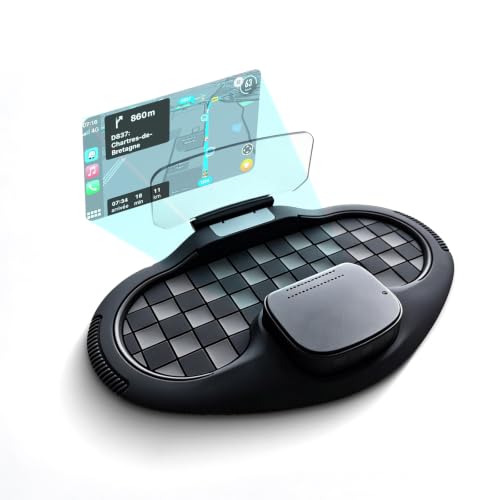
VIVIHUD HUD Car GPS V5
Strengths
- Wireless CarPlay
- Android Auto
- Voice control
Trade-offs
- Higher price
- Larger footprint
- App dependency
This is the full-package HUD, wireless CarPlay and Android Auto mean you’re not just seeing speed, you’re getting maps, messages, music, and voice assistants projected right into your line of sight. The anti-glare display is sharp, even in midday sun, and the voice control works reliably. It supports both OBD2 and GPS, so you get engine data and navigation fused into one clean interface.
Owners consistently rate it as the most seamless experience in the category. It’s not the loudest or brightest on paper, but the integration feels polished. The 2-year warranty and responsive support add peace of mind. Compared to others, this isn’t just an upgrade, it’s a redefinition of what a budget-to-mid HUD can do. If you use your phone for navigation, this is the smartest buy.
Video review
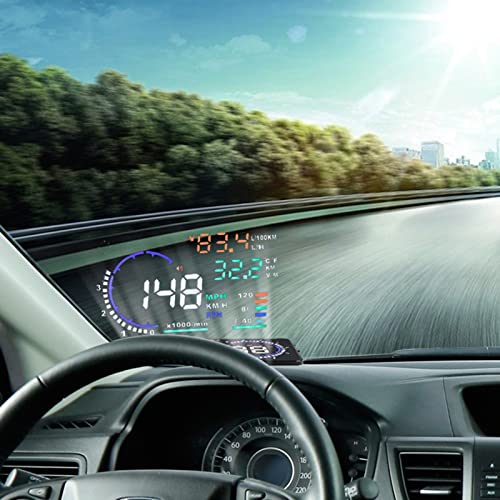
5.5” HUD Head Display Multi-Color
Strengths
- OBD2 engine data
- Fault code reading
- Auto on/off
Trade-offs
- No GPS navigation
- Basic alert system
- No smartphone pairing
This is where OBD2 HUDs start to justify their price. It pulls real-time engine data, RPM, coolant temp, battery voltage, fuel economy, and overlays it cleanly on the windshield. The multi-color display helps differentiate metrics at a glance, and the fault code reading is a real perk. Owners appreciate not having to buy a separate OBD2 scanner for basic diagnostics.
The auto on/off with ignition is reliable, and the nano-coating does reduce glare better than cheaper models. But it lacks GPS navigation cues or turn indicators, which limits its utility compared to more advanced units. Still, for someone who likes to monitor their car’s health while driving, especially in a turbo or older performance car, this is a strong mid-tier pick.
Video review
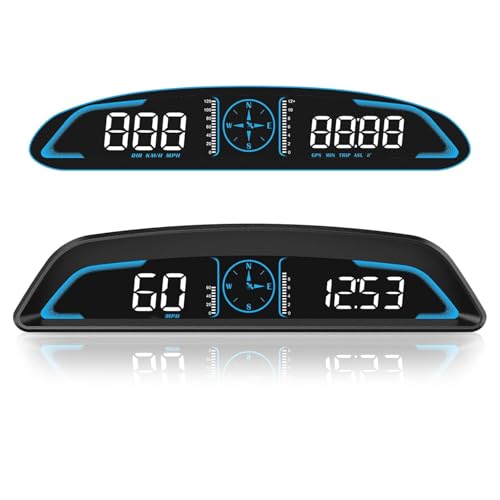
SinoTrack GPS Speedometer 5.5 inch
Strengths
- Large 5.5-inch screen
- Fatigue driving alert
- Auto brightness
Trade-offs
- No OBD2 support
- Sound alert quality
- No turn-by-turn
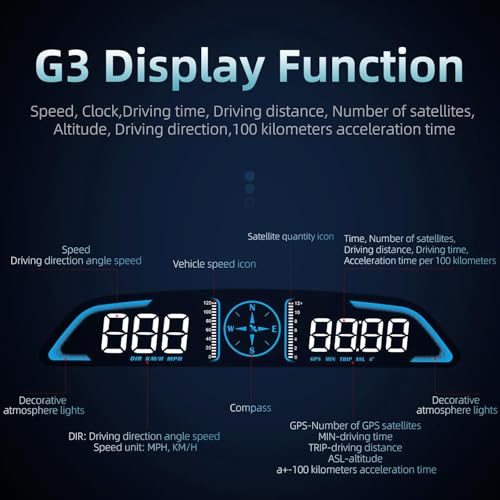
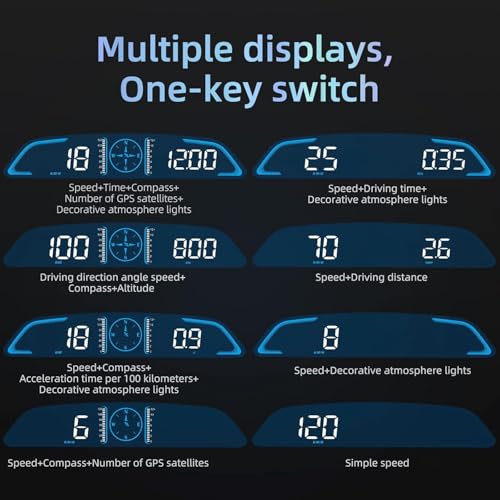
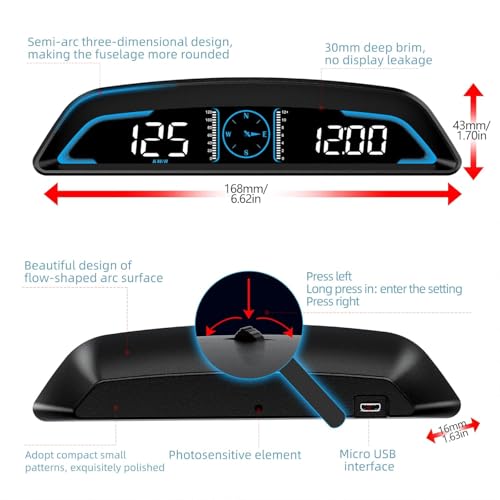
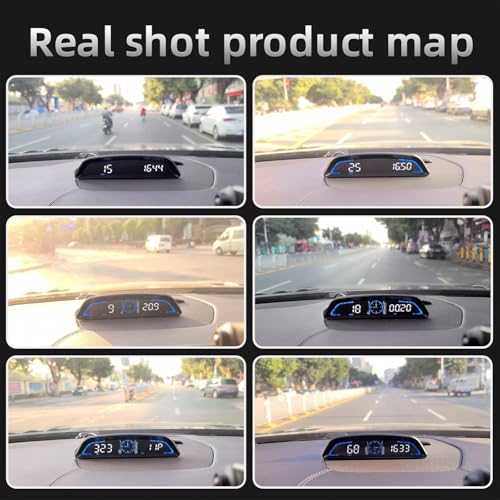
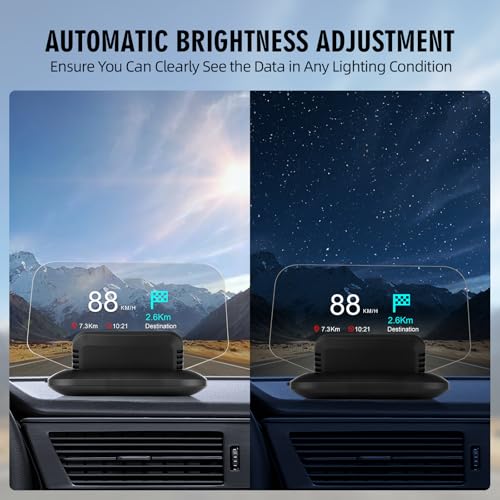
SinoTrack’s 5.5-inch HUD stands out with its large screen and thoughtful safety features. The dual-core chip keeps data flowing smoothly, and owners praise the auto-brightness sensor for adapting well to changing light, no squinting in sunlight or glare at night. It’s GPS-only, so no engine diagnostics, but it packs in compass direction, trip time, distance, and both overspeed and fatigue alerts, which few budget units offer.
The build feels solid, and the interface is simple: one button, multiple toggles. Some users note the sound alerts can be tinny, but they do their job. Compared to the ultra-cheap models, this one strikes a smart balance, more features without jumping into the $70+ bracket. I’d pick this over the B0GL69BZ13 if you want a bit more awareness on long drives.
Product photos
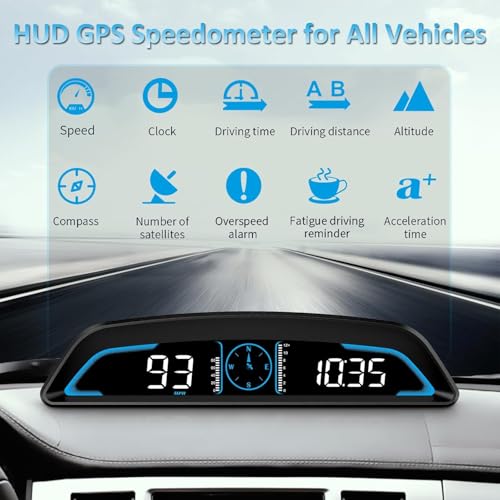
wiiyii HUD A8 Digital Speedometer
Strengths
- Large 5.5-inch HD screen
- OBD2 fault code reading
- Clear data display
Trade-offs
- No GPS navigation
- No smartphone integration
- Limited app support
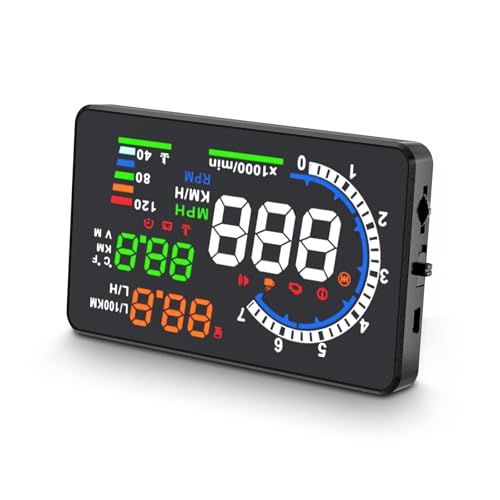
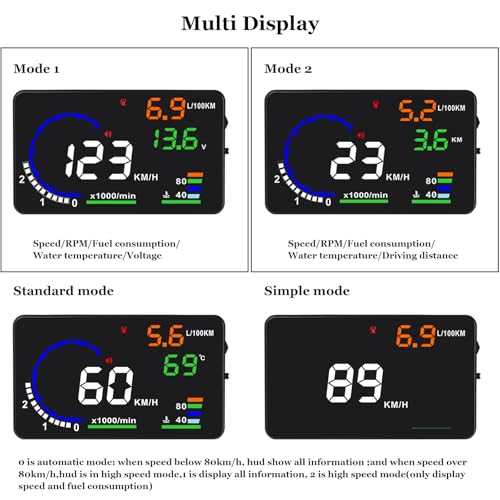
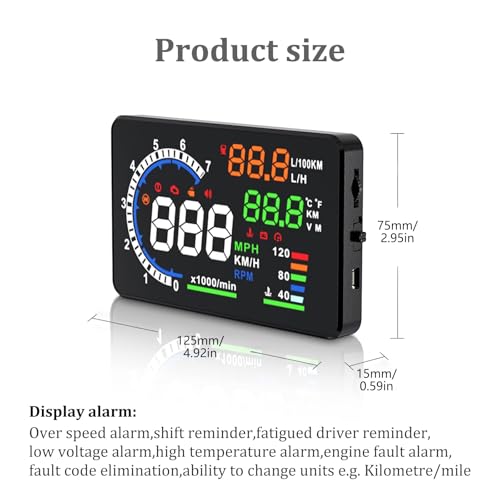
The wiiyii A8 pushes visibility first, its 5.5-inch HD screen is among the largest in this group, and owners consistently praise how easy it is to read at a glance. It pulls OBD2 data like speed, voltage, water temp, and fuel economy, and it can even read and clear fault codes, which is rare at this tier. The multi-function switching lets you cycle through data cleanly, and the build quality feels durable.
But it lacks GPS navigation and turn indicators, and the app ecosystem isn’t as polished as MAIMEIMI or VIVIHUD. Still, for pure readability and engine monitoring, it’s one of the best values under $50. If you want a large, clear display that tells you when your battery’s sagging or your coolant’s spiking, this beats several pricier options.
Product photos
MAIMEIMI OBD2 & GPS Dual HUD

Strengths
- Turn-by-turn navigation
- Dual OBD2 + GPS mode
- Thorough metrics
Trade-offs
- Limited vehicle compatibility
- App required for navigation
- No wireless CarPlay
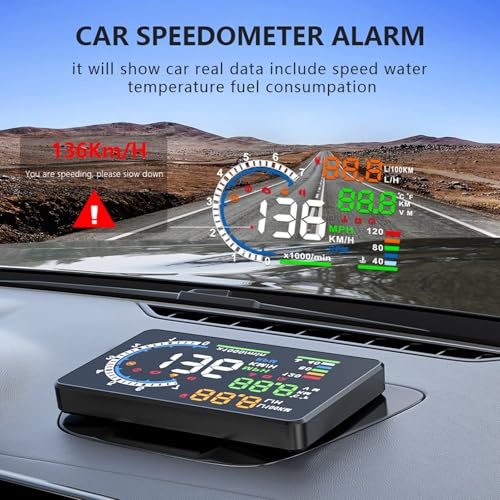
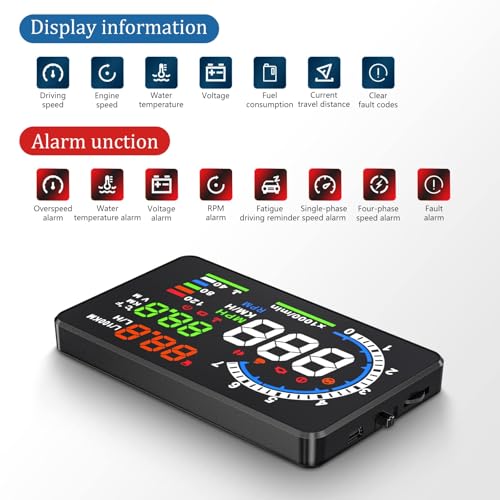
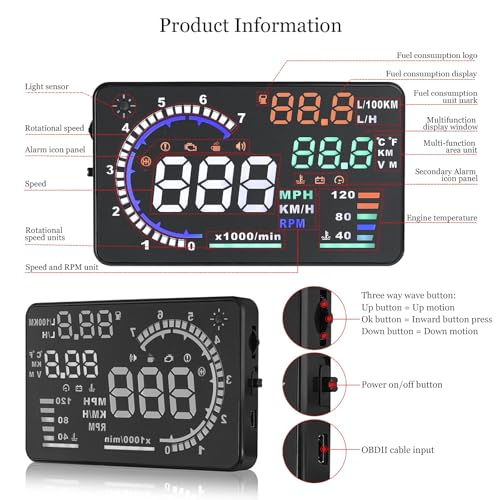
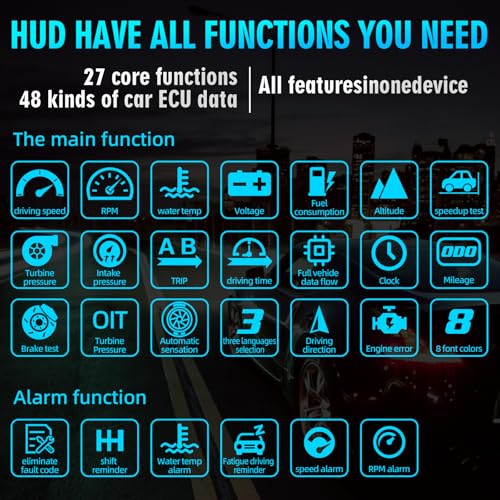
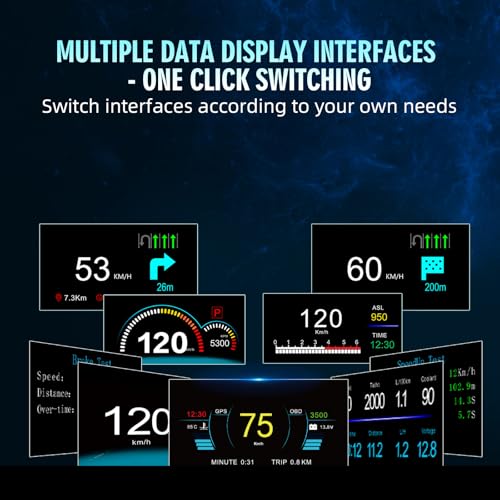
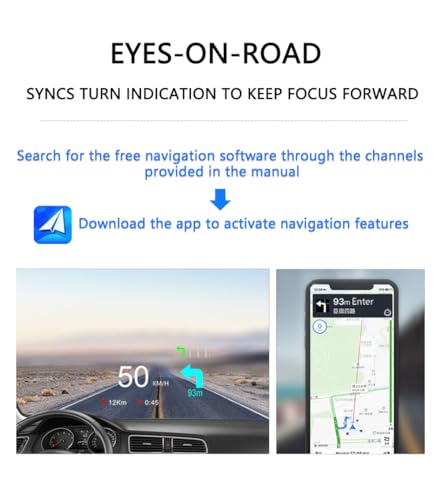
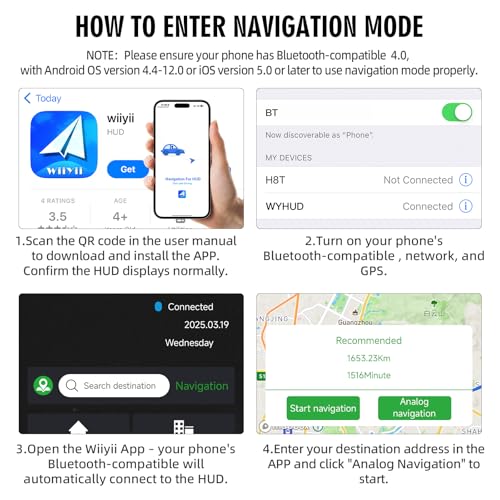
MAIMEIMI’s dual-mode HUD is a standout for blending OBD2 and GPS data with actual navigation, via a companion app that projects turn-by-turn arrows right onto the display. That’s rare at this price. The 15+ metrics include turbo pressure and air-fuel ratio, which appeals to tuners and diesel owners. The four customizable alarms (overheat, low voltage, overspeed, RPM) are useful, and owners report solid reliability in daily use.
But compatibility is a real caveat. It only works with OBD2/EOBD post-2008 cars, and the list of non-supported vehicles is long, Honda, Mazda, Infiniti, and most diesels are out. If your car is compatible, this is a powerful co-pilot. If not, it’s a paperweight. I’d rank it just below the VIVIHUD for overall utility, but only if you’re sure it fits your ride.
Product photos
Heads up Display for Cars Windshield

Strengths
- Good glare reduction
- MPH/KMH switchable
- USB powered
Trade-offs
- No OBD2
- Basic feature set
- Minimal value over cheaper models
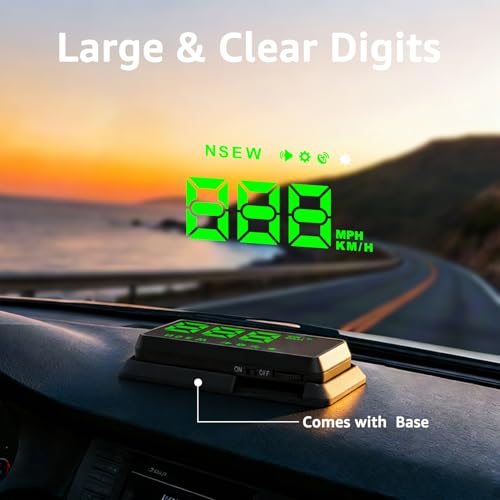
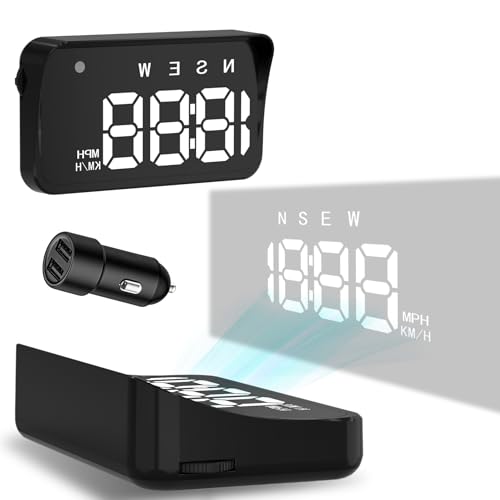
Another ultra-budget GPS-only unit, this one sits just above the cheapest model but doesn’t offer much more. It shares the same dual-mode GPS+BDS chip and 10Hz refresh rate, so signal acquisition is decent. The metal shading helps reduce glare, and the MPH display is large enough for quick glances. But like the B0GL69BZ13, it’s purely speed-focused, no engine data, no alerts beyond overspeed, no navigation.
The build feels a bit more refined than the $13 version, but not enough to justify the near-doubled price. Owners say it’s reliable but unremarkable. If you’re upgrading from nothing, it’s fine. But if you’re comparing within this list, you’re better off either going cheaper or skipping to something with OBD2.
Product photos
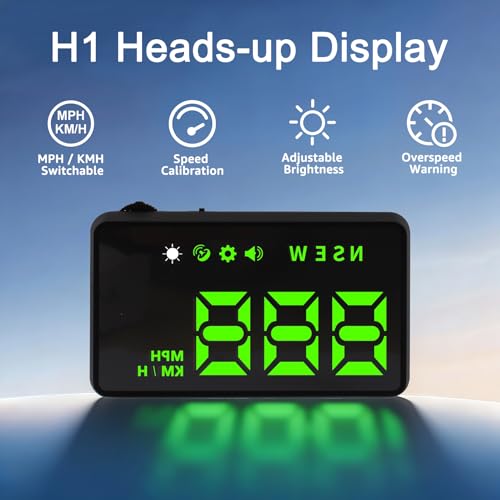
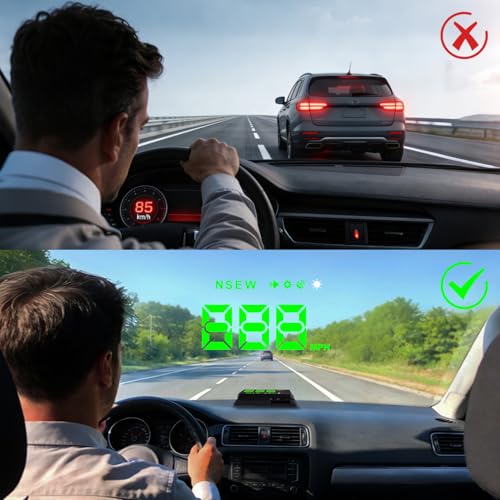
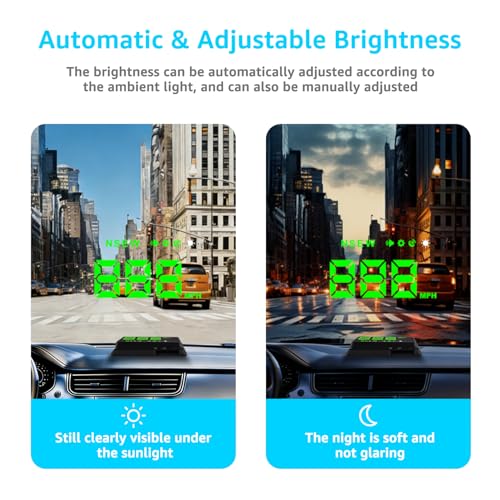
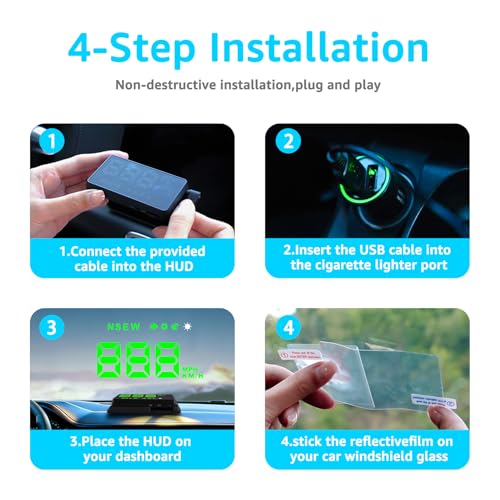
Heads up Display for Cars HUD
Strengths
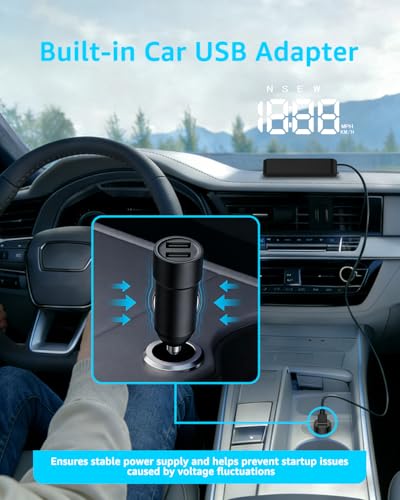
- Plug and play
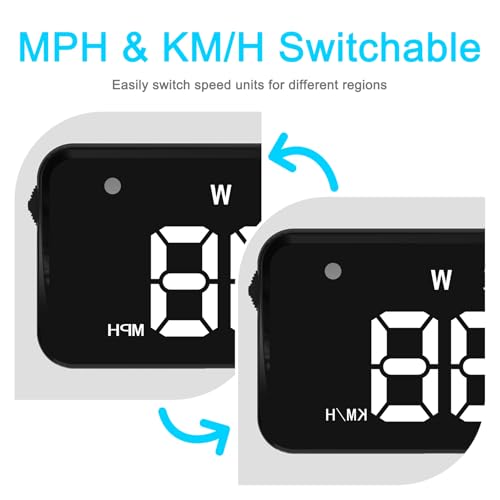
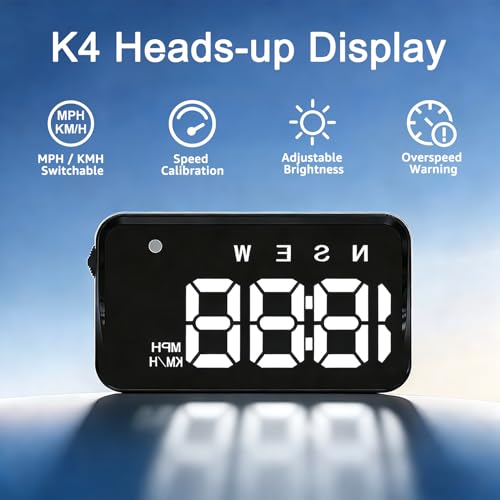
- MPH/KMH switchable
- Overspeed alert
Trade-offs
- No OBD2 data
- Basic display
- GPS only
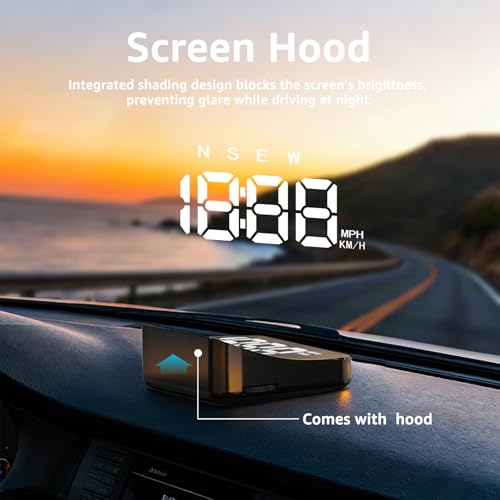
This is the bare-bones budget pick, and it shows. It runs on GPS only, so you’re not getting any engine data, just speed, time, and satellite count. The 10Hz refresh rate helps with responsiveness, and owners consistently report it locks onto signals quickly, but accuracy can waver under bridges or in dense urban areas. The adjustable brightness and metal shading help visibility, but the display is small compared to others in this list.
I’d call it functional, nothing more. It’s one of the cheapest HUDs available, and if all you want is a basic speed readout without any fuss or wiring, this gets the job done. But don’t expect rich data or deep integration, this is strictly for drivers who want a glanceable MPH number and an overspeed alert without spending more than a tank of gas.
Product photos
How We Chose These car hud displays
My approach to evaluating car HUD displays at TheAutoZenith wasn’t about lengthy personal use – rather, it was a research-led comparison of published specifications and owner feedback. I began by compiling a detailed spreadsheet of available models, noting key features like display technology, data displayed, connectivity options (OBD2 vs. GPS), and reported accuracy. This data was then cross-referenced with owner reviews from major retailers and expert opinions found in automotive tech publications. The goal was to build a picture of real-world performance and reliability.
For car HUDs, clarity and accuracy are paramount, so those factors received the heaviest weighting in my assessment. A clear, bright display that’s easily readable in all conditions is crucial for safety, and I prioritized models with strong anti-glare technology and automatic brightness adjustment. Beyond that, the reliability of the speed data – whether sourced from GPS or the car’s computer – was a significant deciding factor, as was the breadth of information displayed beyond basic speed.
Published specifications reliably outline the technical capabilities – screen resolution, refresh rates, GPS chipsets – but owner feedback proved invaluable in understanding how these translate to the driving experience. Specs tell you what a HUD can do; reviews reveal how well it does it. I paid close attention to comments regarding ease of installation, accuracy (especially with GPS-based models), and long-term durability. A reliable jump starter is only useful if it works when you need it, and the same is true for a HUD. Finally, I also considered the overall value proposition – features offered relative to price – and how well a given HUD complements other in-car tech, such as car phone mounts.
What To Look For In car hud displays
Picking the right car HUD display can genuinely improve your driving experience, but there’s a lot more to it than just slapping a screen on your dashboard.
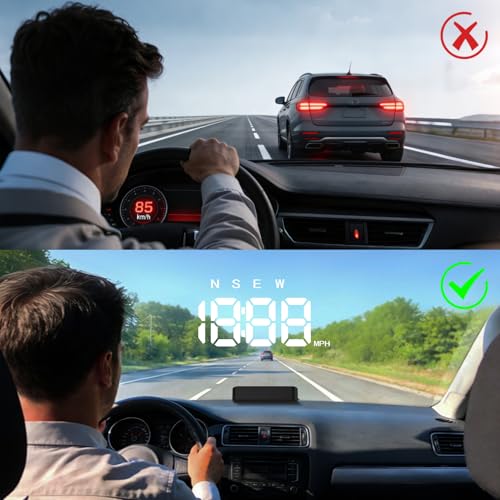
A quality car HUD projects crucial driving information onto your windshield, minimizing driver distraction. Look for accurate data display (speed, RPM, potentially navigation), clear visibility in all lighting conditions, and a stable mounting system. Consider compatibility with your vehicle (OBDII or GPS-based) and ease of installation – “plug and play” options are generally preferable.
Understanding Display Technology & Clarity
The core function of a HUD is presenting information clearly, so don’t skimp here. Resolution matters; a sharper image is easier to read at a glance, especially for those of us who aren’t getting any younger. Beyond resolution, anti-glare technology is crucial. You don’t want a reflection of the dashboard turning your speed readout into a blurry mess. Some units, like the SinoTrack GPS Speedometer, use automatic brightness adjustment, which is a nice convenience. However, manual control is still desirable for fine-tuning in unusual lighting conditions. I’ve found that displays employing metal shading technology tend to cut down on reflections more effectively than those relying solely on software adjustments.
OBD2 vs. GPS: Knowing Your Connection
This is where things get technical. OBD2 (On-Board Diagnostics) HUDs pull data directly from your car’s computer, giving you access to engine metrics like RPM, water temperature, and even diagnostic trouble codes. However, they’re not universally compatible; as the MAIMEIMI OBD2 & GPS Dual HUD notes, many newer vehicles support OBDII/EOBD, but older ones don’t. GPS-based HUDs, on the other hand, work with any car that has a USB port and a clear view of the sky.
Here’s a quick breakdown: * OBD2: More data, vehicle-specific, potential compatibility issues. * GPS: Universal, speed and basic data, can be less accurate. * Dual-Mode: Best of both worlds, offering flexibility and a wider range of data, but often comes at a higher price point.
Ultimately, if you prioritize thorough vehicle data and have a compatible car, an OBD2 HUD is the way to go. If you want a simple, plug-and-play solution that works with any car, a GPS unit is a better bet.
Installation & Usability – Beyond “Plug & Play”
“Plug and play” sounds great, but the devil is in the details. Some units require more fiddling than others. Look for a HUD with a stable mounting base; the VIVIHUD HUD Car GPS V5 highlights a non-slip silicone base, which is a thoughtful touch. A flexible viewing angle is also important, allowing you to position the display optimally for your eye level. Don’t underestimate the importance of a clear, intuitive interface. You shouldn’t need to consult the manual every time you want to adjust a setting. If you’re looking to enhance your car’s interior beyond just the tech, consider pairing your new HUD with some fresh car air fresheners to create a more pleasant driving environment.
A good rule of thumb: if the installation process requires more than a few minutes and a USB port, it’s probably not worth the hassle.
I often recommend exploring different options before settling on one. You’ll find a detailed comparison of some of the best HUDs on my site, and I encourage you to check out reviews and owner feedback before making your purchase. Don’t just settle for the cheapest option; investing in a quality unit will pay off in the long run with a safer, more informed driving experience. And, if you’re looking for more upgrades, checking out the top HUD units can give you a broader perspective on what’s available in the market.
Car HUD Displays Compared
This table provides a detailed specification comparison of available car HUD displays to aid in informed purchasing decisions.
| Product Title | Display Size | GPS Support | OBD2 Support | Speed Alert | Brightness Adjustment | Special Features |
|---|---|---|---|---|---|---|
| VIVIHUD HUD Car GPS V5 | N/A | Yes | No | No | Auto/Manual | CarPlay/Android Auto |
| 5.5” HUD Head Display Multi-Color | 5.5″ | No | Yes | Yes | Auto/Manual | Fault Code Display |
| SinoTrack GPS Speedometer 5.5 inch | 5.5″ | Yes | No | Yes | Auto/Manual | Compass, Data Logging |
| wiiyii HUD A8 Digital Speedometer | 5.5″ | No | Yes | Yes | N/A | Fault Detection/Clearing |
| MAIMEIMI OBD2 & GPS Dual HUD | N/A | Yes | Yes | Yes | Auto/Manual | Turn Indication, 15+ Metrics |
| Heads up Display for Cars Windshield | N/A | Yes | No | No | Auto | Dual-Mode (GPS+BDS) |
| Heads up Display for Cars HUD | N/A | Yes | No | Yes | Multiple Levels | Speed Calibration |
Frequently Asked Questions
Will a car HUD display drain my car’s battery?
Most HUDs draw minimal power, typically through the USB port or cigarette lighter adapter, so significant battery drain isn’t common. However, prolonged use while the engine is off could deplete the battery, especially with older car batteries; maintaining a good battery with a reliable car vacuum and keeping the interior clean is always a good practice.
Can I install a car HUD display myself, or do I need professional help?
Many HUDs are designed for DIY installation, plugging directly into the OBD2 port or a USB adapter. However, if you’re uncomfortable working with your car’s electrical system, or if the instructions seem overly complex, professional installation is a sensible choice.
What’s the difference between a HUD that shows speed via GPS versus OBD2, in terms of accuracy?
OBD2-sourced speed data is generally more accurate because it comes directly from the car’s computer. GPS-based speed can be affected by signal strength and atmospheric conditions, potentially leading to minor discrepancies, though modern GPS chips are quite reliable.
Are car HUD displays legal in all states?
Currently, there aren’t widespread legal restrictions on car HUD displays in most locations, but laws can vary. It’s your responsibility to check your local regulations to confirm compliance, particularly regarding obstruction of the driver’s view.
Beyond speed, what other data can a car HUD display show me?
Depending on the model and connection type (OBD2 or GPS), a HUD can display RPM, engine temperature, fuel consumption, voltage, diagnostic trouble codes, and even turn-by-turn navigation. Some advanced models also show vehicle performance metrics, and keeping your car’s interior spotless with the best interior cleaners can enhance the clarity of the display.
The Bottom Line
Choosing a car HUD often comes down to balancing how much information you want with how much effort you’re willing to put into setup. While a fully-featured unit like the MAIMEIMI OBD2 & GPS Dual HUD offers a wealth of data and flexibility, the VIVIHUD HUD Car GPS V5 strikes a terrific balance of ease-of-use and essential features, making it our overall recommendation for most drivers.
For those on a tighter budget, or who prioritize simplicity, the SinoTrack GPS Speedometer 5.5 inch provides a clear and reliable speed display without the complexities of OBD2 connectivity. Drivers needing thorough engine diagnostics and data should look to the 5.5” HUD Head Display Multi-Color, and those wanting to upgrade their entire in-car entertainment system may also want to explore some new Bluetooth adapters to go along with their new HUD.
Ultimately, the best car HUD isn’t about the highest resolution or the most features. It’s about enhancing safety and providing the information you need, delivered clearly and reliably. Don’t get caught up in chasing specs; a stable mount, accurate readings, and a clear display are far more valuable than any bells and whistles, and ensuring you have a healthy car battery is just as crucial for a smooth, worry-free ride.
