
7 Best Car GPS Navigators of 2026
This post contains affiliate links. As an Amazon Associate, we earn from qualifying purchases.
The Garmin DriveSmart 86 stands out as the overall best car GPS navigator thanks to its large 8-inch display, lifetime map updates, and smart features like Bluetooth and Wi-Fi. For budget-conscious drivers, the 7″ GPS Navigator for Car Truck delivers solid performance with vehicle-specific routing at a lower price. If you need maximum versatility for different vehicles, the 9-Inch GPS Navigator for Car offers a huge screen and customizable profiles for cars, trucks, and RVs.
Out on the open road, nothing kills momentum like a confusing interface or an outdated map rerouting you through a dead end. As someone who’s restored classics that predate GPS by decades, I appreciate how much modern navigation has changed driving – but only when it works right. A good unit should feel like a quiet co-pilot, not a distraction.
This guide cuts through the noise by focusing on what actually matters: screen clarity, route accuracy, and real-world reliability. After comparing the field based on specs and owner feedback, these are the models that deliver where it counts.
Top 7 Car Gps Navigators in the Market
The Best Car Gps Navigators, Reviewed
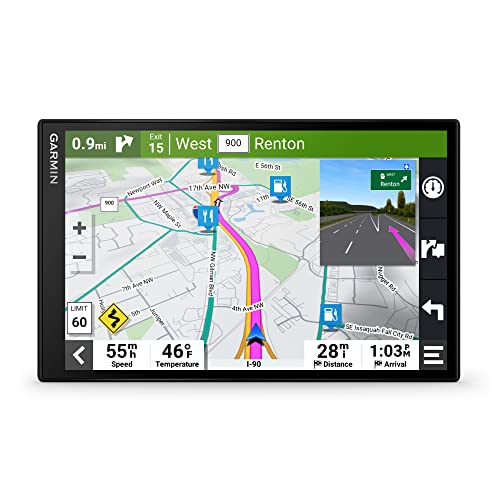
Garmin DriveSmart 86 8-inch GPS
Strengths
- Large, high-res display
- Rich feature set
- Excellent driver alerts
Trade-offs
- High price
- Bulky for small dashboards
- Same phone dependency for live features
If you want the best no-compromise GPS experience, this is it. The 8-inch dual-orientation display is a standout, landscape or portrait, the screen is bright, sharp, and easy to read even in direct sun. Everything from the voice prompts to the lane guidance feels polished, and the integration with Tripadvisor, live traffic, and traffic cams adds real-world utility.
Compared to the DriveSmart 66, the larger screen makes a noticeable difference in readability and menu navigation. The dual USB charger is a small but meaningful touch, letting you power your phone while running the GPS. Yes, it’s expensive, but for road trippers, long-haul drivers, or anyone who hates squinting at a screen, the upgrade is justified.
Video review
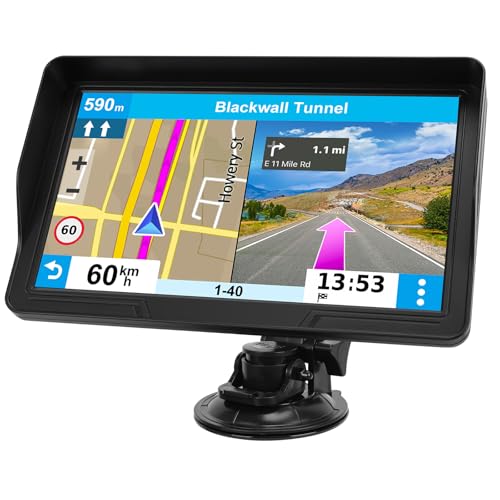
9-Inch GPS Navigator for Car
Strengths
- Largest screen available
- Good truck routing
- Clear voice alerts
Trade-offs
- No live traffic or weather
- Occasional FM dropouts
- Heavier, less discreet design
The 9-inch screen is the headline here, and it delivers, this is the best option if screen real estate is your top priority. The HD resolution keeps text and maps sharp, and the wider view reduces the need to glance back and forth while driving. The custom truck routing works as advertised, avoiding low bridges and narrow roads, which is critical for larger vehicles.
But size comes with trade-offs. The unit feels less refined than Garmin models, and while the FM transmitter is handy, some owners report audio dropouts. It lacks live traffic and smart notifications, so you’re relying solely on preloaded data. Still, for truckers or RV owners who want maximum visibility and don’t need smartphone-linked features, this is a strong contender.
Video review
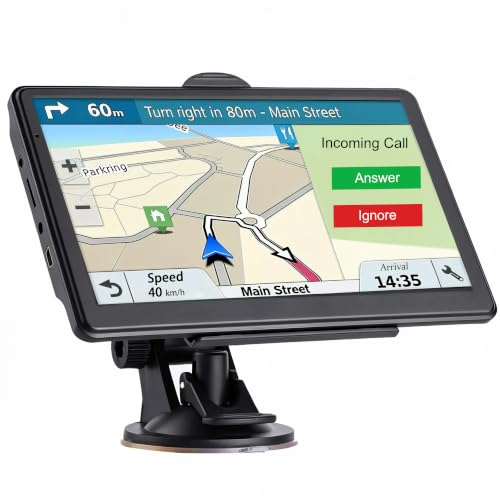
7 inch Touch Screen Car GPS
Strengths
- Lowest price point
- Lifetime map updates
- Multiple vehicle modes
Trade-offs
- Sluggish processor
- Basic build quality
- Inconsistent POI database
At this price, it’s hard to ignore the sheer amount of features packed in, lifetime map updates, multi-language voice guidance, and support for everything from bicycles to emergency vehicles. The 7-inch screen is decent, and the ability to switch between 2D and 3D views adds flexibility. Owners say the red light and speed warnings are consistent, which is a win for safety-focused drivers.
But the hardware feels like a compromise. The Mediatek CPU and limited RAM show up in slower response times, especially when switching views or recalculating routes. Compared to the B0H1HM5PPH model, it lacks the same level of vehicle-specific routing intelligence. It’s functional, but not refined.
Product photos




Garmin DriveSmart 66 6-inch GPS
Strengths
- Crisp high-res display
- Built-in Wi-Fi updates
- Live traffic and smart alerts
Trade-offs
- Requires smartphone pairing for full features
- Alexa depends on phone app
- Slightly bulky mount
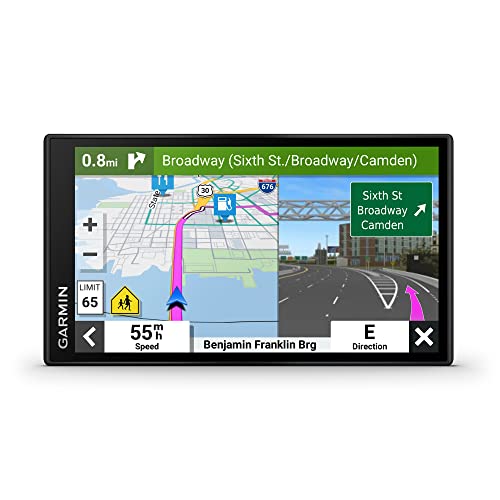
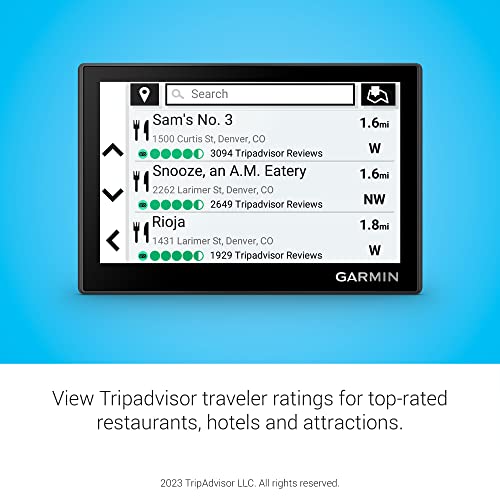
The DriveSmart 66 is where Garmin’s ecosystem really starts to shine. The 6-inch high-res display is sharp, and the interface feels responsive, especially when pulling up Tripadvisor ratings or national park directories mid-drive. The built-in Wi-Fi for updates is a major convenience, and pairing with the Garmin Drive app unlocks live traffic, weather, and smart notifications, features that feel modern and useful.
I’d pick this over the smaller Drive 53 for its balance of screen size and feature depth. Alexa integration is a nice bonus for hands-free control, though it’s only as good as your phone’s connection. It’s not the largest or flashiest, but for most drivers who want smart, reliable navigation without stepping into premium pricing, this is the easy pick.
Product photos


Garmin Drive 53 GPS Navigator
Strengths
- Compact, sleek design
- Sharp 5-inch display
- Garmin Real Directions
Trade-offs
- No live traffic or Wi-Fi
- Smaller map view
- Limited smart features
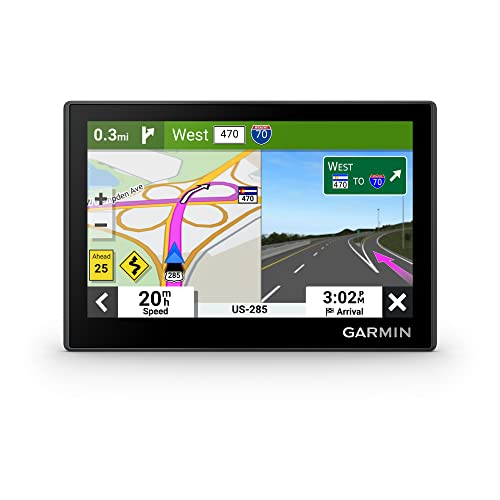
The Drive 53 is all about simplicity and compactness. The 5-inch capacitive touchscreen is surprisingly sharp for its size, and the glass finish gives it a premium look. It’s ideal for smaller cars or drivers who hate cluttered dashboards. The Real Directions feature, using landmarks instead of street names, is genuinely helpful in unfamiliar areas.
But the smaller screen means less map visibility, and it lacks the live traffic and smartphone integrations of the DriveSmart line. It’s a step up from budget units in build quality, but you’re paying for Garmin’s reliability more than features. I’d recommend it only if space is tight or you prefer minimalist setups.
Product photos


7″ GPS Navigator for Car Truck
Strengths
- Lifetime map updates
- Truck-specific routing
- Clear voice guidance
Trade-offs
- Mediocre screen quality
- FM interference reported
- Basic interface
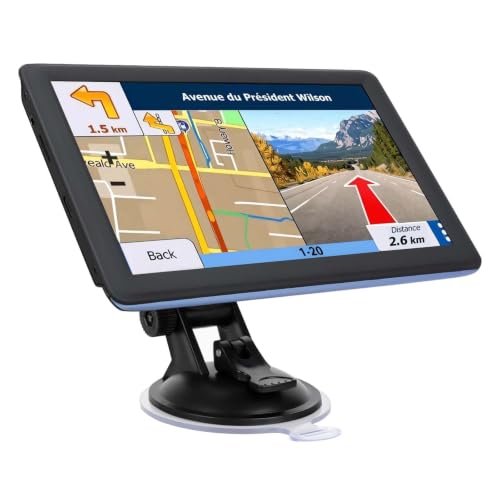
This unit stands out for drivers hauling larger rigs, thanks to its solid vehicle-specific routing that factors in height, width, and weight. The 2026 maps with lifetime updates are a strong selling point, and owners consistently report reliable recalculations when routes go off-plan. The voice guidance is clear and proactive, with lane-change alerts that help in complex interchanges.
Where it stumbles is screen brightness and interface polish compared to Garmin’s offerings. On paper, the FM transmitter is useful for older cars without Bluetooth, but some users note interference at higher frequencies. Still, for RV and truck drivers who need dependable routing without overspending, this hits a sweet spot.
Product photos
7” GPS Navigator for All Cars

Strengths
- Well-rounded feature set
- Responsive touchscreen
- Includes sunshade and full kit
Trade-offs
- No Wi-Fi updates
- Basic voice assistant
- FM only, no Bluetooth
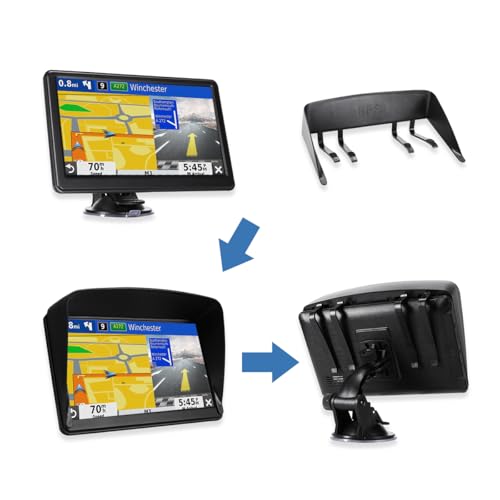
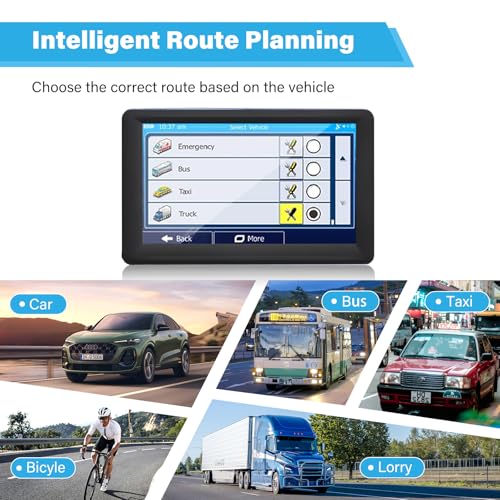
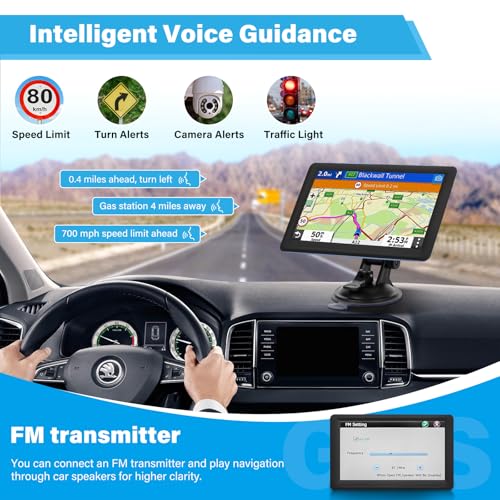
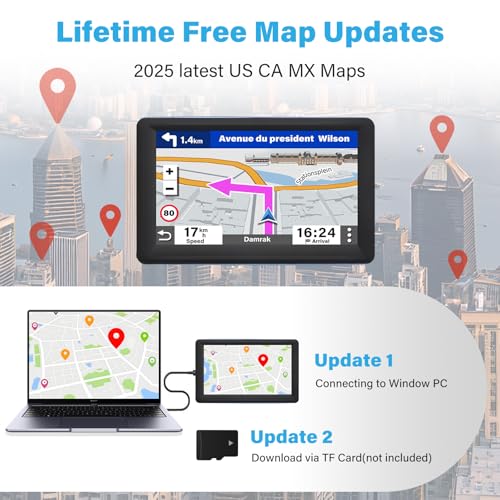
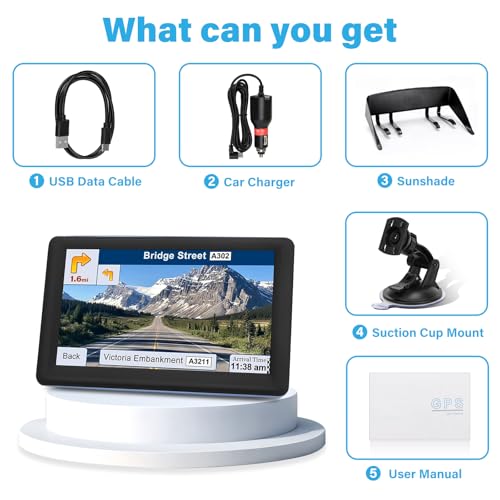
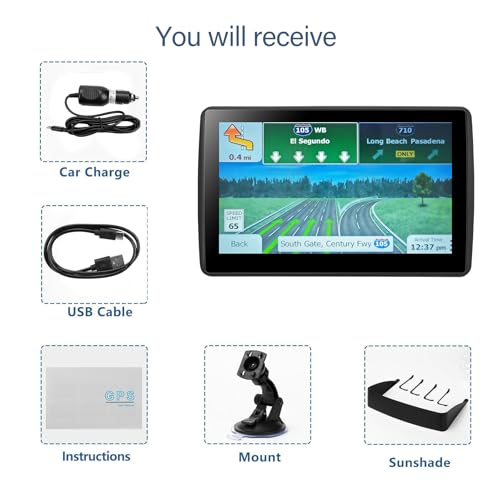
This hits the sweet spot between price and functionality, what I’d call the best value pick. It includes everything the cheaper models offer: lifetime 2026 maps, vehicle-specific routing, FM transmission, and solid voice alerts. The 7-inch HD screen is vibrant, and the included sunshade is a thoughtful touch for daytime driving.
Compared to the B0H1HM5PPH, it feels slightly more polished in menu layout and responsiveness. Owners praise the quick boot time and reliable recalculations. It doesn’t have Wi-Fi or Alexa, but for most drivers, those are luxuries, not necessities. If you want capable, no-frills navigation that works right out of the box, this is the smarter buy.
Product photos


How We Chose These car gps navigators
As someone who’s spent years immersed in the automotive world – from restoring classics to exploring modern tech – I approached evaluating car GPS navigators by focusing on the details that truly matter to drivers. Rather than a hands-on lab test, this was a research-led comparison of published specifications, owner reviews from multiple sources, and expert opinions. I weighed features against price, looking for where performance met value. This involved building a matrix of features and then analyzing how each unit stacked up based on real-world user feedback.
For car GPS navigators, screen size and route accuracy are paramount. I placed a heavy emphasis on these two factors because a clear, easily readable display minimizes driver distraction, and reliable routing prevents frustration and potential safety issues. Lifetime map updates also figured prominently; a navigation system is only as good as its data, and frequent updates are essential. Beyond that, features like truck/RV-specific routing and advanced driver alerts became key differentiators.
Specifications reliably indicate screen resolution, processor speed, and storage capacity. However, judging the quality of the user interface, the responsiveness of the touchscreen, and the accuracy of traffic information required extensive review of owner experiences. I prioritized feedback regarding ease of use, update frequency, and the overall reliability reported by users of these and other dedicated GPS navigation systems. Ultimately, my recommendations aim to guide you toward the best choice for your needs, whether you’re looking for a simple, budget-friendly option or a feature-rich unit for long hauls – and even a reliable portable GPS for car.
What To Look For In car gps navigators
Choosing the right car GPS navigator can dramatically improve any journey, but the options can be overwhelming. It’s more than just getting from point A to point B; it’s about safety, convenience, and having a reliable co-pilot on the road.
A quality car GPS prioritizes accurate map data, a user-friendly interface, and relevant safety features. Look for devices offering lifetime map updates, clear voice guidance, and alerts for potential hazards like speed traps and school zones. Screen size and resolution are also critical for ease of use, as is the ability to integrate with smartphone features for live traffic.
Screen Size and Resolution
I’ve always felt that screen real estate matters a lot here. While a compact unit like the Garmin Drive 53 is fine for simple city navigation, longer road trips benefit from larger displays – 6 inches or more. A larger screen isn’t just about easier viewing; it reduces eye strain and allows for more detailed map displays. Resolution is equally important; a low-resolution screen on a large display can look pixelated and hinder legibility, particularly in bright sunlight. Consider how often you’ll be glancing at the device and prioritize clarity.
Vehicle-Specific Routing
This is where things get really interesting, and where a basic GPS becomes a truly valuable tool. If you frequently drive a truck or RV, or even tow a trailer, you absolutely need a unit that allows for customized routing based on your vehicle’s dimensions. The 7″ GPS Navigator for Car Truck is a good example of a device focusing on this.
Here’s what to look for:
- Basic height/weight input (essential).
- Avoidance of weight-restricted bridges (critical for larger vehicles).
- Thorough database of road restrictions and low clearances (this is where the better units shine, and where a cheap model will fall short).
It’s a frustrating experience to get routed down a road that’s simply impassable, so investing in a unit with robust vehicle-specific routing is well worth it.
Features & Connectivity
Don’t underestimate the value of “smart” features. Many modern GPS units now offer integration with smartphones via Bluetooth, allowing for hands-free calling, live traffic updates, and even access to features like Alexa (as seen in the Garmin DriveSmart models). However, remember that these features rely on a paired smartphone, so if you’re looking for a completely standalone solution, you might prefer a unit with built-in Wi-Fi for map updates and potentially some limited data access. Before purchasing, consider whether you’d prefer a dedicated device or are happy to rely on your phone for some functionality. You can explore more options and find the best car GPS to suit your needs.
A good rule of thumb is to prioritize map accuracy and reliability over flashy features. A GPS that gets you there safely and efficiently is more valuable than one with a lot of bells and whistles that don’t work well.
Finally, if you’re already invested in the Garmin ecosystem, exploring their offerings – like the best Garmin GPS – can offer a more integrated experience.
Car GPS Navigators Compared
Here’s a comparison of key specifications for popular car GPS navigators to help you make an informed decision.
| Product Name | Screen Size | Map Updates | Vehicle Profiles | Voice Guidance | Bluetooth | Wi-Fi |
|---|---|---|---|---|---|---|
| Garmin DriveSmart 86 | 8” | Lifetime | N/A | Yes | Yes | Yes |
| 9-Inch GPS Navigator for Car | 9” | Lifetime | Car/Truck/RV | Yes | No | No |
| 7 inch Touch Screen Car GPS | 7” | Lifetime | Multiple | Yes | No | No |
| Garmin DriveSmart 66 | 6” | Lifetime | N/A | Yes | Yes | Yes |
| Garmin Drive 53 GPS Navigator | 5” | Lifetime | N/A | Yes | No | No |
| 7″ GPS Navigator for Car Truck | 7” | Lifetime | Car/Truck/RV | Yes | No | No |
| 7” GPS Navigator for All Cars | 7” | Lifetime | Car/Truck/RV | Yes | No | No |
Frequently Asked Questions
What’s the difference between using a GPS app on my phone and a dedicated GPS navigation device?
A phone vs dedicated GPS relies on your cellular data plan and can drain your phone’s battery, whereas a dedicated unit operates independently and generally offers more robust map detail and vehicle-specific features. Dedicated devices also avoid potential distractions from calls and texts.
How often are the maps updated on these GPS navigators?
Most of the units I’ve researched offer lifetime map updates, meaning you receive free updates throughout the device’s lifespan, but the frequency can vary by manufacturer and model. Garmin is generally regarded as having the most frequent and reliable updates.
Can these GPS navigators reroute me if I miss a turn?
Yes, all modern car GPS navigators can automatically recalculate routes if a turn is missed. However, the speed and smoothness of this recalculation can vary; owner reviews suggest Garmin and TomTom are quickest to adjust.
Are these GPS units compatible with backup cameras or other vehicle systems?
Compatibility is limited. While some Garmin models offer Bluetooth connectivity for hands-free calling, direct integration with backup cameras or complex vehicle systems isn’t common with these GPS devices for car. You’ll typically find more integrated solutions in newer car infotainment systems.
What should I do if my GPS loses signal in a rural area?
A GPS relies on satellite signals, so signal loss can occur in canyons or heavily forested areas. Downloading offline maps beforehand, a feature available on many of these dedicated navigation devices, can help maintain navigation even without a connection.
The Bottom Line
Choosing a car GPS navigator often comes down to balancing convenience with capability. While a smartphone can certainly get you there, a dedicated unit like the Garmin DriveSmart 86 offers a focused, distraction-free experience and consistently accurate mapping – especially valuable on longer trips. It represents a strong overall investment for those who prioritize reliability and a premium feature set.
For those with specific needs, the best choice shifts. If you’re a professional driver or frequently operate larger vehicles, the 7″ GPS Navigator for Car Truck is a clear winner, providing the vehicle-specific routing essential for avoiding headaches and potential hazards. And for drivers seeking an easy-to-use solution, particularly car GPS for seniors, a simpler model like the Garmin Drive 53 GPS Navigator offers a streamlined interface without sacrificing core functionality.
Ultimately, the most sophisticated GPS won’t compensate for careful driving and preparation. Focus on clear map displays, lifetime updates, and a system you find intuitive to operate. Investing in a quality unit – or even exploring recommended GPS units – is a smart move, but remember that situational awareness and responsible driving habits remain the most important tools for a safe journey.
