
4 Best BMW Scan Tools of 2026
This post contains affiliate links. As an Amazon Associate, we earn from qualifying purchases.
The LAUNCH Creader Elite V3.0 stands out as the best overall BMW scan tool for its deep system access and essential special functions, while the Creator C310 is a solid budget pick for basic diagnostics. If you’re working on a BMW motorcycle, the FXTUL M4 offers targeted features that make it the most versatile choice for two wheels.
Every BMW owner has faced that moment, the check engine light flickers on, or a service message pops up, and you’re left deciding whether to trust a guess or pay for a dealer scan. Generic OBD2 tools often fall short, missing critical BMW-specific systems and procedures that keep these machines running right.
This guide cuts through the noise, focusing on what actually matters: real diagnostic depth, special function support, and reliability across models. I looked at specs, owner experiences, and tool performance within the BMW ecosystem to highlight options that deliver more than just code reading.
Top 4 Bmw Scan Tools in the Market
The Best Bmw Scan Tools, Reviewed
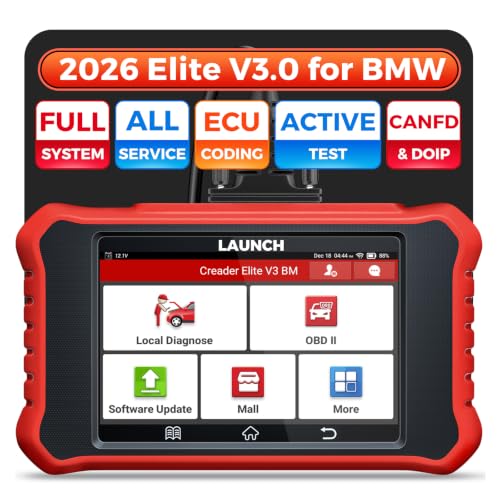
LAUNCH Creader Elite V3.0 for BMW
Strengths
- 64GB ROM capacity
- Advanced ECU coding
- Thorough actuator tests
Trade-offs
- High price tag
- DOIP adapter sold separately
- Software quirks reported
If you’re serious about BMW ownership and want to avoid dealership fees, this is the tool I’d pick without hesitation. The jump to 64GB ROM makes a real difference in speed and reliability, especially when pulling deep ECU data or running live diagnostics across multiple modules. It supports DoIP for newer F and G series cars, critical for 2018 and up models, and owners consistently report success with battery registration, even when swapping to different battery types.
What sets it apart is the full suite of active tests: you can command windows, wipers, mirrors, and more, which is invaluable when troubleshooting ghost issues. The ECU coding and customization features are surprisingly deep for a handheld, letting you enable hidden functions or reprogram convenience settings. When stacked against the cheaper V3.0 model, this one earns its premium with better hardware and smoother operation. It’s not perfect, WiFi updates can be finicky, but for most owners, it’s the last scan tool they’ll need.
Video review
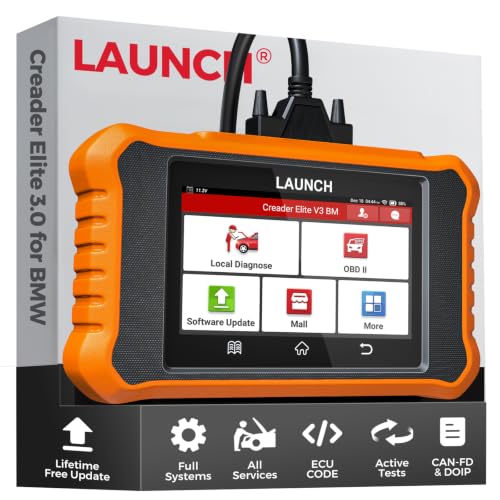
LAUNCH Creader Elite V3.0
Strengths
- Battery registration
- Bi-directional control
- Lifetime updates
Trade-offs
- Requires DOIP adapter
- 32GB ROM limit
- Inconsistent VIN detect
This version of the LAUNCH Creader Elite V3.0 lands at a curious price point, cheaper than its sibling despite nearly identical specs. It promises full system coverage, bi-directional control, and even battery registration across different types and capacities, which is rare at this tier. The hardware upgrade to 32GB ROM and Android 8.1 helps, and owners confirm the interface is snappy enough for real-world use.
But here’s the catch: while it supports DoIP for post-2018 F and G chassis, you’ll need an extra adapter, and some users report spotty connectivity without it. Compared to the higher-ROM version, this one feels like a value play that might pinch pennies in the wrong place. Still, for the budget-conscious BMW owner who wants more than just code clearing, someone who actually wants to test components and relearn systems, it’s a solid middle ground. I’d still lean toward the 64GB model, but this isn’t a bad second choice.
Video review
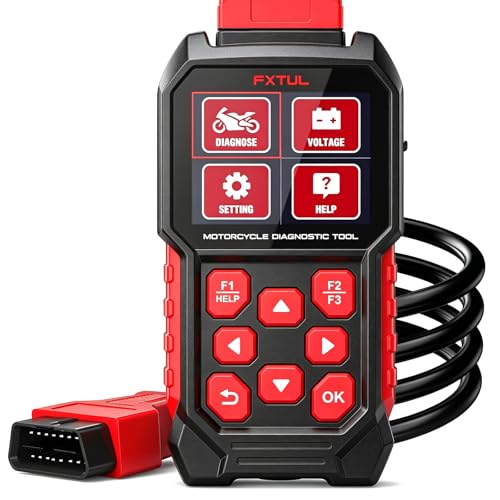
FXTUL M4 for BMW Motorcycle
Strengths
- Motorcycle-specific functions
- ABS bleeding capable
- No subscription needed
Trade-offs
- Limited car compatibility
- Niche audience
- Cable management awkward
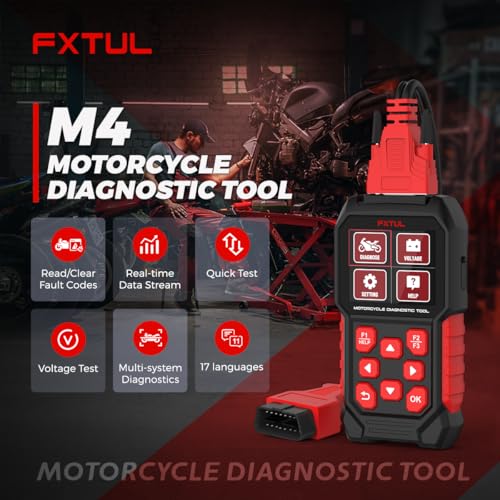
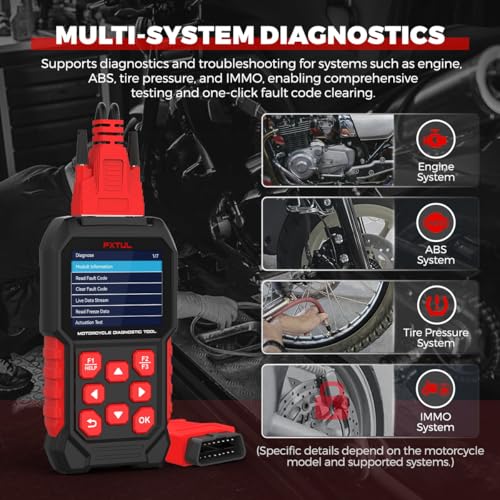
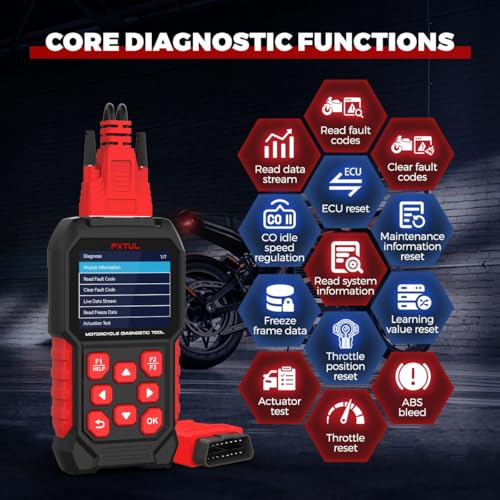
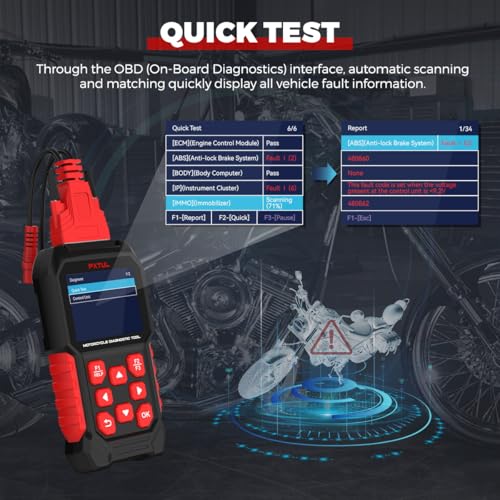
Finally, a tool that speaks motorcycle. As someone who values both cars and two-wheeled machines, I appreciate that the FXTUL M4 doesn’t try to be everything, it focuses squarely on BMW bikes and does it well. It handles the full range: C, F, G, K, R, and S series, with direct support for 10-pin connectors. Owners praise its ability to perform throttle valve resets, ABS bleeding, and traction control calibrations, tasks that usually demand a trip to the dealer or expensive third-party service.
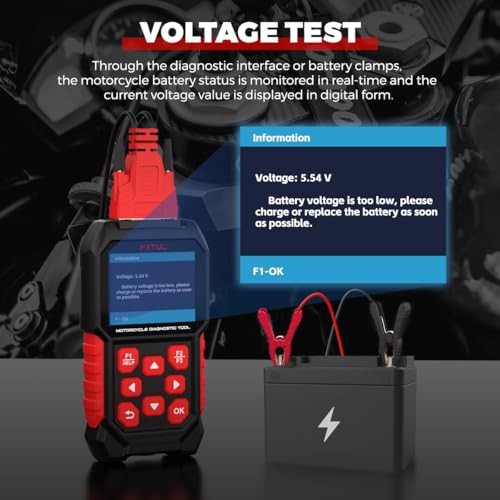
The dual battery testing via clamps or OBD2 is a thoughtful touch, and the 3.2-inch TFT holds up in sunlight. Unlike car-focused scanners that tack on motorcycle support as an afterthought, this one includes windscreen calibration and emergency call reset, real service functions. It even doubles as a basic OBD2 reader for four-wheeled OBD2 vehicles, though that’s not its strength. For riders who maintain their own machines, this fills a gap no other tool does.
Product photos
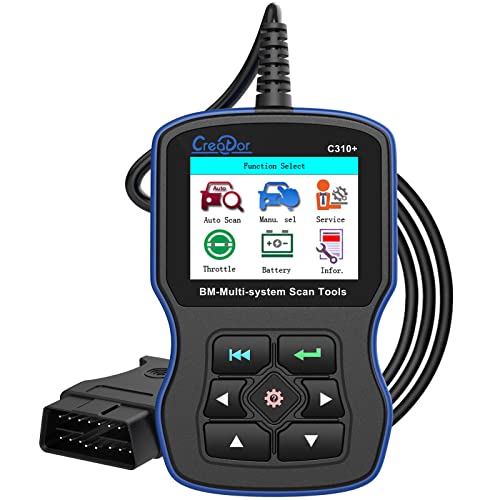
Creator C310 OBD2 Code Reader
Strengths
- Basic code reading
- Service reset capable
- Low price point
Trade-offs
- Limited vehicle coverage
- No active testing
- Adapter not included
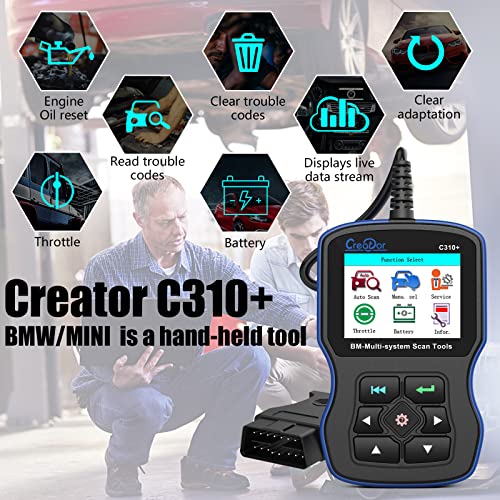
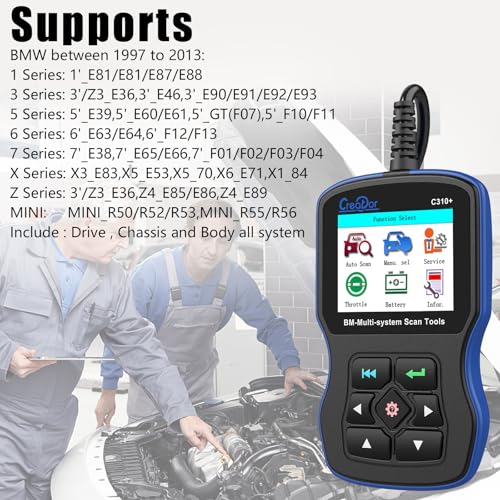
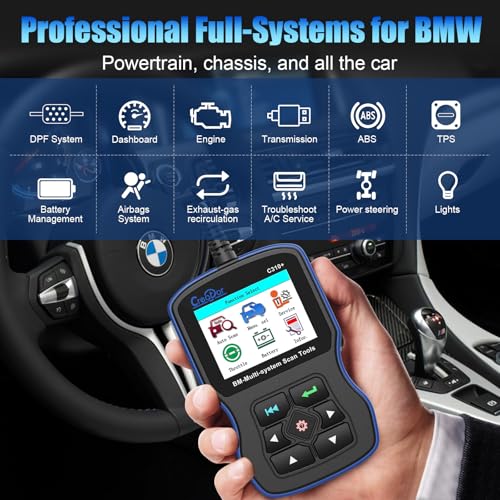
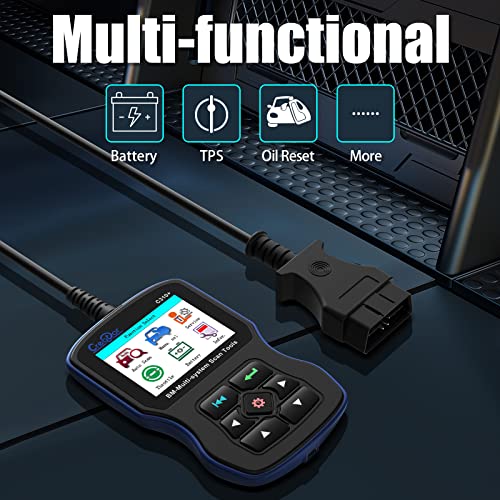
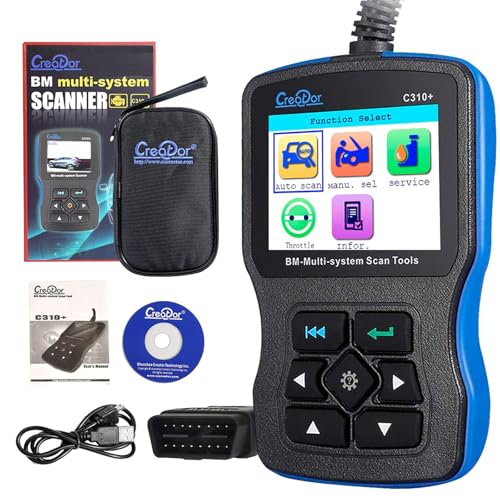
For someone who cuts their teeth on real mechanical work, the Creator C310 feels like a basic digital crutch rather than a true diagnostic partner. It covers the fundamentals, reading and clearing codes, resetting service lights, and handling CBS resets, but that’s where it ends. On paper, it supports Mini models up to 2017 and older BMWs back to 1997, but owners consistently report hiccups with anything past the E46 or E39 platforms, especially if you don’t have that missing 20-pin adapter.
It’s cheap, yes, and if you’re only chasing a one-off oil reset or want to silence a check engine light without a trip to the dealer, it might get the job done. But I wouldn’t trust it for deeper issues. Compared to more robust tools, it lacks bi-directional control and meaningful data streaming, so diagnosing intermittent faults becomes guesswork. For the shade-tree mechanic on a tight budget, it’s a passable entry point, but don’t expect it to grow with you.
Product photos
How We Tested bmw scan tools
As someone constantly immersed in the world of automotive diagnostics at TheAutoZenith, I approached researching BMW scan tools by first outlining the core functions enthusiasts and owners truly prioritize. Rather than a hands-on lab test with each unit, this is a research-led comparison of published specifications, owner reviews from forums and retail sites, and insights gleaned from professional mechanic feedback. I weighed these sources against my understanding of BMW systems and common repair scenarios.
For BMW-specific scan tools, the ability to perform specialized functions stands above all else. Battery registration is crucial for maintaining proper electrical system performance, and bi-directional control, the ability to actively test components, saves significant time and guesswork. Beyond that, thorough system coverage and the ease of accessing those features became key differentiators. A tool that unlocks dealership-level service without a steep learning curve offers real value. You can find more general information on finding quality tools in our guide to the best BMW OBD2 readers.
Published specifications reliably indicate a tool’s basic capabilities (protocol support, screen resolution, update frequency). However, owner feedback proved essential in assessing real-world usability. Reports on software glitches, the accuracy of data streams, and the effectiveness of special functions heavily influenced my ranking. Reputation matters; brands consistently praised by experienced BMW mechanics received higher consideration, and I also looked at overall reviews of OBD2 scanners and tools to see how these units stacked up against the broader market.
What To Look For In bmw scan tools
Finding the right diagnostic tool for your BMW can feel overwhelming. There’s a huge range available, from basic code readers to professional-level systems.
A quality BMW scan tool goes beyond simply reading a check engine light. It accesses all available modules, provides live data streaming, performs bi-directional controls (activating components for testing), and, crucially for BMWs, handles specialized functions like battery registration and service reset procedures. Look for tools supporting the latest DoIP protocol for newer models and a user-friendly interface for efficient troubleshooting.
Decoding the Level of Access
The first thing to consider is how deeply you want to get into your BMW’s systems. A basic OBD2 code reader, like the Creator C310, will pull and clear diagnostic trouble codes (DTCs) and may offer limited live data. These are fine for simple issues, but won’t allow you to perform advanced maintenance or access BMW-specific functions. If you’re planning on tackling more complex repairs or regularly servicing your vehicle, you’ll want a tool that offers full system access and bi-directional controls. For those seeking a deeper dive, explore dedicated BMW scanners or thorough BMW scan tools.
Understanding BMW-Specific Functions
BMW vehicles require specific procedures for certain maintenance tasks. Battery registration, for example, is critical after a battery replacement to ensure the car’s charging system functions correctly. ABS bleeding and service resets are other common procedures that require a scan tool capable of communicating with BMW’s systems. Don’t assume all tools offer these functions; carefully review the feature list. The LAUNCH Creader Elite V3.0, for instance, specifically highlights its battery registration capabilities, a feature not universally available on all scanners.
Here’s what to look for regarding BMW-specific features:
- Battery Registration: Essential for any battery work.
- Service Reset (CBS Reset): Resets the car’s service interval reminders.
- ABS Bleeding: Allows you to bleed the ABS system without needing specialized equipment. This is particularly useful for DIY mechanics.
A good rule of thumb: if you anticipate doing more than basic code reading, prioritize a tool with dedicated BMW service functions. It will quickly pay for itself in avoided dealership costs.
Balancing Features and Budget
The price of these diagnostic tools for BMW can vary significantly. Basic code readers start around $50, while professional-grade tools can easily exceed $500. Before you buy, think about your skill level and the types of repairs you plan to perform. If you’re primarily interested in reading codes and performing basic maintenance, a budget-friendly option like the LAUNCH Creader Elite V3.0 might suffice. However, if you have a newer BMW motorcycle, something like the FXTUL M4, designed specifically for those bikes, could be a better long-term investment. Don’t forget to also consider the broader range of car diagnostic tools available if you work on multiple vehicles.
BMW Scan Tools Compared
Here’s a comparison of specifications for popular BMW scan tools to help you make an informed decision.
| Product Name | Vehicle Coverage | Bi-Directional Control | Special Functions | Display Size | Wireless Update | Price (USD – est.) |
|---|---|---|---|---|---|---|
| LAUNCH Creader Elite V3.0 | BMW/Mini/Rolls-Royce | Yes | Battery Registration, ABS Bleeding, ECU Coding | N/A | Yes | $150 – $250 |
| LAUNCH Creader Elite V3.0 | BMW/Mini/Rolls-Royce | Yes | Battery Registration, ABS Bleeding, ECU Coding | N/A | Yes | $150 – $250 |
| FXTUL M4 | BMW Motorcycles | Yes | ABS Bleeding, Throttle Reset, ECU Reset | 3.2 inch | Yes | $200 – $300 |
| Creator C310 OBD2 | BMW/Mini (2001-2017) | N/A | ABS/Airbag Reset, Service Reset | N/A | N/A | $80 – $150 |
Frequently Asked Questions
What scan tool offers the best value for occasional BMW maintenance?
The LAUNCH Creader Elite V3.0 stands out as a strong choice, offering BMW-specific functions like battery registration and ABS bleeding at a reasonable price point. It provides a good balance of features for owners who perform basic servicing without needing professional-level depth.
Will a generic OBD2 scanner work on my BMW?
While many generic OBD2 scanners will read and clear basic engine codes on BMWs, accessing deeper systems and performing BMW-specific functions requires a tool designed for the brand. Consider looking at compatible OBD2 scanners if you want broader vehicle compatibility alongside BMW functionality.
How important is bi-directional control for BMW diagnostics?
Bi-directional control is incredibly valuable because it allows you to actively test components (like activating a fuel pump or opening a throttle) without physically working on the vehicle. This narrows down potential issues quickly, saving time and frustration, and is a key feature for more advanced diagnostics.
What’s the difference between a hardwired and wireless BMW scan tool?
Wireless scan tools connect via Bluetooth to a smartphone or tablet, offering portability and often a larger display. Hardwired tools connect directly via cable, potentially offering a more stable connection and eliminating Bluetooth pairing issues. Choosing between them depends on your preference for convenience versus reliability.
Where can I find more information about other automotive diagnostic options?
If you’re looking to expand your automotive toolkit beyond BMW-specific tools, you can explore a wider range of options in our guide to the diagnostic tools for DIY. This will give you an overview of the broader market and help you find the best equipment for all your vehicles.
The Bottom Line
Choosing a BMW scan tool often comes down to how much control you want versus how much fuss you’re willing to tolerate. For most owners, the LAUNCH Creader Elite V3.0 strikes the best balance, offering thorough BMW-specific functions and bi-directional control at a reasonable price. It’s a solid all-rounder that avoids the complexity of truly professional systems without sacrificing essential capabilities.
If your needs are specific, there are excellent alternatives. For those primarily focused on motorcycle diagnostics, the FXTUL M4 is a clear winner. And for owners seeking a simple, budget-friendly option for basic code reading and resets, the Creator C310 OBD2 provides a functional entry point, though you’ll want to supplement it with more advanced tools as your diagnostic skills grow. Finding the right BMW OBD readers depends on your budget and how deeply you intend to work on your vehicle.
Ultimately, the most impressive features and specifications won’t matter if a tool isn’t intuitive to use. Prioritize a scanner with a clear interface, regular software updates, and strong owner support. Don’t get caught up chasing the latest technology; a tool that reliably performs the core functions – reading codes, accessing live data, and performing essential BMW service procedures – will be far more valuable in the long run than one packed with features you’ll rarely use. If you’re looking for serious capability, consider investing in professional diagnostic tools.
