
8 Best Car Power Inverters for Laptop 2026
This post contains affiliate links. As an Amazon Associate, we earn from qualifying purchases.
The BESTEK 400W stands as the top overall choice for powering a laptop in your car, delivering reliable 400-watt output and clean power with USB-C support. If you’re watching your budget, the Amazon Basics 75W gets the job done for basic needs, while the EPANEE 400W offers strong versatility with high-wattage performance and fast-charging USB-C.
Finding the right car power inverter for a laptop comes down to more than just plugging in and hoping. Too many people end up with units that overheat, deliver unstable power, or simply can’t handle their device’s demands. As someone who’s spent years digging into automotive electronics, I know how critical it is to match the inverter to real-world use.
This guide cuts through the noise by focusing on what actually matters, wattage you can trust, clean power delivery, and build quality that lasts. We looked at specs, owner feedback, and safety features to find the models that won’t let you down when you need them most.
Top 8 Car Power Inverters For Laptop in the Market
The Best Car Power Inverters For Laptop, Reviewed
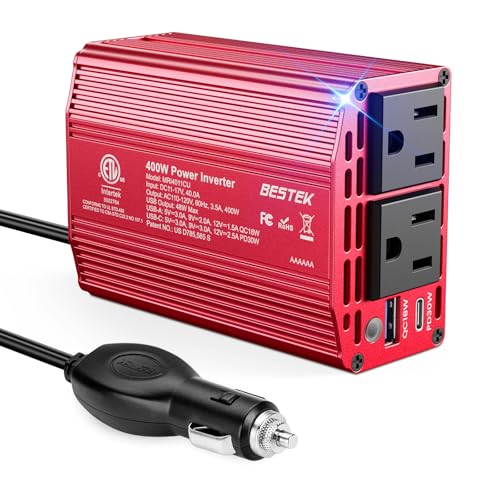
BESTEK 400W Car Power Inverter
Strengths
- ETL certified
- Dual AC outlets
- Reliable safety systems
Trade-offs
- USB-C limited to 30W
- Slightly pricier than budget picks
- No extended input voltage range
If I had to pick one inverter for broad compatibility and peace of mind, it’d be the BESTEK 400W. It delivers stable 400W output, a real sweet spot for laptops, CPAP machines, and small kitchen gadgets, and backs it up with ETL certification and a reputation for durability. Owners praise its compact size, calling it ‘cupholder-friendly,’ and the dual AC outlets mean you can run a laptop and another device without a strip. The PD 30W USB-C won’t charge a MacBook Pro at full speed, but it’s enough for mid-tier laptops and tablets.
Compared to similarly rated models like the Pro Chaser, this one feels more refined in build quality and safety responsiveness. The 40-amp fuse and thermal shutdown are well-tuned, with few reports of false tripping. While it lacks the ultra-fast PD 65W port found on others, its balanced design makes it the smarter buy for most travelers.
Video review
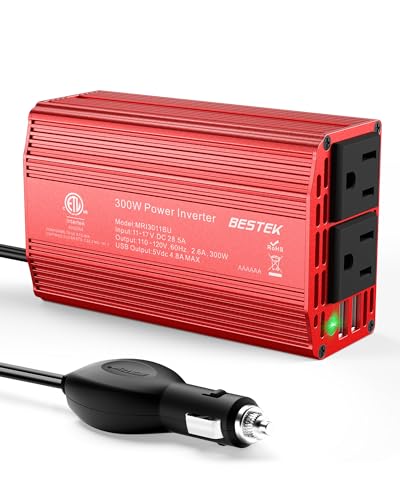
BESTEK 300W Car Plug Adapter
Strengths
- 5-year warranty
- Aluminum housing
- Wide voltage range
Trade-offs
- No PD 65W USB-C
- Peak power not clearly stated
- Older design, shorter cord
This BESTEK 300W model punches above its weight, blending value, durability, and long-term confidence through a 5-year warranty, the longest in this group. The aerospace-grade aluminum housing feels premium, and the smart cooling fan adjusts based on load, staying silent until needed. Its ability to accept 11–17V input makes it compatible with newer EVs like Teslas, a feature increasingly relevant. With two AC outlets and dual high-amperage USB ports (4.8A total), it handles mixed-device setups reliably.
Compared to the Nilight 300W, it offers better build and broader voltage tolerance. And unlike the Amazon Basics, it has real headroom for laptops. While it doesn’t hit 400W, 300W is enough for most mainstream machines, especially when nothing else is drawing heavily. For buyers wanting longevity and proven brand support, this is the smarter investment.
Video review
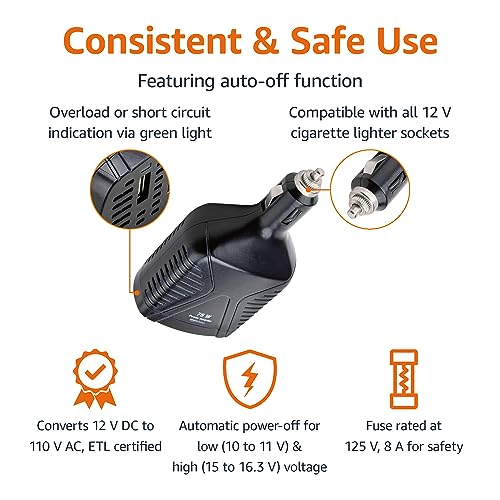
Amazon Basics 75W Portable Inverter

Strengths
- Ultra compact
- Low cost
- Basic protections included
Trade-offs
- Too weak for most laptops
- Modified sine wave
- Only one AC outlet
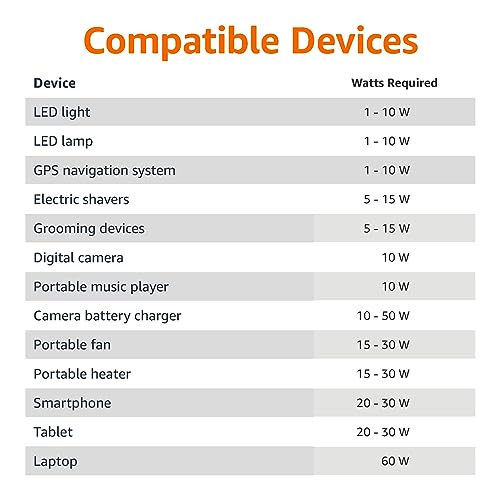
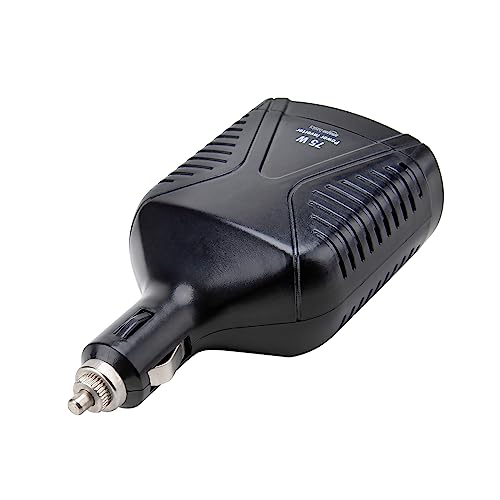
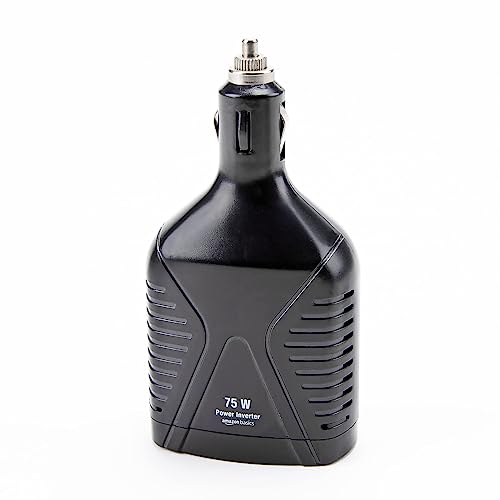
This Amazon Basics unit is the bare-minimum solution for occasional use. At 75W, it’s underpowered for laptops beyond basic Chromebooks or very light productivity machines. Most modern laptops require at least 100–150W, so expecting smooth operation here is unrealistic. Where it does work is for phones, tablets, and emergency lights, exactly what the marketing suggests. The modified sine wave output isn’t ideal for sensitive electronics, but for budget-conscious buyers who just need backup juice, it checks the box.
It’s tiny, lightweight, and ETL-certified, which speaks to basic safety standards. But compared to even the $22 PiSFAU 200W model, it’s a step down in usefulness. My take? Only consider this if you’re preparing for emergencies and rarely need more than phone charging. Otherwise, spend a little more.
Product photos

EPANEE 400W Power Inverter

Strengths
- PD 65W USB-C
- Dual AC outlets
- Efficient cooling
Trade-offs
- Generic brand perception
- Plastic build
- Unclear surge rating
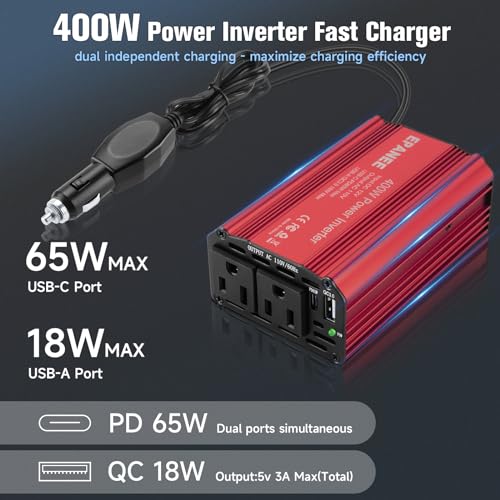
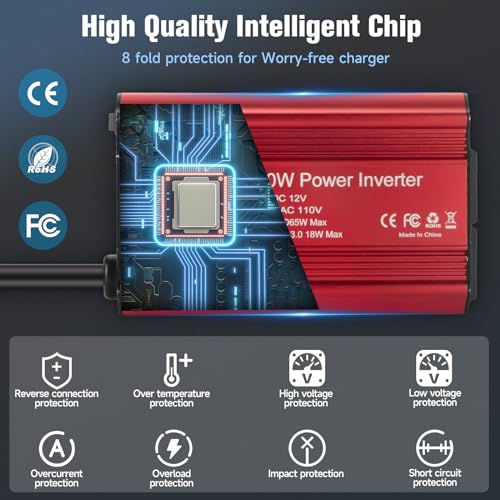
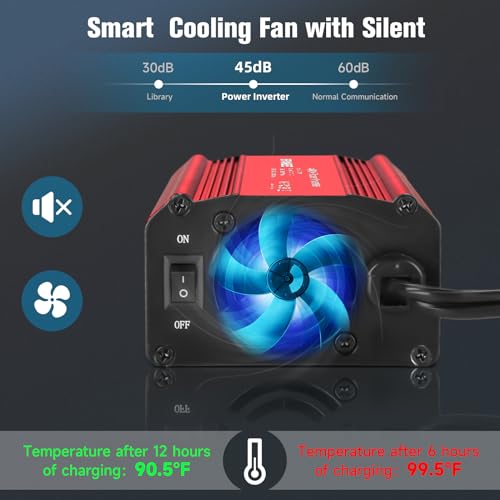
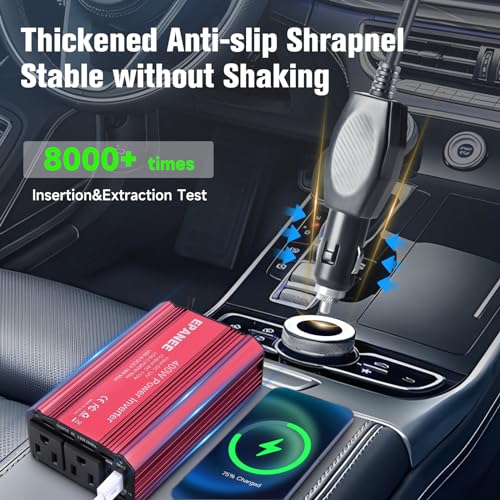
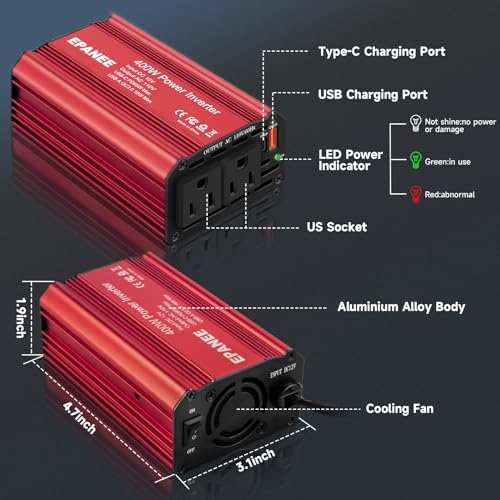
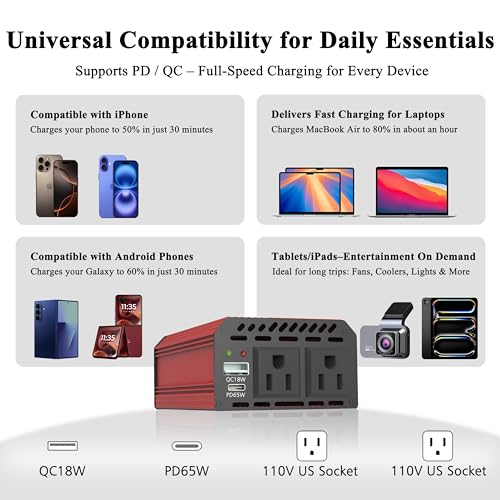
When the main job is charging a laptop quickly and safely, this EPANEE-branded 400W inverter delivers. The PD 65W USB-C port ensures full-speed charging for MacBooks, Surface devices, and other USB-C laptops, a key advantage over models limited to 30W. Combined with dual AC outlets, it gives flexibility: charge your laptop via USB-C while powering a small monitor or fan through AC. Owners confirm it stays cool during hours-long sessions, thanks to a variable-speed fan that ramps intelligently with temperature.
It’s not flawless, the casing is plastic, not metal, and branding feels generic compared to BESTEK or Nilight. But functionally, it matches pricier units. Against the Pro Chaser 400W, it’s nearly identical in spec, though slightly shorter cord length. For digital nomads and mobile workers, this is one of the most capable options under $30.
Product photos
PiSFAU 200W Car Power Inverter

Strengths
- Four USB ports
- Super compact
- Quiet cooling
Trade-offs
- Plastic housing
- No fast-charging PD standard
- Limited surge capacity
PiSFAU nails compact efficiency with this 200W model, its cellphone-sized body disappears into cup holders, and the four USB ports are a rarity in this class. That makes it perfect for families with multiple phones or kids’ devices. The dual AC outlets support typical low-to-mid draw electronics, including most ultrabooks, though sustained 200W loads may trigger thermal throttling. Owners report quiet operation and good heat management, thanks to internal design tweaks that reduce fan cycling.
But despite its strengths, it doesn’t offer PD 65W or wide voltage input like some rivals. And while the ABS shell is safe, it lacks the ruggedness of aluminum-bodied units. When stacked against the BESTEK 200W, it loses points for fewer total features despite similar pricing. Still, for pure portability and multi-USB needs, it holds its own.
Product photos


Pro Chaser 400W Power Inverter

Strengths
- Long 30-inch cable
- PD 65W USB-C
- 800W surge capacity
Trade-offs
- Risk of circuit overload
- Build quality less refined than BESTEK
- Fan noise reported under load
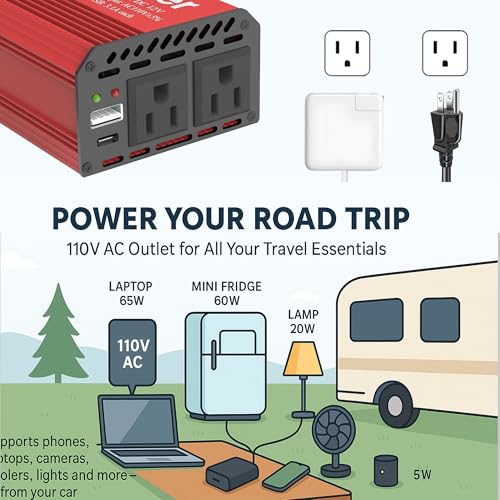
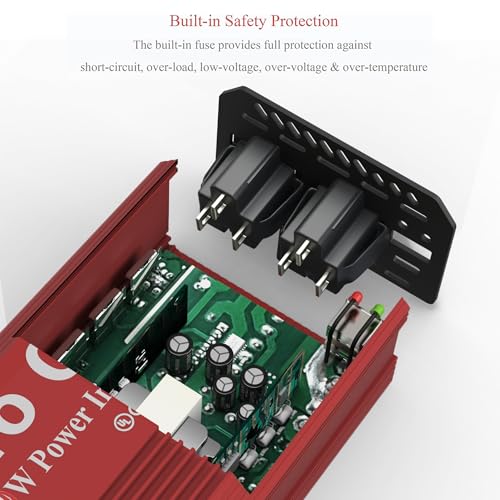
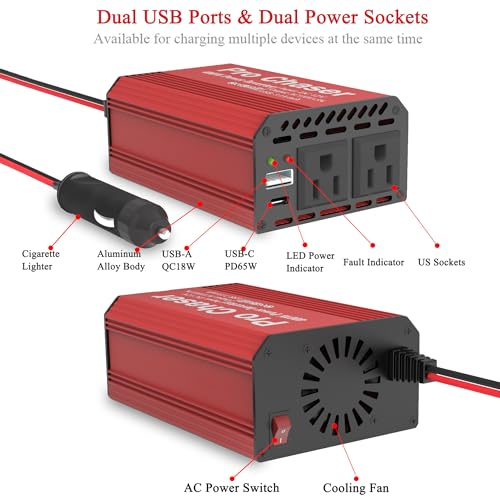
The Pro Chaser 400W is built for real-world road trips, where reach, reliability, and portability matter. Its 30-inch cord is longer than most, letting passengers in the back seat plug in without strain, a small detail that owners love. The PD 65W USB-C port is a major plus, enabling full-speed charging for modern laptops, and the dual AC outlets handle typical travel gear like DVD players and bottle warmers without issue. On paper, its 800W surge capacity suggests resilience, though actual sustained performance aligns with standard 400W expectations.
One caveat stands out in owner feedback: combining the PD 65W port with an AC device can overload the cigarette lighter circuit, especially in older vehicles. The manual warns against this, but not everyone reads it. Compared to the BESTEK 400W, it trades slightly rougher fit-and-finish for better USB throughput. For families or long-haul drivers, it’s a strong contender, if used wisely.
Product photos

BESTEK 200W Power Inverter

Strengths
- 5-in-1 functionality
- Tesla-compatible voltage
- Compact fit
Trade-offs
- Low continuous wattage
- Not for high-power laptops
- Peak load management requires caution
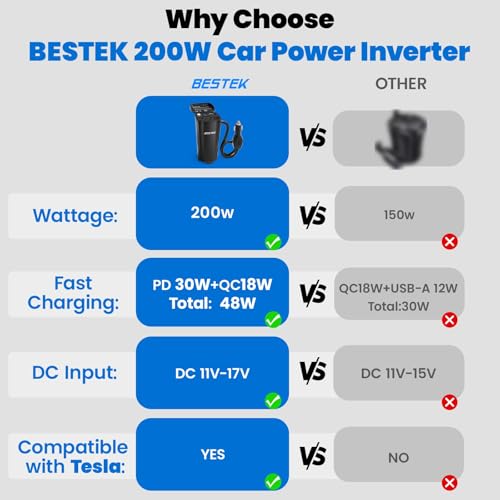
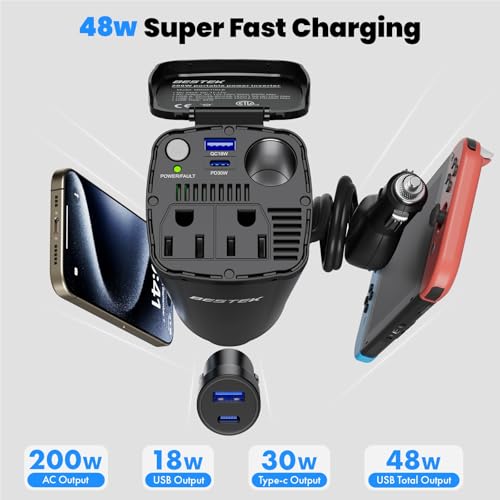
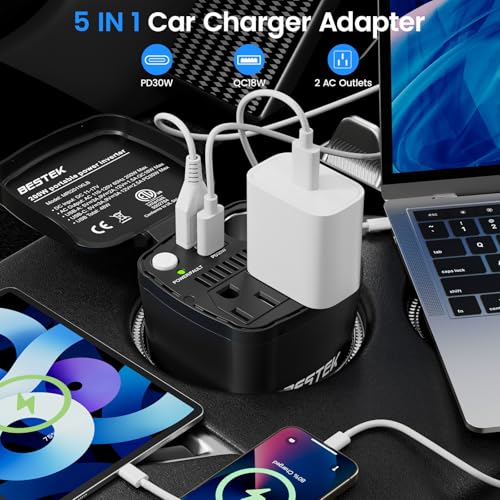
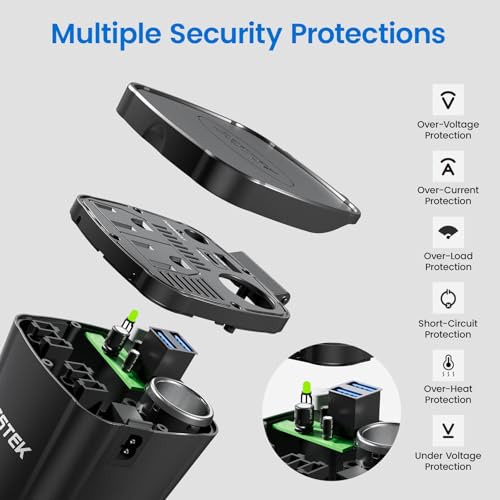
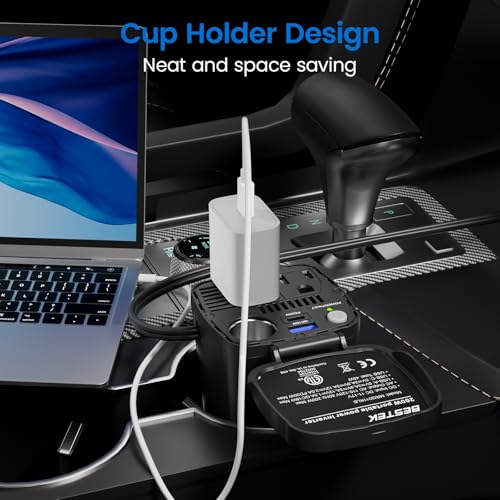
Don’t let the 200W label fool you, this BESTEK model shines as a multi-device hub, not a high-wattage beast. What it lacks in raw power it makes up for with clever engineering: two AC outlets, fast-charging USB ports, and an extra 12V socket so you can keep using your car’s original accessories. The input voltage range of 11–17V is a standout, confirmed by owners using it successfully in Tesla Model Ys where other inverters fail. That alone gives it niche appeal.
Still, its 200W ceiling means no running a full-powered laptop and a second appliance simultaneously unless you’re below the threshold. Reviewers note it works great for low-draw electronics, think iPad, camera battery charger, and phone, but trips out if pushed too hard. If your priority is clean integration and multi-tasking within limits, this is a stealth winner.
Product photos
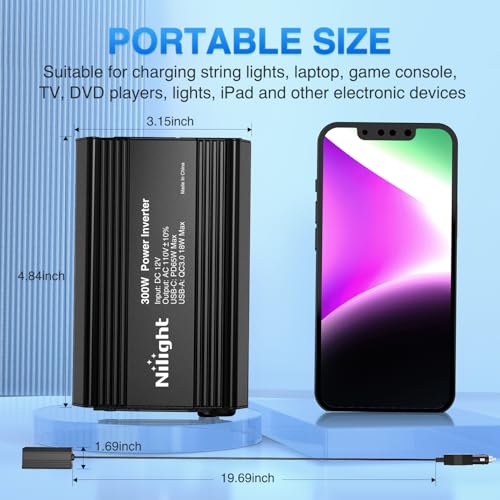
Nilight 300W Power Inverter
Strengths
- Metal housing
- PD 65W USB-C
- Smart chip protection
Trade-offs
- Limited wattage headroom
- No peak surge rating listed
- Bulkier than cupholder designs
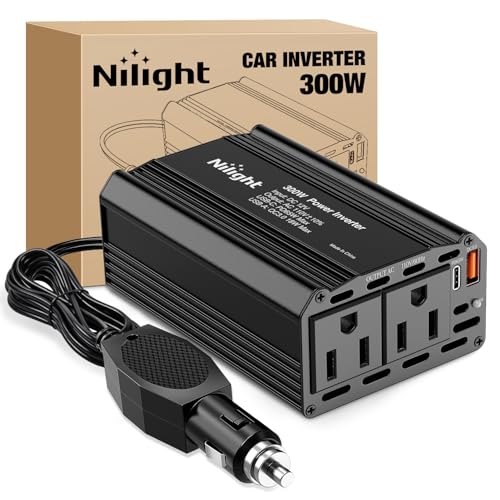
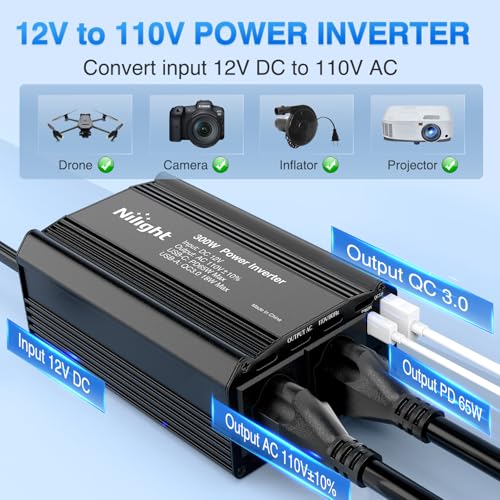
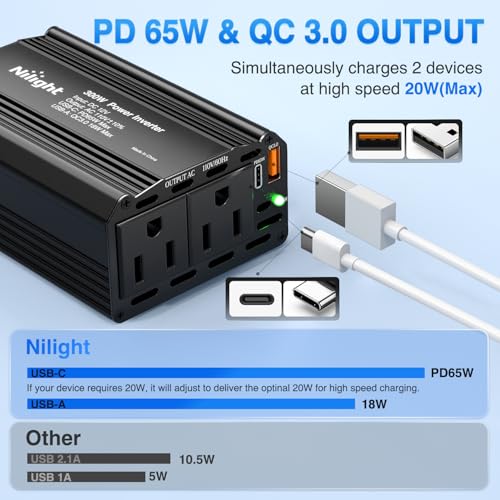
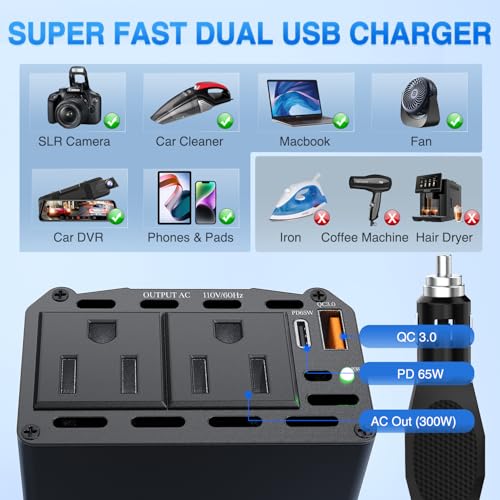
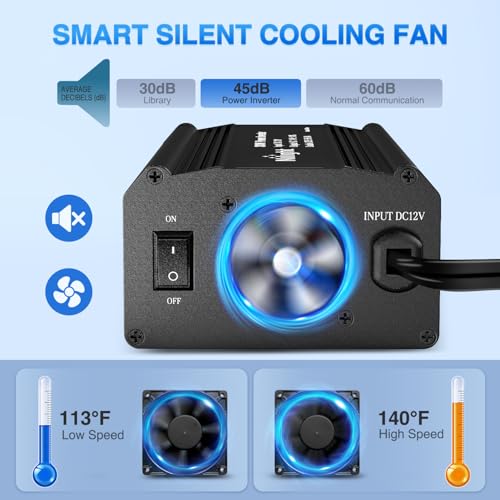
The Nilight 300W inverter stands out for its solid heat dissipation and metal housing, which owners consistently say keeps it cool even during extended use. The inclusion of a PD 65W USB-C port is impressive at this price, making it viable for charging most ultrabooks and MacBooks on the go. With two AC outlets and dual USB ports, it covers the basics well for drivers who need reliable laptop power without overspending.
That said, while the 300W continuous output is adequate, it falls short compared to 400W models when running high-draw devices back-to-back. The smart chip protection system gets positive feedback for preventing voltage spikes, but some users report the fan kicks in aggressively under moderate loads. For routine commutes or light mobile work, it’s dependable. But if you’re powering medical gear or multiple laptops, look elsewhere.
Product photos
How We Picked These car power inverters for laptop
My approach to evaluating car power inverters for laptop use, as with all things automotive at TheAutoZenith, began with a thorough review of specifications and published features. I compared wattage output (both continuous and peak), port selection (AC outlets, USB-A, USB-C with Power Delivery), and safety certifications across numerous models. This was then heavily weighted against owner reviews from major retailers, and expert opinions found in automotive and tech publications. Ultimately, I ranked these inverters based on their ability to reliably power laptops and other devices while on the road.
For this category, the most important factors were sustained wattage, and the quality of the power delivery. A laptop needs a stable, clean power source, and a cheap inverter with fluctuating output can potentially damage sensitive electronics. I also heavily considered safety features, over-voltage protection, overheating safeguards, and short-circuit prevention are critical. These features aren’t just about protecting your laptop; they’re about preventing issues within your vehicle’s electrical system. You can find a broader look at different options in our guide to the best car inverters.
Specifications reliably indicate maximum output and port configurations, telling you what a device can power. However, real-world performance and build quality are better judged from owner feedback. I paid close attention to reports about overheating, fan noise, and the longevity of the units. Reputation also played a role; brands consistently praised for reliability and customer support were given more consideration. For those needing power on a job site, you might also be interested in our guide to power inverters for work trucks.
Choosing The Right car power inverters for laptop
Choosing the right car power inverter isn’t just about wattage; it’s about matching the technology to your needs and ensuring it’ll reliably deliver power when you’re off the grid.
A quality car power inverter transforms your vehicle’s 12V DC power into standard 110V AC, allowing you to run everything from laptops and phone chargers to small appliances. Prioritize models with robust safety features, sufficient wattage for your intended devices, and a build quality that suggests longevity. Look for certifications like ETL, and consider the number and type of ports available – USB-C with Power Delivery (PD) is increasingly valuable.
Wattage and Your Power Needs
The first step is honestly assessing what you plan to power. Many buyers overestimate their needs, but underestimating is a far more common mistake. Don’t just look at the running wattage of a device; consider the surge wattage, which is the brief spike of power some appliances (like refrigerators or power tools) need when they first start up. A 300W continuous inverter might handle a laptop, but struggle with a power drill. As a rule of thumb, add up the wattage of all devices you might use simultaneously and then add 20-25% for surge protection. If you frequently need to power higher-draw devices, or plan to run multiple things at once, stepping up to a 400W or even higher-capacity model is sensible.
Waveform: Modified vs. Pure Sine
The type of waveform an inverter produces is a surprisingly important detail. Most budget-friendly options, like the Amazon Basics 75W model, output a “modified sine wave.” This is fine for simple electronics like phone chargers and many laptops. However, sensitive devices – and some newer laptops with advanced power circuitry – can perform poorly or even be damaged by a modified sine wave. If you’re planning on powering anything with a motor, audio equipment, or sophisticated electronics, a pure sine wave inverter is the safer, though more expensive, choice. If you’re unsure about your devices, browsing guides on laptop inverters can help clarify compatibility.
Port Selection and Build Quality
Beyond wattage and waveform, consider the ports offered and the overall build quality. Having a mix of AC outlets and USB ports (especially USB-C with PD) is incredibly convenient. The BESTEK 200W Power Inverter, for example, offers a good balance. Build quality is also crucial, especially if you anticipate using the inverter frequently or in rough conditions.
- A flimsy plastic housing won’t stand up to the bumps and vibrations of travel.
- Look for inverters with metal housings, like the Nilight 300W, as they offer better protection.
- A robust cooling fan is essential for preventing overheating, particularly with higher-wattage inverters; some, like the EPANEE 400W, even have temperature-controlled fans for quieter operation. Remember, if you’re heading out into more rugged terrain, consider also looking at truck inverters designed for heavier use.
Don’t skimp on safety features. A built-in fuse and protection against overvoltage, undervoltage, overheating, and short circuits are essential for protecting your devices and your vehicle.
Car Power Inverters for Laptop Compared
This table provides a side-by-side comparison of key specifications for various car power inverters suitable for laptop use.
| Product Name | Max Continuous Power (W) | Peak Power (W) | AC Outlets | USB Ports | USB-C PD (W) | Safety Features |
|---|---|---|---|---|---|---|
| BESTEK 400W | 400 | N/A | 2 | 2 (A+C) | 30 | Fuse, Over/Under Voltage, Overheat |
| BESTEK 300W | 300 | 700 | 2 | 2 (A) | N/A | Fuse, Over/Under Voltage, Overheat |
| Amazon Basics 75W | 75 | N/A | 1 | 1 | N/A | Over Voltage, Overheat, Short Circuit |
| EPANEE 400W | 400 | 800 | 2 | 2 (A+C) | 65 | Fuse, Over/Under Voltage, Overheat |
| PiSFAU 200W | 200 | N/A | 2 | 4 | N/A | Overheat, Overload, Short Circuit |
| Pro Chaser 400W | 400 | 800 | 2 | 2 (A+C) | 65 | Fuse, Over/Under Voltage, Overheat |
| BESTEK 200W | 200 | 500 | 2 | 3 (A+C) | 30 | Fuse, Over/Under Voltage, Overheat |
| Nilight 300W | 300 | N/A | 2 | 2 (A+C) | N/A | Fuse, Overheat, Short Circuit |
Frequently Asked Questions
What wattage inverter do I really need for a laptop?
Generally, 60-100 watts continuous is sufficient for most laptops, but consider your laptop’s power brick specifications. Many modern laptops with USB-C charging can operate efficiently with even lower wattage inverters, and a car laptop charger might be a more streamlined solution.
Are modified sine wave inverters safe for all laptops?
While many laptops function fine with a modified sine wave, newer models with active power supply designs can experience issues or even damage. A pure sine wave inverter provides cleaner power and is the safer option, particularly for expensive or sensitive electronics.
What does “peak wattage” actually tell me?
Peak wattage indicates the maximum power an inverter can deliver for a short burst, typically a few seconds. This is important for devices with motors or those that require a surge of power when starting up, but isn’t as critical for consistently powering a laptop.
How important is the cooling fan in a car power inverter?
A cooling fan is very important, especially with higher-wattage inverters, as they generate significant heat. Inverters with temperature-controlled fans, like the EPANEE 400W, are preferable because they reduce noise when full cooling isn’t needed. Maintaining a clean interior with regular car vacuums can also help with airflow around the inverter.
What safety certifications should I look for when buying an inverter?
ETL certification is a good indicator of safety testing and adherence to standards. Beyond that, look for built-in protections against over-voltage, under-voltage, overheating, and short circuits; these features protect both your devices and your vehicle’s electrical system.
The Bottom Line
Choosing a car power inverter for your laptop often comes down to balancing upfront cost with long-term peace of mind. While budget options exist, investing in a reliable unit like the BESTEK 400W Power Inverter offers a solid combination of power, safety features, and port selection, making it our overall recommendation for most users. It provides enough wattage for a laptop and other essentials, without risking damage to sensitive electronics.
For those on a tighter budget, the Amazon Basics 75W is a decent starting point if you only need to power a laptop and perhaps a phone charger. If you require maximum versatility and plan to power more demanding devices, the EPANEE 400W is an excellent choice, especially with its higher USB-C PD output. And don’t forget to consider a quality laptop mounts for a truly mobile office setup.
Ultimately, the wattage rating and waveform type are crucial, but don’t overlook build quality and safety certifications. A well-built inverter from a reputable brand, coupled with a recommended car inverters based on your specific power needs, will provide years of dependable service on the road, and protect your valuable electronics in the process.
