
7 Best Car Inverters for Laptop (2026 Guide)
This post contains affiliate links. As an Amazon Associate, we earn from qualifying purchases.
The BESTEK 300W Pure Sine Wave inverter stands out as the best overall choice for powering a laptop from your car, delivering clean, reliable energy with enough headroom for most setups. If you’re on a tighter budget, the FOVAL 150W offers solid performance for basic needs, while the EPANEEE 400W is the top pick for versatility with its 65W USB-C PD and high continuous output.
As someone who’s spent years deep in the mechanics of vehicles, I know how frustrating it is when your tech fails mid-road trip. A flimsy inverter can overheat, fry your charger, or drain your battery, especially if you’re running a power-hungry laptop. The real challenge isn’t just finding something that plugs in, but one that delivers stable, safe power without cutting corners.
This guide cuts through the noise by focusing on what actually matters: continuous wattage, pure sine wave output, and well-built safety features. I looked at specs, owner experiences, and real-world reliability to highlight inverters that won’t let you down when you’re off the grid.
Top 7 Car Inverters For Laptop in the Market
The Best Car Inverters For Laptop, Reviewed
BESTEK 300W Pure Sine Wave Inverter
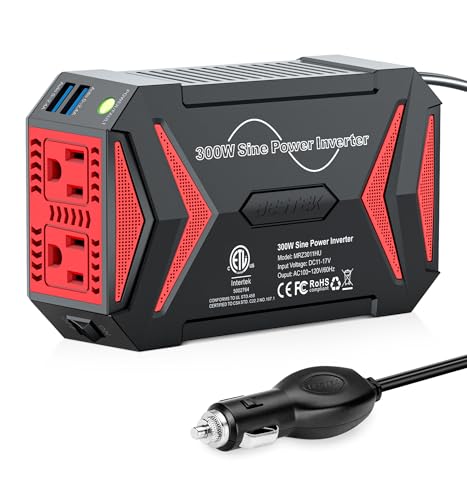
Strengths
- Pure sine wave
- Tesla compatible
- Dual USB ports
Trade-offs
- No USB-C PD
- Slightly larger footprint
- 300W still limits heavy devices
This is the inverter I’d recommend to most people who want clean, stable power without overcomplicating things. The pure sine wave output is the real differentiator, where cheaper models use modified sine wave and risk damaging sensitive electronics, this one plays nice with laptops, CPAP machines, and anything with a switching power supply. At 300W continuous and 700W peak, it handles most real-world loads without breaking a sweat.
Owners consistently praise its quiet fan and solid build, and the Tesla-compatible 11-17V input makes it future-proof for newer EVs. Compared to similarly rated models, this one feels more refined, better heat management, smarter USB charging, and a fuse that actually protects your circuit. It’s not the most powerful, but for reliability and compatibility, it’s the balanced choice.
Video review
EPANEEE 400W Power Inverter

Strengths
- PD 65W USB-C
- 400W output
- Good cooling
Trade-offs
- Modified sine wave
- Build quality average
- No pass-through socket
At this price, the EPANEEL 400W inverter packs a surprising punch, PD 65W USB-C is a big deal, meaning you can fast-charge a MacBook or high-end Android without a brick. The 400W continuous output and 800W surge give real headroom for laptops under load, and owners confirm it handles modern devices well. It’s not pure sine wave, but for most users, that won’t matter unless you’re running a CPAP or high-end audio gear.
The cooling system gets positive feedback, smart fan control keeps temps down even on long drives. It’s a bit larger than others, but still cup-holder friendly. Compared to pricier BESTEK models, this one wins on value. I’d pick this over the 300W options if you’re charging a power-hungry laptop and want future-proof USB-C.
Video review
BESTEK 400W Car Power Inverter
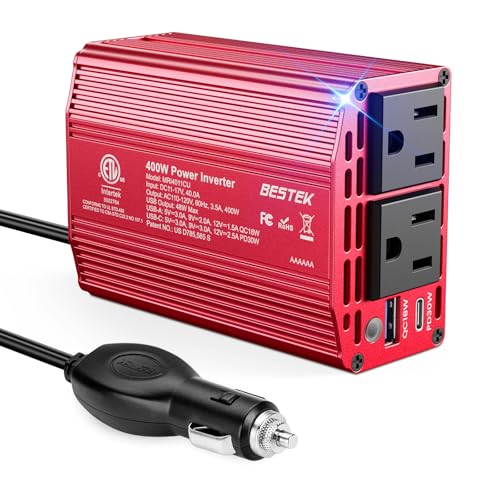
Strengths
- Stable 400W output
- Dual AC outlets
- Durable build
Trade-offs
- No 65W USB-C
- No voltage range upgrade
- Average cooling
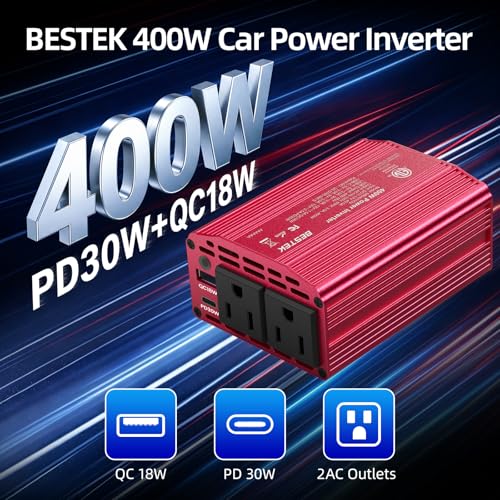
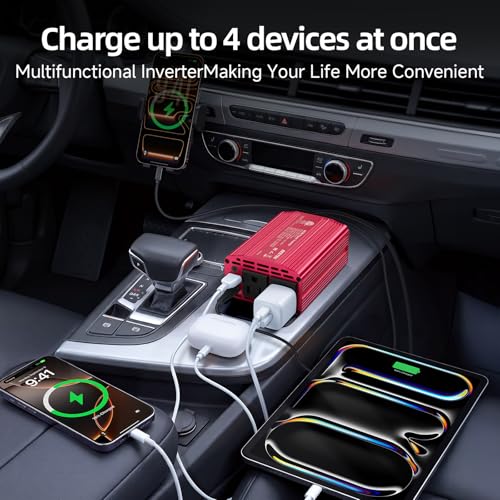
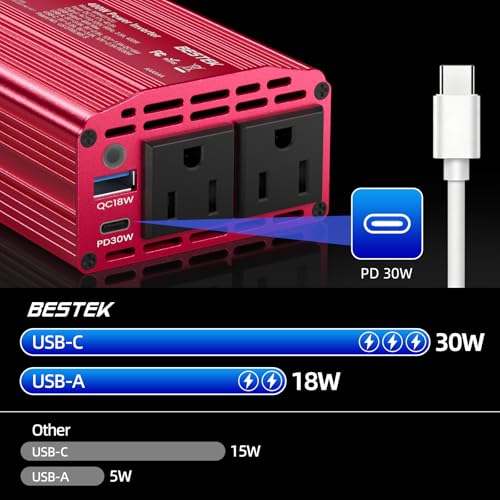
When you need to run a high-wattage laptop, say, a gaming rig or workstation on wheels, this BESTEK 400W model is built for that job. It delivers stable 400W output with dual AC outlets, so you’re not forced to choose between devices. The inclusion of PD 30W USB-C is a nice bonus, though not as fast as newer 65W standards. Still, for a single high-draw device plus phone charging, it’s ideal.
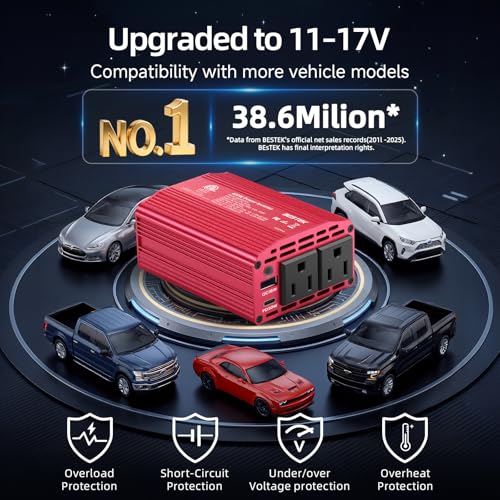
Owners report solid performance during long drives, and the 32-pin plug ensures a tight fit in most vehicles. It’s not Tesla-tuned like some BESTEK models, but it handles 12V systems reliably. Compared to the EPANEEL, it lacks USB-C speed but feels more durable. If you’re powering a work laptop and don’t need 65W USB-C, this is a trustworthy workhorse.
Product photos

Pro Chaser 400W Power Inverter

Strengths
- PD 65W USB-C
- 800W surge
- Long 30-inch cord
Trade-offs
- Overload risk when multi-tasking
- No pure sine wave
- Average build finish
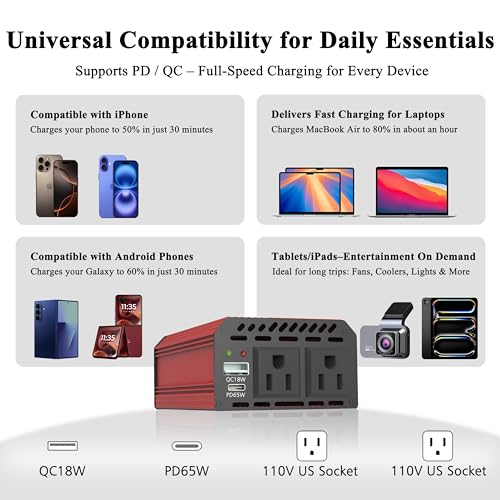
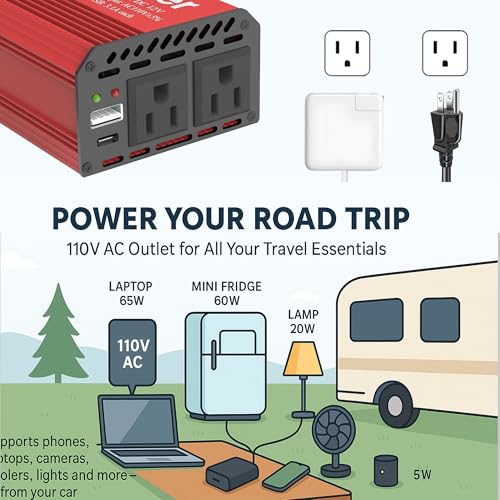
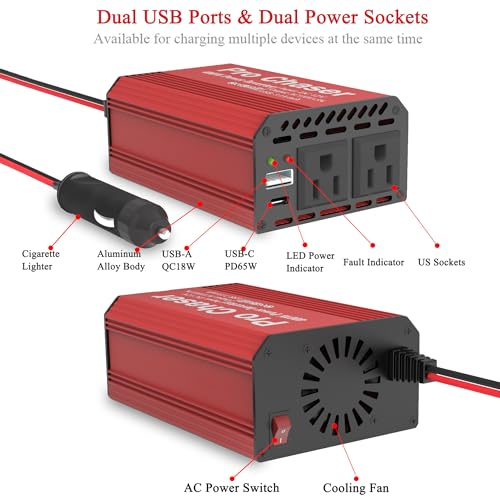
The Pro Chaser 400W stands out for one reason: PD 65W USB-C on a 400W inverter at this price. That’s a combo usually seen in more expensive models. It’s designed for fast, modern charging, owners report MacBook Pros charging at full speed while a DVD player or small appliance runs on AC. The 800W surge handles startup spikes well, and the 30-inch cord is a real win for back-seat access.
But there’s a catch: the manual warns against using PD65W and AC outlets simultaneously, suggesting the internal circuit can’t handle full load across all ports. That limits its real-world versatility. Still, for road warriors who prioritize speed and portability, this is a strong contender, especially compared to models with weaker USB specs.
Product photos


BESTEK 200W Power Inverter

Strengths
- Tesla compatible
- PD 30W USB-C
- 5-in-1 functionality
Trade-offs
- 200W limit
- Bulkier than mini models
- Not for heavy loads
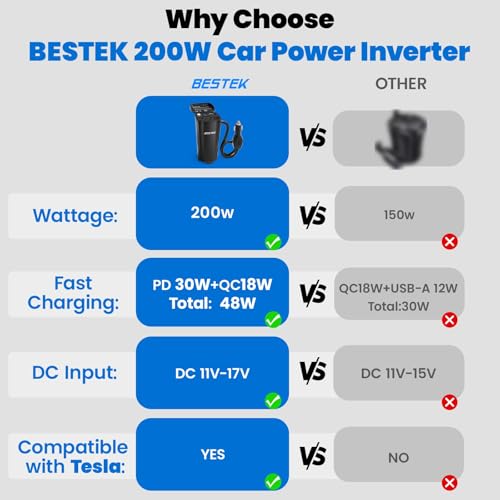
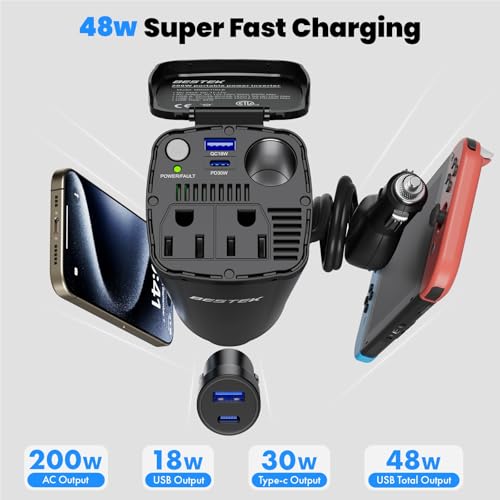
If you’re driving a Tesla, especially a Model Y, this BESTEK 200W inverter is a standout. The 11-17V input range is rare and specifically engineered for Tesla’s higher-voltage accessory outlets, which trips up many other inverters. That alone makes it a smarter pick for EV owners. On paper, 200W continuous power isn’t huge, but it’s enough for most laptops, and the inclusion of PD 30W USB-C and QC 3.0 USB-A means your modern devices charge quickly and safely.
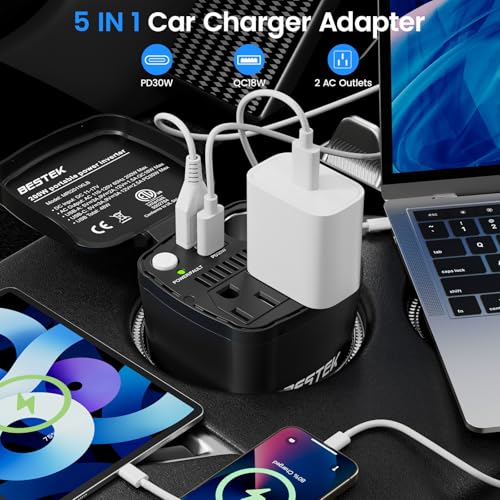
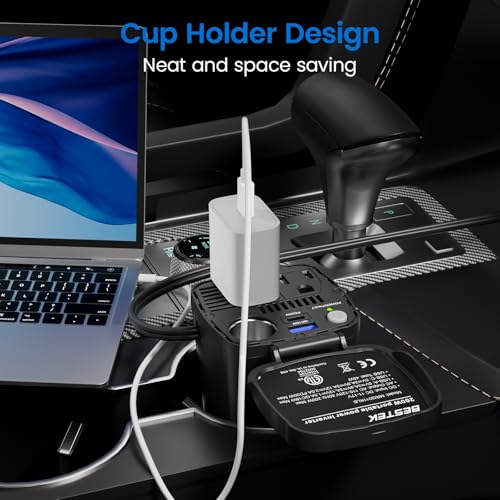
Owners note the 24-inch cord is long enough to route neatly, and the 5-in-1 setup (2 AC, 2 USB, 1 DC pass-through) is genuinely useful. I’d still hesitate to run a gaming laptop off this for hours, but for mixed device charging, say, a MacBook, tablet, and CPAP, this hits a sweet spot. It’s not the most powerful, but for Tesla drivers, it’s the most compatible.
Product photos
Nilight 300W Power Inverter
Strengths
- PD 65W USB-C
- Dual AC outlets
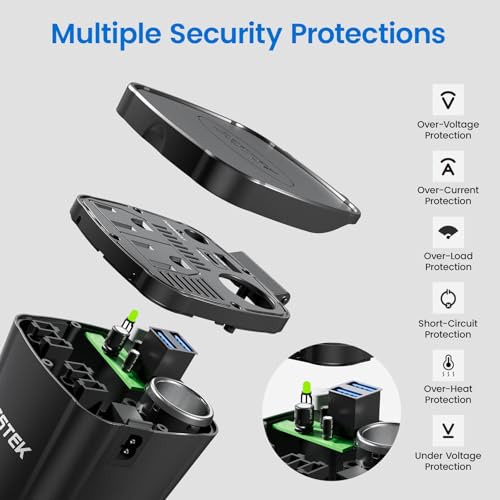
- Smart protection
Trade-offs
- Modified sine wave
- No pass-through socket
- Average thermal design
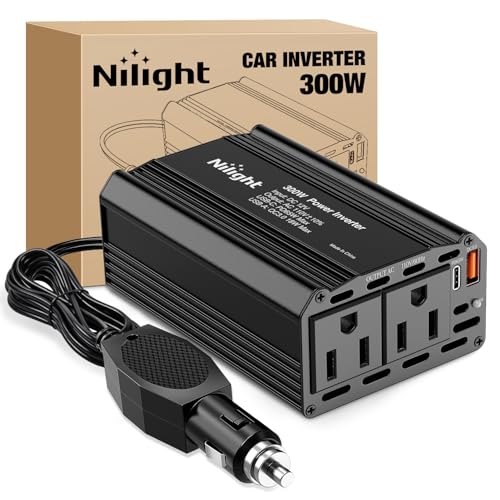
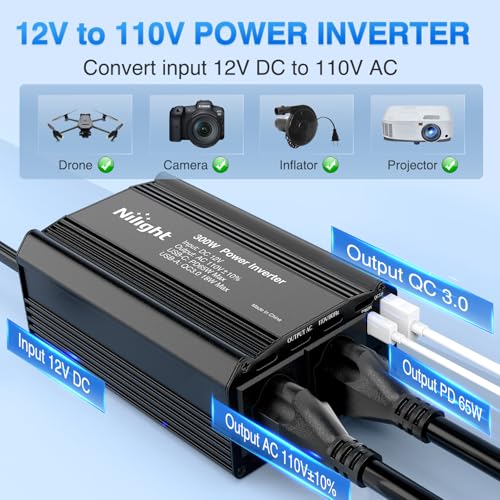
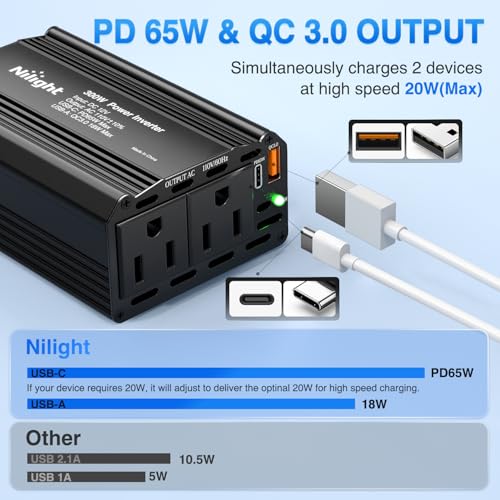
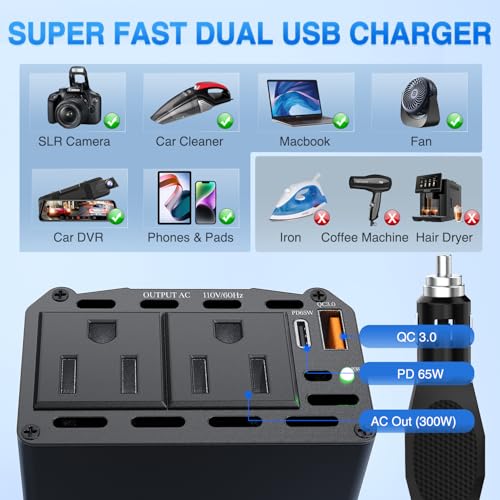
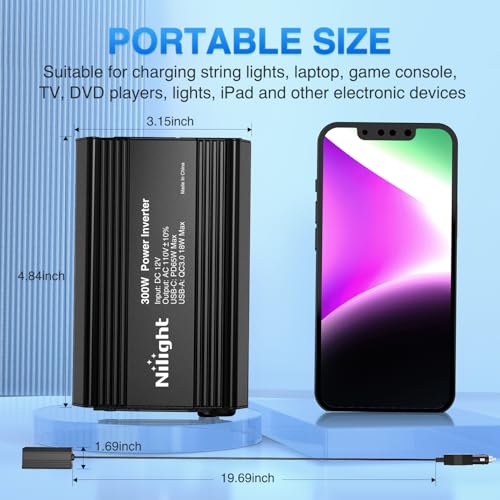
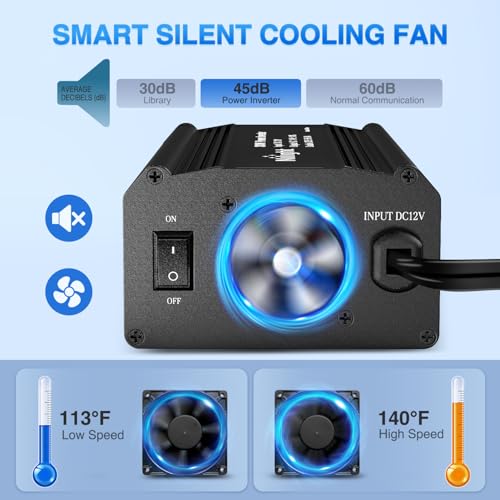
The Nilight 300W hits a sweet spot of price, output, and modern charging, PD 65W USB-C here means real fast charging for MacBooks and premium phones, which most 300W inverters still lack. At 300W continuous, it’s enough for most laptops, and owners confirm it runs quietly even under moderate load. The dual AC outlets give flexibility, and the smart chip + fuse combo adds real protection against shorts and surges.
It’s not pure sine wave, so I wouldn’t risk it with sensitive medical gear, but for general laptop use, it’s solid. Compared to similarly priced models, this one offers better USB performance than the FOVAL or basic BESTEK units. If you want USB-C speed without jumping to 400W, this is the smarter buy.
Product photos
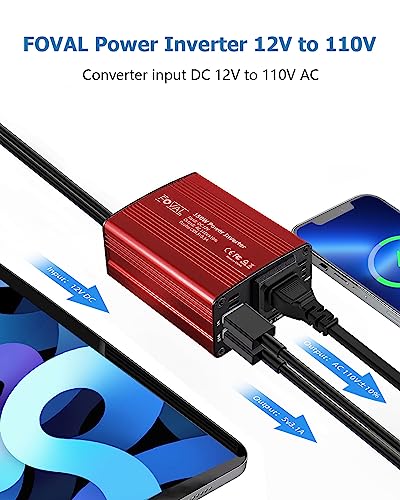
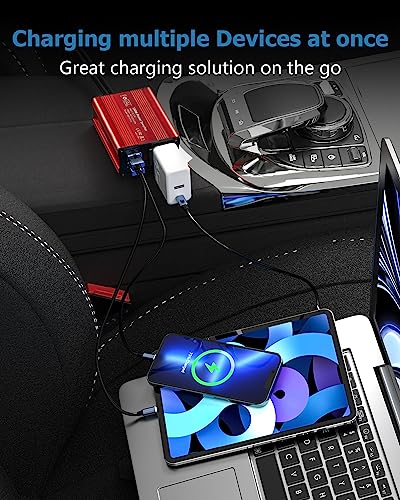
FOVAL 150W Car Power Inverter

Strengths
- Compact size
- Dual USB ports
- Aluminum housing
Trade-offs
- Low wattage limit
- Single AC outlet
- Not for high-draw devices
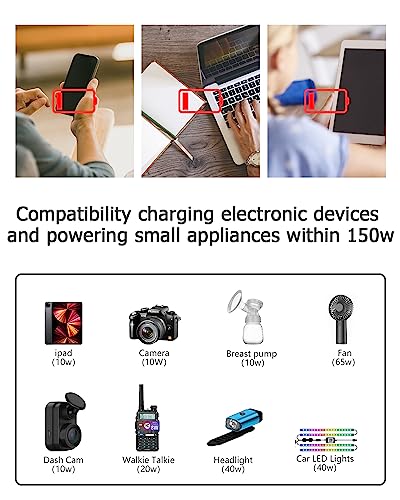
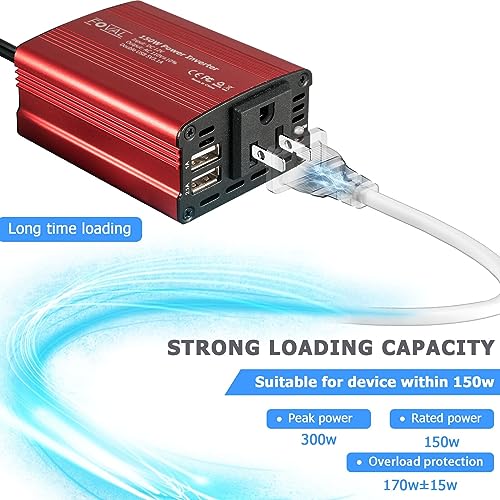
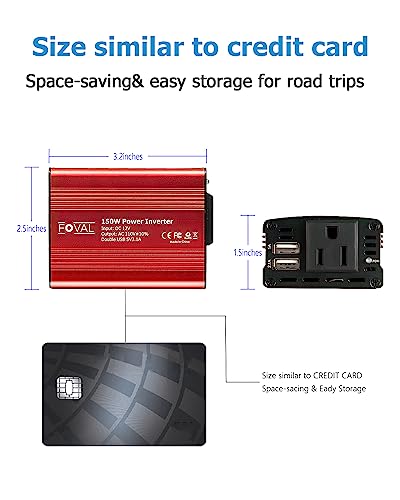
For the buyer who wants a no-frills, pocket-sized inverter just to keep a laptop and phone alive during commutes, the FOVAL 150W fits the bill. It’s about as small as you can get while still offering an AC outlet and dual USB ports, and owners consistently report it works fine for low-draw laptops and charging tablets on the go. But 150 watts is the hard ceiling here, anything more demanding than a basic notebook or small electronics will push it to its limit.
I wouldn’t trust this one with power-hungry devices or sustained loads. The aluminum shell helps with heat, and the silent fan is a nice touch, but in this class, thermal throttling is a real concern under load. Compared to higher-wattage models, it’s a compromise unit, perfect if portability is king, but underpowered if you’re running a modern laptop at full tilt.
Product photos
How We Picked These car inverters for laptop
As someone who’s spent years exploring the mechanics and culture around vehicles at TheAutoZenith, I approached researching car inverters with a focus on real-world usability. Rather than a hands-on lab test of each unit, this selection is based on a research-led comparison of published specifications and owner feedback. I weighed features, power output, safety certifications, and port availability, cross-referencing this data with reviews from both individual users and trusted tech publications. Ultimately, the goal was to identify inverters that reliably deliver power for laptops and other devices on the road.
For this category, continuous wattage and the quality of the output waveform were paramount. A laptop needs a stable power supply, and a “modified sine wave” inverter can sometimes cause issues with sensitive electronics. Equally important was the inclusion of robust safety features – overheating protection, short-circuit prevention, and over/under voltage safeguards are crucial when dealing with vehicle electrical systems. You’ll find that the models I’ve highlighted excel in these areas, and offer a good balance of power and protection. To learn more about inverters in general, you can explore our guide to the best power inverters.
Specifications reliably indicate peak wattage, port types (USB-A, USB-C, PD charging capabilities), and physical dimensions. However, judging long-term reliability and real-world performance requires looking beyond the datasheet. Owner feedback provides valuable insights into how these inverters hold up to regular use, how effectively they dissipate heat, and whether the advertised charging speeds are accurate. I also considered the overall reputation of the brand, and whether they offer solid customer support, as a good inverter is only as useful as the peace of mind it provides, alongside a healthy car battery to power it all.
Choosing The Right car inverters for laptop
Finding the right car inverter can be surprisingly complex. It’s not just about plugging something into your cigarette lighter; it’s about matching power needs, ensuring safety, and getting a device that will reliably keep your devices running on the road.
A quality car inverter efficiently converts 12V DC power from a vehicle’s electrical system into 110V AC, mirroring standard household outlets. Key considerations include continuous wattage, peak wattage (for handling momentary surges), port selection (USB-A, USB-C PD, AC outlets), safety features like surge protection and thermal management, and compatibility with the vehicle’s electrical system. A pure sine wave output is preferable for sensitive electronics.
Wattage: Matching Power to Your Needs
The first and most crucial step is accurately assessing your power needs. Don’t just look at the advertised wattage of your laptop’s power brick; check the fine print for actual draw. Many laptops, especially gaming models or those with dedicated graphics, can pull significantly more power than their listed rating during peak usage. Undersizing an inverter leads to blown fuses, tripped breakers, or, worse, damage to your equipment. Overestimating isn’t terrible, but you’ll pay more for capacity you may never use.
Waveform: Pure Sine vs. Modified Sine
This is where things get technical, but it’s vital. Most inexpensive inverters produce a “modified sine wave,” which is an approximation of AC power. While fine for many devices (lights, resistive loads), sensitive electronics like laptops, some newer phone chargers, and medical devices require a pure sine wave. Using a modified sine wave with these devices can cause overheating, reduced lifespan, or even malfunction. If you’re powering anything beyond basic phone chargers, I strongly recommend a pure sine wave inverter. You can find excellent options, like the BESTEK 300W, that offer this feature.
Port Selection & Convenience Features
Beyond wattage and waveform, consider the practicalities. The number and type of ports matter. A growing number of devices use USB-C Power Delivery (PD) for fast charging, so an inverter with a PD port – like the EPANEEE 400W model – is a smart choice. Don’t overlook the length of the cable; a short cable limits placement options. Also, think about physical size. If you’re traveling in a smaller vehicle or want something easily storable, a compact unit like the FOVAL 150W might be ideal. If you’re looking for more options, take a look at our guide to the best inverters for laptops.
A good rule of thumb: add up the wattage of everything you plan to plug in simultaneously, then add 20% for headroom.
Finally, don’t forget about securing your laptop while on the go. A reliable car laptop mounts can be just as important as a steady power supply.
Car Inverters for Laptop Compared
This table provides a side-by-side comparison of key specifications for several car inverters suitable for laptop use.
| Product | Power (Continuous Watts) | Peak Power (Watts) | AC Outlets | USB-A Ports | USB-C Ports | Special Features |
|---|---|---|---|---|---|---|
| BESTEK 300W Pure Sine Wave | 300 | 700 | 2 | 2 | N/A | Tesla Compatible |
| EPANEEE 400W Power Inverter | 400 | 800 | 2 | 1 | 1 (65W PD) | Fast Charging (PD/QC) |
| BESTEK 400W Car Power Inverter | 400 | N/A | 2 | 1 | 1 (30W PD) | Fast Charging (QC 3.0) |
| Pro Chaser 400W Power Inverter | 400 | 800 | 2 | 1 | 1 (65W PD) | Fast Charging (PD/QC) |
| BESTEK 200W Power Inverter | 200 | 500 | 2 | 1 | 1 (30W PD) | Tesla Compatible, 5-in-1 |
| Nilight 300W Power Inverter | 300 | N/A | 2 | 1 | 1 | USB-C PD |
| FOVAL 150W Car Power Inverter | 150 | N/A | 1 | 2 | N/A | Compact Size |
Frequently Asked Questions
What wattage inverter do I really need for a laptop?
Generally, a 150-300 watt inverter is sufficient for most laptops, but check your laptop’s power adapter for its actual wattage draw. Gaming laptops or those with dedicated graphics cards may require 300 watts or more to operate reliably.
Are all car inverters safe to use with a MacBook?
MacBooks, and other modern laptops, benefit from a pure sine wave inverter. Modified sine wave inverters can sometimes cause compatibility issues or reduce the lifespan of the charging circuitry in these devices.
Can I run multiple devices off a single car inverter?
Yes, but you must stay within the inverter’s continuous wattage rating. Add up the wattage of all devices you intend to use simultaneously and make sure total is well below the inverter’s limit, ideally leaving about 20% headroom.
What’s the difference between peak and continuous wattage?
Continuous wattage is the sustained power an inverter can deliver, while peak wattage is a short-burst capacity for handling startup surges from devices like motors. Your devices will generally run on the continuous wattage, but the peak rating prevents tripping the inverter’s safety features.
Where is the best place to mount a car inverter for optimal performance?
For best performance, mount the inverter in a well-ventilated area, away from direct sunlight and moisture. A location near the front of the vehicle, or under a seat, can help with cooling and accessibility, and consider pairing it with some car phone mounts for added convenience.
The Bottom Line
Choosing a car inverter for your laptop often comes down to balancing convenience with capability. While simpler, less expensive options exist, the BESTEK 300W Pure Sine Wave stands out as the strongest all-around performer, providing a clean power supply crucial for sensitive electronics and the compatibility many Tesla owners appreciate. It’s a solid investment for anyone who wants to reliably power their devices without risking damage.
For those with specific needs, several other models excel. If fast charging is a priority, the EPANEEE 400W Power Inverter and Pro Chaser 400W Power Inverter both offer USB-C Power Delivery, and for a more budget-friendly option, the FOVAL 150W Car Power Inverter is a good choice for basic needs in a compact package. Don’t forget to explore options for staying connected in the car with the best vehicle inverters and Bluetooth adapters.
Ultimately, wattage and waveform quality matter far more than the number of USB ports or a flashy design. Prioritize a pure sine wave output if you’re powering a laptop, and always ensure the continuous wattage exceeds the actual draw of your devices. A well-chosen inverter, paired with a healthy car battery, provides peace of mind and keeps you connected on any journey.
