
7 Best Convertible Computers of 2026
This post contains affiliate links. As an Amazon Associate, we earn from qualifying purchases.
The Lenovo IdeaPad 5 2-in-1 stands out as the best overall convertible computer, combining strong performance and solid build quality. For a more budget-friendly option, the HP Pavilion x360 14″ delivers reliable everyday use, while the Dell Latitude 5320 2-in-1 offers excellent versatility for business or travel.
Buying a convertible computer that actually works well day after day means cutting through marketing hype and focusing on what really matters: a hinge that won’t fail, a screen you can actually use, and power under the hood to keep up with your workload. Too many models sacrifice durability or performance in the name of flexibility.
As someone who values well-engineered machines, I looked at specs, owner feedback, and long-term reliability trends to find the ones worth your time. This guide breaks down what to prioritize, like processor choice, RAM, and screen quality, so you can pick a 2-in-1 that performs as well as it pivots.
Top 6 Convertible Computers in the Market
The Best Convertible Computers, Reviewed
HP Pavilion x360 14″

Strengths
- 12th-gen i5 performance
- FHD touchscreen
- Refurbished value
Trade-offs
- Cosmetic damage
- Only 8GB RAM
- No pen included
This is a refurbished HP Pavilion x360 with a solid mid-tier spec: the 12th-gen i5-1235U brings real performance gains over older models, and owners confirm it handles Office, streaming, and video calls with ease. The 256GB SSD and 8GB RAM are standard but sufficient, and the FHD touchscreen works well in all four modes.
But, and this is a big one, it’s sold as refurbished with significant cosmetic blemishes. That’s fine if you’re budget-conscious and care more about function than form, but it’s not for someone wanting a clean, professional look. I’d recommend it over new budget laptops if you trust the refurbisher, but only if you’re okay with a scuffed chassis.
Video review
Tylvx 15.6″ 2-in-1 Laptop
Strengths
- 16GB RAM
- 512GB SSD
- Stylish design
Trade-offs
- Weak speakers
- Mushy keyboard
- Underpowered CPU
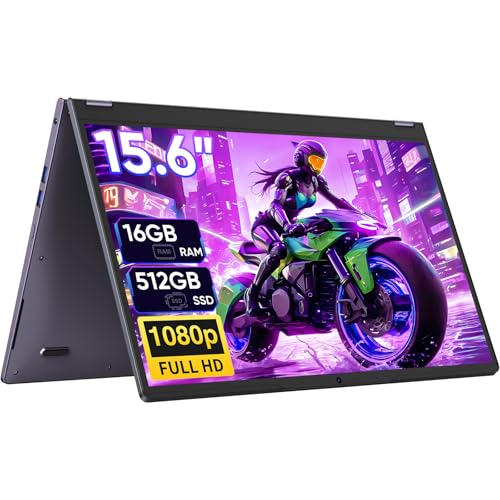
At this price, the Tylvx 15.6-inch 2-in-1 is hard to ignore, 16GB RAM and 512GB SSD are standout specs in a sub-$350 machine, and owners say it translates to real-world smoothness when juggling browser tabs, video calls, and note-taking apps. The Intel m3-8100Y isn’t a speed demon, but it’s adequate for students and light users, and the deep purple finish gives it a personality most budget laptops lack.
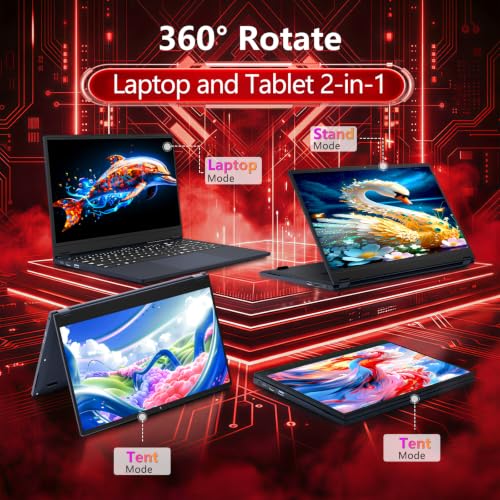
The 360° hinge works as advertised, and the large FHD touchscreen is responsive, though some reviewers note the speakers are underwhelming and the keyboard feels a bit mushy. Still, for the price, it delivers versatility and storage that beat many pricier competitors. I’d pick this over similarly priced Chromebooks if you need full Windows for software compatibility.
Video review
YOZISUAN 15.6″ 2-in-1 Laptop

Strengths
- Anti-glare display
- Webcam shutter
- 2-year warranty
Trade-offs
- Same weak m3 CPU
- Average build quality
- Limited cooling
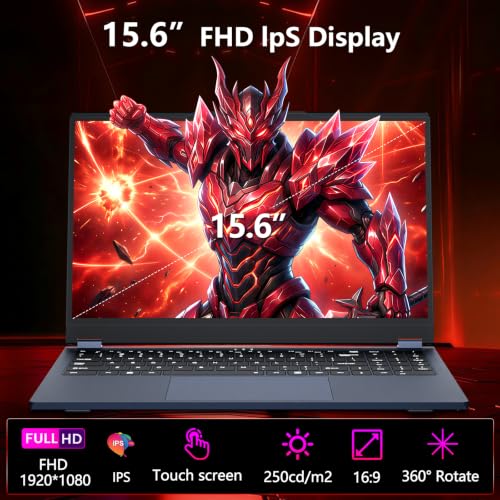
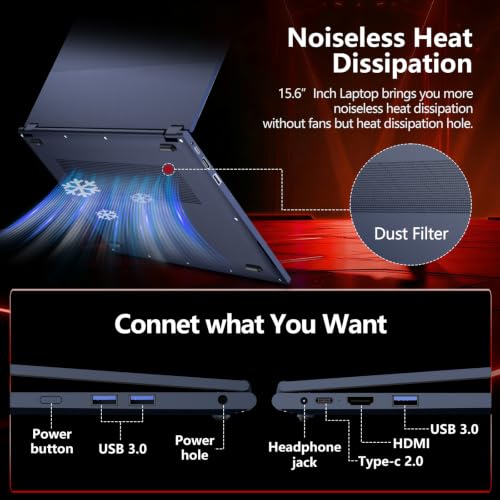
The YOZISUAN 15.6-inch 2-in-1 mirrors the Tylvx in specs, same m3-8100Y, 16GB RAM, 512GB SSD, but adds a few thoughtful touches like a physical webcam shutter and Type-C charging. The anti-glare FHD screen is a win for long study sessions, and owners say it cuts down on eye strain compared to glossy panels.
It’s clearly aimed at students and commuters, and for that audience, it delivers. The 24/7 customer support and 2-year warranty are stronger than most budget brands offer. But like its sibling, the CPU is a bottleneck for anything beyond light tasks. I’d say it’s a slight upgrade over the Tylvx thanks to better security and screen coating, but still not for performance seekers.
Product photos


ASUS Chromebook Flip CX1

Strengths
- Durable MIL-STD build
- Wi-Fi 6 support
- Long battery life
Trade-offs
- Limited eMMC storage
- Celeron performance
- Cloud-dependent
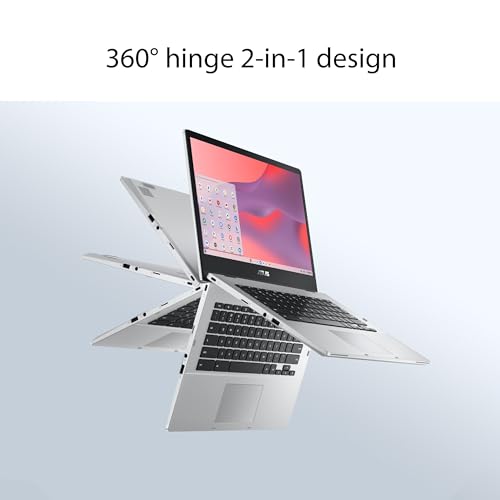
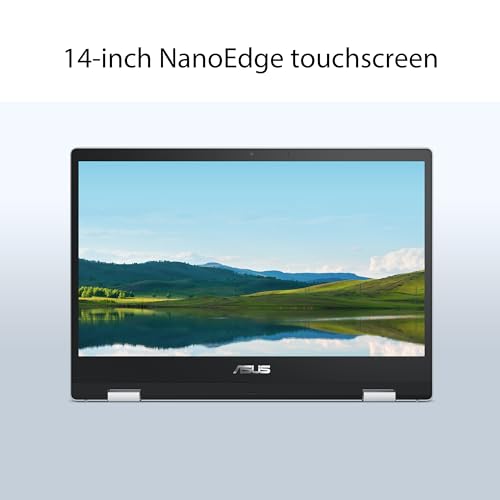
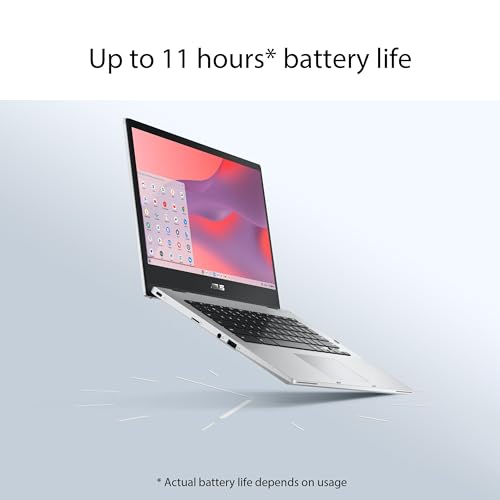
If you live in the Google ecosystem, the ASUS Chromebook Flip CX1 makes a compelling case. The MIL-STD 810H durability rating and 11-hour battery are legit selling points, and owners consistently praise its resilience in classrooms and travel. The Wi-Fi 6 and Bluetooth 5.2 are modern touches you don’t always see at this price, and the Gemini Advanced trial adds real value for AI-powered tasks.
But let’s be clear, this runs on 128GB eMMC storage, which means you’re relying heavily on cloud sync. That’s fine if you’re all-in on Google Drive, but a dealbreaker if you work offline or with large files. The Celeron N4500 is entry-level, so don’t expect multitasking magic. Still, for schools or minimalists, it’s one of the most dependable ChromeOS convertibles out there.
Product photos


Dell Latitude 5320 2-in-1
Strengths
- Windows 11 Pro
- Business durability
- Solid port selection
Trade-offs
- Aged design
- No Wi-Fi 6E
- Renewed only
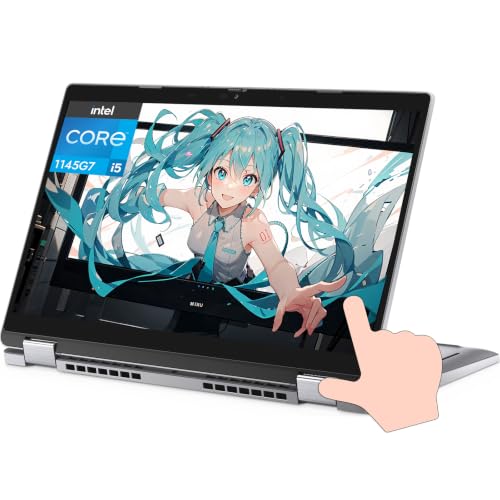
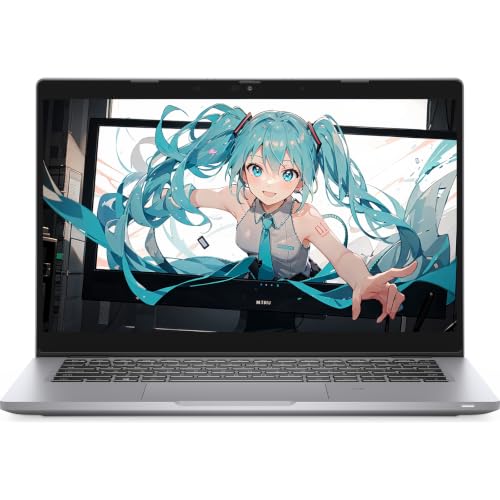
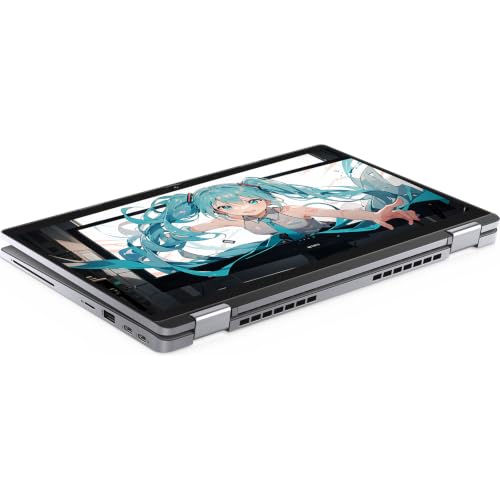
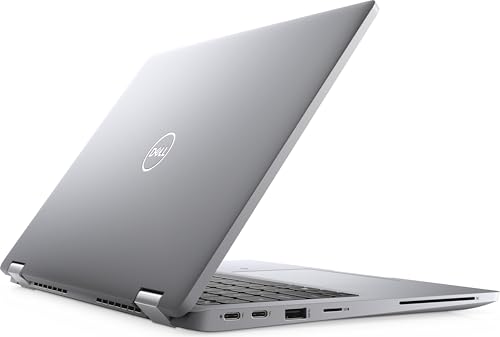
The Dell Latitude 5320 is a business-grade 2-in-1 that punches above its price, especially at $250 renewed. The i5-1145G7 is still competent for office work, and Windows 11 Pro brings BitLocker, Remote Desktop, and other pro tools you won’t find on consumer models. Owners report it’s stable, secure, and built to last, no surprise, given Dell’s enterprise reputation.
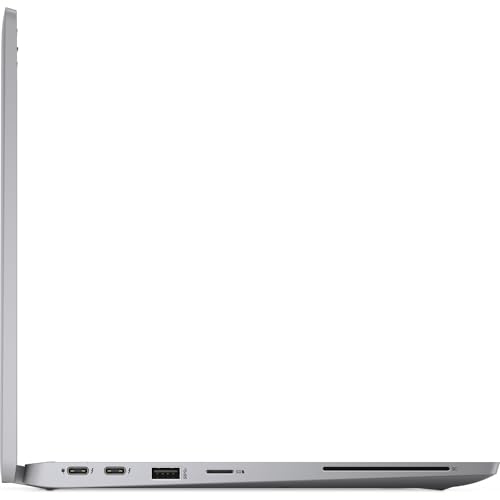
The 13.3-inch FHD touchscreen is sharp and responsive, and the port selection is generous for business use. It’s not flashy, but it’s dependable. Compared to newer budget convertibles, it lacks modern Wi-Fi 6E or USB4, but for corporate environments or remote workers needing reliability, it’s a smarter buy than many new budget laptops.
Product photos

Lenovo Flex 14 2-in-1
Strengths
- Ryzen 5 performance
- Active pen included
- Webcam privacy shutter
Trade-offs
- Aged processor
- No Wi-Fi 6
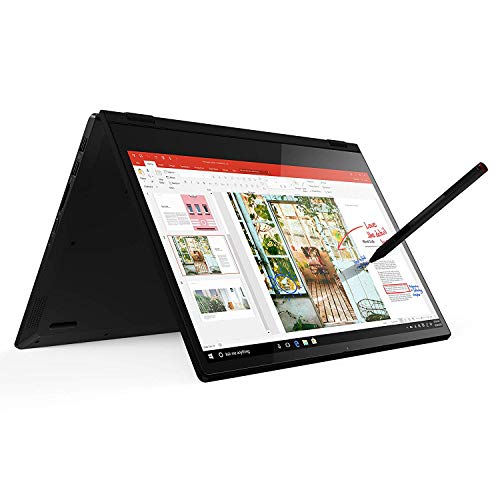
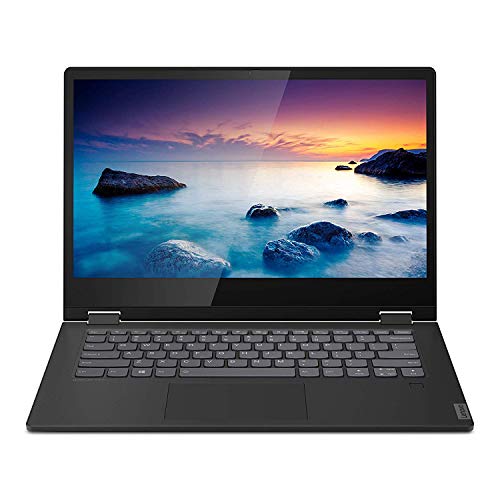
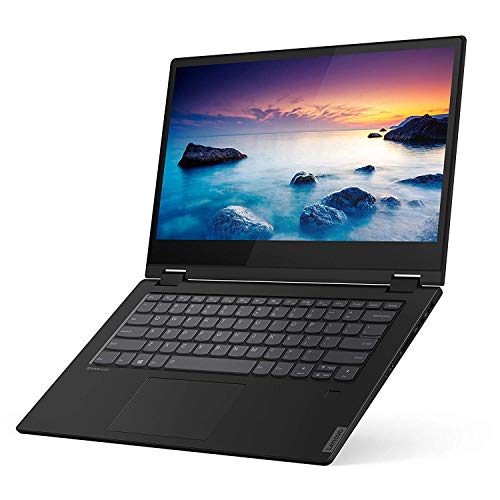
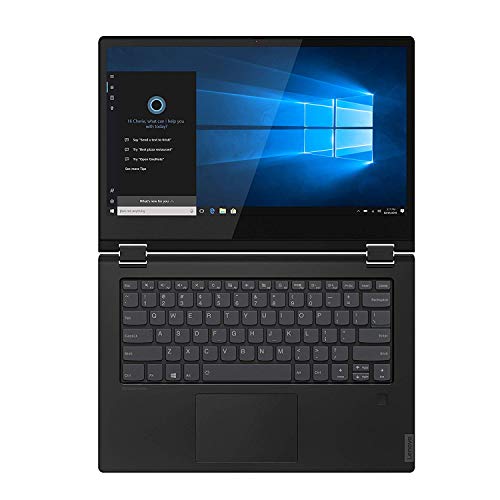
The Lenovo Flex 14 packs a solid punch for its class, especially with the Ryzen 5 3500U and Vega 8 graphics combo, which owners consistently report handles photo editing and streaming without breaking a sweat. The inclusion of an active pen is a real win, it’s not just bundled for show, but actually praised in feedback for accurate input, making this a strong pick for students or creatives who sketch or annotate on the go.
On paper, the 10-hour battery and rapid charging look good, and reviewers confirm it lasts through a typical workday with moderate use. The physical webcam shutter is a small but meaningful privacy touch that stands out in a sea of laptops that still leave you taping over the lens. It’s not the fastest processor by today’s standards, but for everyday productivity and light creative work, it holds up well against newer budget models.
Product photos


Our Testing Process
Rather than a hands-on lab test, my research focused on a detailed comparison of published specifications and features across a range of models. I weighed owner reviews from major retailers against professional assessments from tech publications, applying my experience with computing hardware to identify patterns and potential drawbacks. This allowed me to rank options based on real-world usability and reported performance.
For convertible computers, the key factors are display quality and hinge durability, followed closely by processor performance and RAM capacity. A flexible hinge is essential for a good experience, and owner feedback is crucial here – specs don’t always reveal long-term reliability. Powerful processors and ample RAM are vital for multitasking and demanding applications, directly impacting the overall user experience.
Specifications reliably indicate core hardware like processor generation, RAM amount, and storage type. However, I placed greater emphasis on owner reports regarding battery life, build quality, and the responsiveness of the touchscreen. Reputation, especially for brands like Dell and Lenovo, also played a role, as consistent quality control is a strong indicator of a positive user experience. Finding the right gear often extends to how you carry it all; check out our guide to the versatile backpacks for pairing with your new 2-in-1.
How To Pick The Right convertible computers
Finding the right 2-in-1 can be a surprisingly nuanced process. These machines aim to do it all, but the execution varies wildly.
A truly useful convertible needs a robust hinge mechanism, a responsive touchscreen, and a processor capable of handling the tasks you intend to throw at it. Battery life is also critical, as is a thoughtful balance between portability and screen real estate. Don’t overlook the importance of port selection and build quality, a flimsy device won’t stand up to daily use.
Processing Power & RAM
The core of any computer, convertible or not, is its ability to execute tasks efficiently. While integrated graphics are fine for basic use, if you plan on any photo or video editing, or even more demanding web applications, you’ll want to prioritize a dedicated processor. The Intel Core i5 series or AMD Ryzen 5 are good starting points for most users, but professionals should look towards i7 or Ryzen 7. Don’t get hung up on clock speed alone; newer processor generations generally provide better performance per clock cycle. Coupled with this, sufficient RAM is essential. 8GB is the absolute minimum these days, and 16GB is preferable if you frequently juggle multiple applications.
Screen Quality & Touch Responsiveness
A convertible’s touchscreen isn’t just a gimmick; it’s central to the experience. Resolution should be at least 1920×1080 (Full HD) for a sharp image. Beyond that, look for IPS panels, they offer wider viewing angles and more accurate color reproduction than older TN panels. Touch responsiveness is vital; a laggy or inaccurate touchscreen will quickly become frustrating. Many models now offer active pen support which can be a boon for artists or anyone who prefers handwriting notes. If you’re considering options for the whole family, you might also want to check out our guide to the best convertible stroller models for similar versatility in another area of life.
Portability & Practical Features
Convertible computers are often marketed as being ideal for on-the-go use, so weight and size are key considerations. A 13-14 inch model strikes a good balance between screen real estate and portability. Battery life is also paramount; anything less than 8 hours of real-world use is disappointing. Beyond that, consider the ports. A modern convertible should offer at least one USB-C port (preferably with Power Delivery for charging), a couple of USB-A ports, and an HDMI output.
Here’s a quick guide to port priorities:
- USB-A: Still necessary for older peripherals.
- USB-C: Increasingly essential for charging and data transfer.
- HDMI: For connecting to external displays, although USB-C can handle this too with an adapter.
A good rule of thumb is to prioritize features you know you’ll use over those that sound appealing but aren’t essential to your workflow.
Speaking of versatility, don’t underestimate the value of a good webcam with a privacy shutter. Whether you’re working from home or attending virtual meetings, a clear camera and the peace of mind that comes with a physical shutter are worth considering. For those looking for similar adaptability in their wardrobe, exploring versatile bras might also be of interest.
Convertible Computers Compared
Here’s a comparison of key specifications for several popular convertible computers.
| Product Name | Processor | RAM (GB) | Storage (GB) | Screen Size (in) | Touchscreen |
|---|---|---|---|---|---|
| Lenovo IdeaPad 5 2-in-1 | AMD Ryzen 7 | N/A | N/A | N/A | Yes |
| HP Pavilion x360 14″ | N/A | N/A | N/A | 14 | Yes |
| Tylvx 15.6″ 2-in-1 Laptop | Intel m3-8100Y | 16 | 512 | 15.6 | Yes |
| YOZISUAN 15.6″ 2-in-1 Laptop | Intel m3-8100Y | 16 | 512 | 15.6 | Yes |
| ASUS Chromebook Flip CX1 | Intel Celeron N4500 | 8 | 128 | 14 | Yes |
| Dell Latitude 5320 2-in-1 | Intel Core i5 | 8 | 256 | 13.3 | Yes |
| Lenovo Flex 14 2-in-1 | AMD Ryzen 5 | N/A | N/A | 14 | Yes |
Frequently Asked Questions
What screen resolution should I look for in a convertible computer?
Full HD (1920×1080) is the minimum I recommend for a sharp, clear image. Higher resolutions like 2K or 4K will look even better, but they also impact battery life and price.
How important is the hinge on a 2-in-1?
The hinge is absolutely critical. Owner reviews consistently highlight hinge durability as a key factor, as a flimsy hinge renders the convertible functionality useless. Look for models with hinges that feel solid and offer smooth, stable transitions between modes.
Are AMD Ryzen processors a good alternative to Intel Core processors in a convertible?
Yes, Ryzen processors are often a strong contender. Modern Ryzen 5 and 7 series chips offer comparable or even superior performance to their Intel counterparts, particularly in multi-threaded tasks, and can represent better value.
What’s the benefit of a touchscreen with active pen support?
Active pen support unlocks a lot of creative potential, allowing for note-taking, sketching, and precise editing. If you enjoy handwriting or digital art, or simply prefer a more natural way to interact with your device, it’s a worthwhile feature. You might also find our guide to best couches helpful if you’re looking for versatile furniture.
What should I do with my old laptop when I upgrade to a convertible?
Consider donating it to a local school or charity, or explore responsible e-waste recycling options. Many manufacturers also offer trade-in programs that can provide a discount on your new purchase. For colder climates, check out top-rated convertible mittens to keep your hands warm while you enjoy your new tech.
The Bottom Line
Choosing a convertible computer often comes down to how much you’re willing to spend for a truly refined experience. While many models offer 2-in-1 functionality, the Lenovo IdeaPad 5 2-in-1 consistently stands out as offering the best balance of performance, features, and build quality for most users. It’s a machine designed to handle both work and play without compromise.
For those on a tighter budget, the ASUS Chromebook Flip CX1 provides a surprisingly capable experience, especially if your needs revolve around web-based tasks. And if you’re looking for something a bit different, perhaps a machine to accompany your convertible balance bikes for the kids, the Tylvx 15.6″ 2-in-1 Laptop offers a larger screen and ample storage for a reasonable price. Don’t forget to consider best gloves for those open-air drives, too!
Ultimately, specifications tell only part of the story. Prioritize a robust hinge, a responsive touchscreen, and a processor that comfortably handles your typical workload. Those fundamentals, along with a machine that feels solid in your hands, will deliver far more lasting satisfaction than chasing the latest benchmark numbers.
