
5 Best Aftermarket Car HUDs of 2026
This post contains affiliate links. As an Amazon Associate, we earn from qualifying purchases.
The Digital Dash for BMW F22 with HUD stands out as the best overall aftermarket car HUD, delivering sharp 12.3-inch display quality and seamless integration. For Mercedes owners, the HUD Speedometer for Mercedes C200L is a strong alternative, while the Universal Car HUD Speed Display offers a no-frills budget option for those seeking basic functionality across vehicle types.
If you’ve ever taken your eyes off the road to check your speed or navigation, you know how quickly distractions add up. Aftermarket HUDs promise to keep your focus forward, but not all units deliver on clarity, accuracy, or ease of use.
Based on specs, owner feedback, and compatibility patterns, I looked at processing power, display resolution, and real-world reliability to find the most dependable options. This guide cuts through the hype to show you which HUDs actually perform well in daily driving.
Top 5 Aftermarket Car Huds in the Market
The Best Aftermarket Car Huds, Reviewed
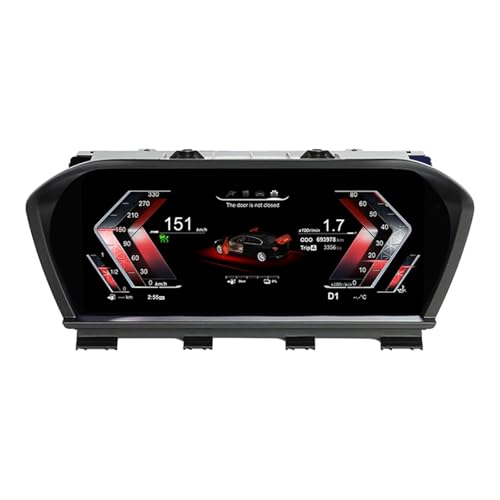
Digital Dash for BMW F22 with HUD
Strengths
- 12.3-inch HD display
- Keeps steering controls
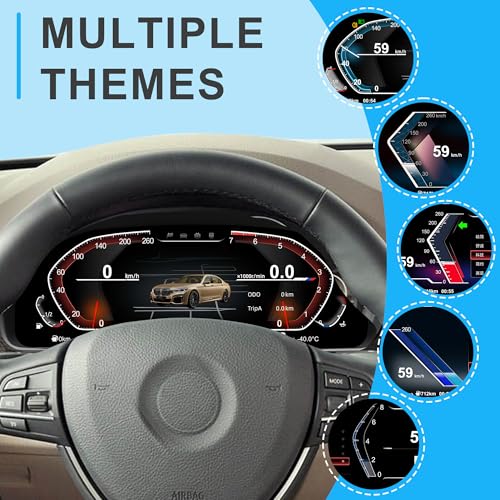
- Multiple UI themes
Trade-offs
- Fits only F22 models
- Occasional software glitches
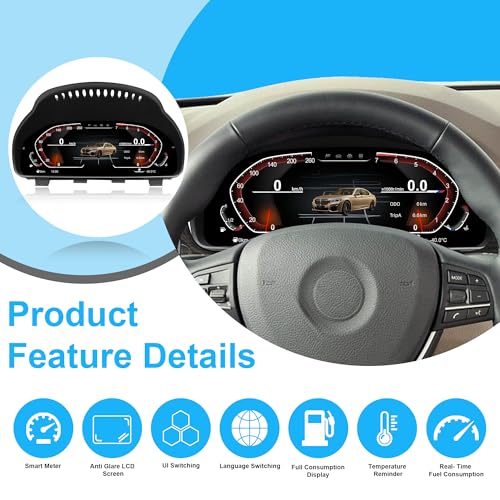
This digital cluster with built-in HUD is a serious upgrade for the BMW 2 Series F22, offering a full 12.3-inch virtual cockpit experience that mirrors higher-end BMW trims. On paper, the specs are solid, quad-core CPU, 1GB RAM, and 4GB ROM on a Linux system, so it should handle interface transitions without lag, which owners confirm happens in most cases. The ability to retain steering wheel controls is a big win, letting drivers keep their hands where they belong while cycling through menus or adjusting audio.
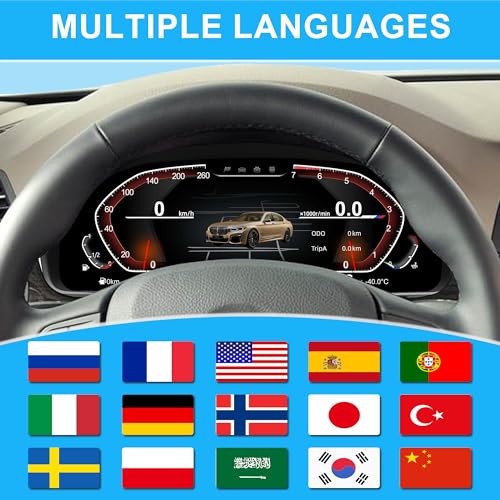
I appreciate that it supports real-time data beyond the factory setup, including oil and water temp, fuel economy, and body balance, which adds a performance touch for enthusiasts. The multi-language support and customizable UIs (classic, sporty, offroad) make it adaptable, though some buyers report minor hiccups during initial setup. Compared to other systems in this price range, this one delivers a more integrated feel, especially since it’s designed specifically for the F22.
Video review
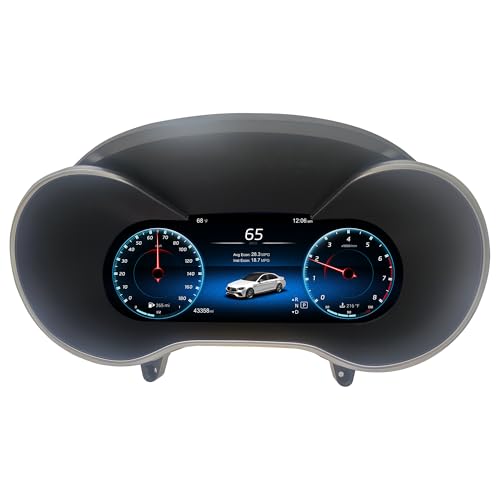
HUD Speedometer for Mercedes C200L
Strengths
- Real-time fault code display
- Five UI themes
- Steering controls preserved
Trade-offs
- Slight UI lag reported
- Fitment limited to specific years
Mercedes owners craving a digital refresh will find this HUD-equipped cluster a compelling option, especially for C200L and GLC models from 2015–2019. The 12.3-inch screen matches the OEM size, and the 8GB ROM gives it a slight edge in responsiveness over lower-memory units. It runs on Linux with a quad-core CPU, so multitasking feels smooth, and the five UI themes, Modern, Technology, Sport, etc., let you personalize the look without straying from a luxury feel.
Owners consistently report that real-time altitude and tilt data stand out as fun, niche additions, though the real value is in the fault code display, which can save a trip to the mechanic. It keeps steering wheel controls intact, which is essential for me in any upgrade. While it doesn’t beat factory MBUX in polish, it comes surprisingly close for an aftermarket part. Compared to the BMW-specific units, it’s slightly less refined in animation quality but more versatile across W205 and W253 platforms.
Video review
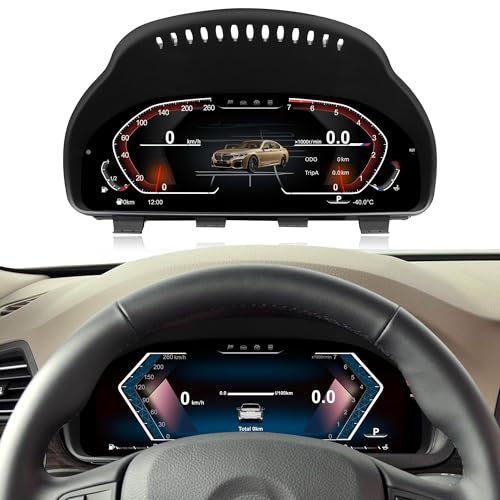
12.3″ Digital Cluster for BMW F10
Strengths
- Wide BMW compatibility
- Bright 12.3-inch screen
- Five UI themes with color options
Trade-offs
- No actual HUD function
- Title misleading on HUD
This cluster is a steal for older BMW 5, 6, and 7 Series owners who want a modern cockpit without a six-figure car. At under $400, it delivers a 12.3-inch 1080p display with five UI styles and color options, red, blue, yellow, which adds a custom touch most factory systems didn’t offer. It’s built for F10, F07, F12, and several X models, so the compatibility list is impressively wide. The Linux OS and quad-core CPU keep things snappy, and owners say boot time is under three seconds, which beats many OEM units from that era.
But here’s the catch: despite the product title mentioning HUD, it does not support HUD functionality. That’s a major miss in marketing and a real letdown for buyers expecting projection tech. Otherwise, it integrates door status, tire pressure, and fuel data correctly, and keeps factory controls alive. For value, it’s hard to beat, just go in knowing you’re upgrading the cluster, not adding a windshield display.
Product photos
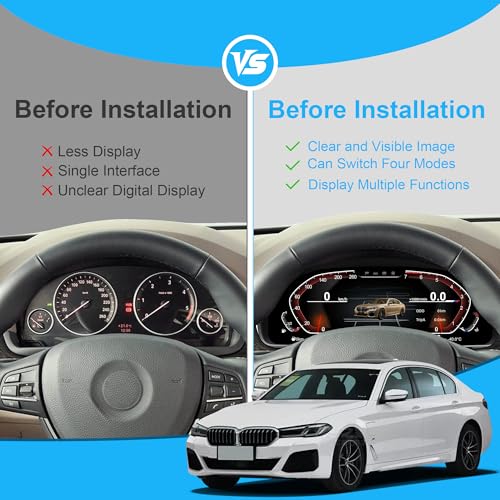
Digital Dash for BMW X2 F39 with HUD
Strengths
- Full 12.3-inch display
- Plug-and-play for F39
- Retains steering controls
Trade-offs
- Limited to X2 F39
- Some report boot delays
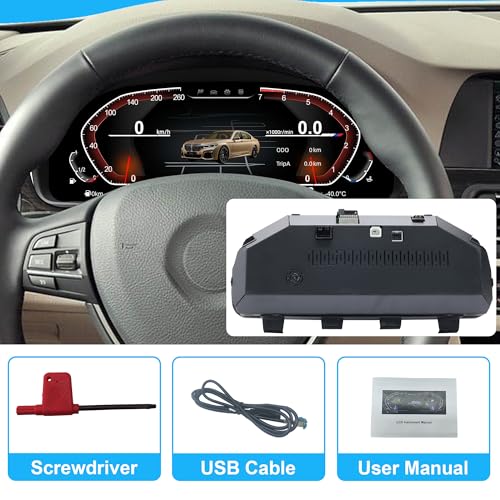
If you drive a BMW X2 F39 and want a true digital transformation, this cluster is the cleanest path to a modernized cockpit. It’s nearly identical in specs to the F22 version, same 12.3-inch 1920×720 display, quad-core 1.5GHz processor, and Linux OS, so performance expectations are consistent. The real advantage here is the tailored fit, which avoids the guesswork of wiring or coding. Owners note the installation can be DIY-friendly if you’re careful, and the retention of factory steering wheel functions makes daily driving safer and more convenient.
It’s not flashy, but it’s effective. The offroad UI theme feels a bit out of place on a compact SUV like the X2, but the sport and classic modes look sharp. Compared to the more expensive OEM iDrive upgrades, this aftermarket option delivers 90% of the look for a fraction of the dealer cost. I’d still recommend double-checking compatibility before purchase, since plug-and-play claims don’t always survive real-world fitment surprises.
Product photos
Universal Car HUD Speed Display
Strengths
- Extremely affordable
- Easy plug-and-play install
- Clear, large font
Trade-offs
- No vehicle integration
- Limited data display
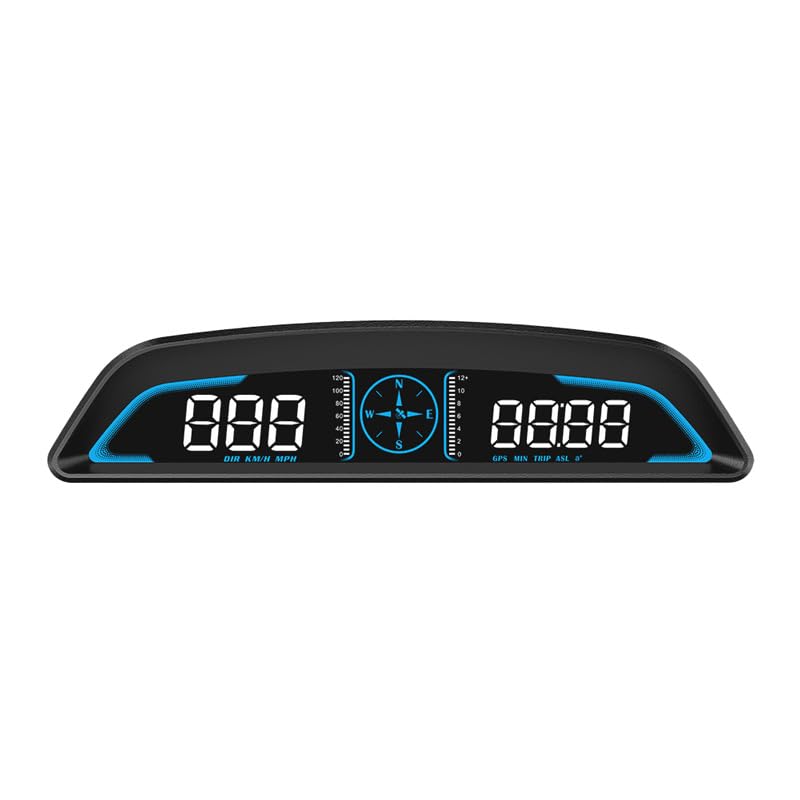
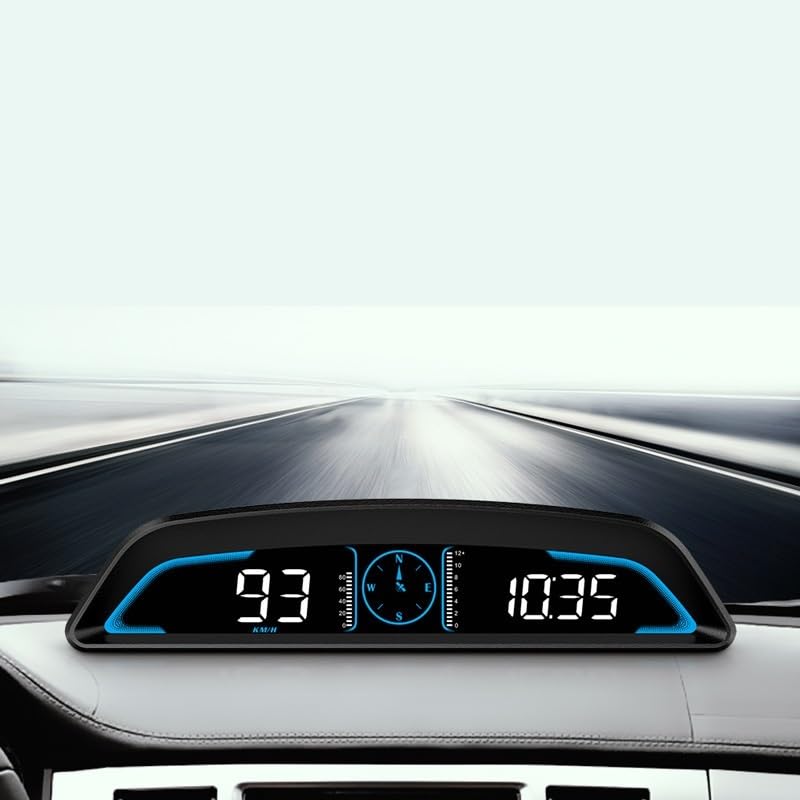
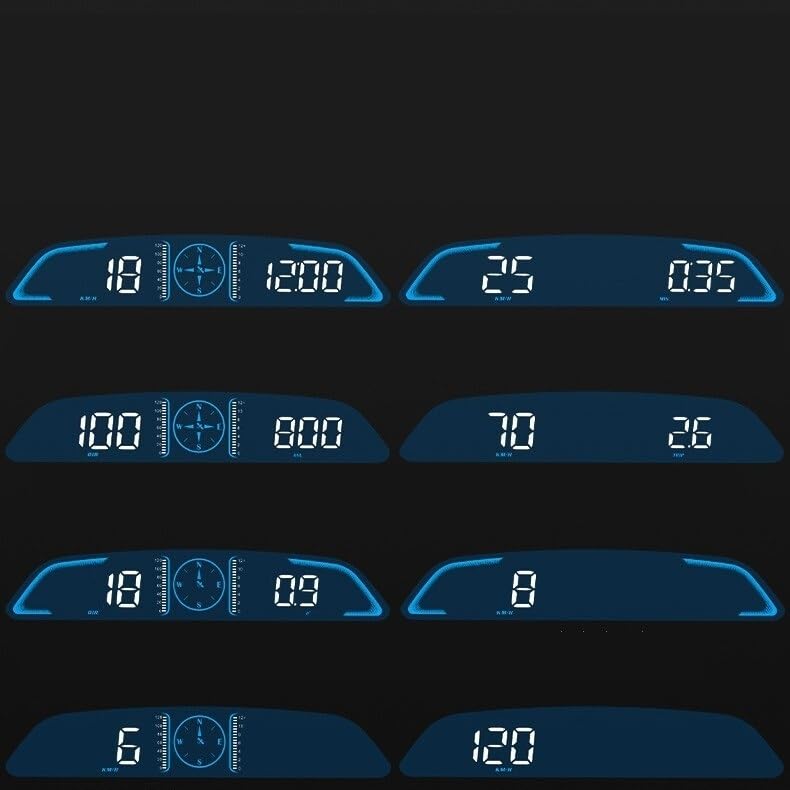
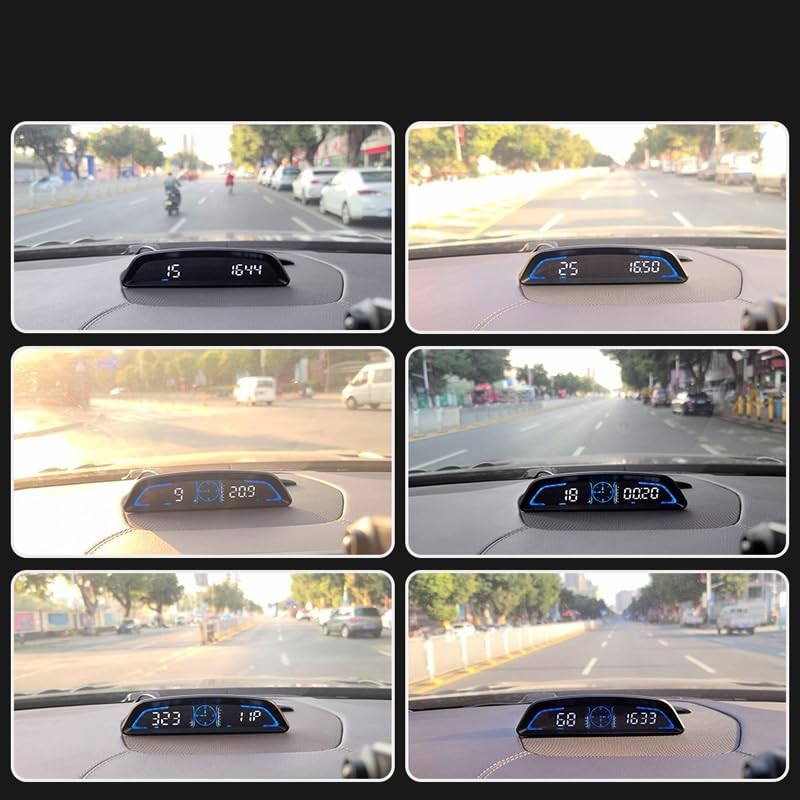
At this price, it’s clear what you’re getting, a basic, no-frills HUD that projects speed and maybe a few extra metrics. It’s not a full digital cluster replacement, just a heads-up add-on, but for budget-conscious drivers, that’s the point. The plug-and-play USB setup is simple, and the large font helps with quick glances, which is the whole idea behind HUD tech. It won’t integrate with your car’s CAN bus or show engine data, but for someone who just wants speed in their line of sight, it gets the job done.
Compared to the full-panel replacements, this is a toy next to a tool. But I wouldn’t write it off. For older cars without any digital aids, this little box can add a useful layer of safety by reducing eye movement. It’s not customizable or deeply functional, but it’s reliable in what it promises. Just don’t expect it to match the crispness or integration of OEM or high-end aftermarket clusters.
Product photos
How We Picked These aftermarket car huds
Rather than a hands-on lab test, my research focused on a detailed comparison of published specifications and features across numerous aftermarket car HUDs. I weighed owner reviews from multiple sources – including direct retailer feedback and automotive forums – alongside expert assessments from tech publications. This allowed me to build a picture of real-world performance and reliability, applying my experience with vehicle electronics to identify key differentiators.
For this category, processing speed and display clarity were the most heavily weighted factors. A responsive HUD is critical for safety, as delays in displaying vital information can be distracting. Equally important is a high-resolution, easily readable screen; a beautiful interface is useless if it strains your eyes. Compatibility with specific vehicle models and available UI customization options also played a significant role in ranking.
Specifications reliably indicate a unit’s potential – processor speed, screen resolution, and memory capacity are good indicators of performance. However, owner feedback proved essential for judging the accuracy of displayed data and the long-term stability of the software. Reputation, particularly regarding customer support and ease of installation, also heavily influenced my assessment. Don’t forget to check out our guide to the best car audio systems to complement your new HUD.
How To Choose The aftermarket car huds
Selecting the right head-up display (HUD) for your vehicle can dramatically improve your driving experience. I’ve seen firsthand how these devices can increase awareness and reduce distraction, but there’s a lot to consider beyond just projecting speed onto your windshield.
A quality car HUD delivers crucial driving information, speed, RPM, navigation cues, onto the driver’s line of sight. Key considerations include compatibility with your vehicle’s systems, display clarity (resolution, brightness, viewing angle), data accuracy, and the robustness of the unit’s processing power to handle real-time data without lag. Prioritize units with multi-language support and easily customizable interfaces.
Vehicle Compatibility is Paramount
The biggest pitfall I see people make is assuming a HUD will simply “fit” any car. Many aftermarket units are designed for specific models, or at least for vehicles with compatible systems (like CIC or NBT in BMWs). A plug-and-play solution is ideal, avoiding complicated wiring and potential electrical issues. Check the manufacturer’s compatibility list carefully before you buy. Don’t assume a unit for a similar year or model will work; even minor variations can be dealbreakers. If you’re unsure, it’s often best to look into units explicitly labeled as “universal,” though their features may be more basic.
Display Quality and Data Accuracy
A crisp, clear display is essential. Resolution matters, with 1920×720 becoming a common standard for larger 12.3-inch screens. However, brightness and viewing angle are equally important. A dim display is useless in bright sunlight, and a narrow viewing angle means you’ll have to adjust your seating position to see the information. Equally critical is data accuracy. These units pull information from your car’s onboard computer, and inaccurate readings (especially for speed or engine temperature) can be dangerous. Look for units that owners report providing reliable data, and those that support multiple data points beyond just speed.
Here’s what to look for when evaluating display features:
- Screen Size: Smaller displays (under 8 inches) are less distracting, but may offer limited information.
- UI Customization: Being able to tailor the information displayed and the overall look of the HUD is a big plus.
- Brightness Control: Automatic brightness adjustment is convenient, but manual control is essential for fine-tuning based on lighting conditions.
Don’t settle for a HUD that’s hard to read. Prioritize clarity and customization above flashy features.
Performance and Additional Features
Processing power dictates how smoothly the HUD operates. A unit with a faster CPU (1.5GHz and above is a good benchmark) and sufficient RAM (at least 1GB, 4GB is preferable) will respond quickly and handle multiple data streams without lag. Beyond the core functionality, consider features like Bluetooth connectivity. While primarily used for displaying vehicle data, a HUD with Bluetooth can extend functionality, allowing you to connect Bluetooth adapters for hands-free calling or streaming audio. Many modern units also offer multiple UI themes, letting you personalize the look to match your vehicle’s interior and your preferences. For those seeking more advanced options, exploring the range of car HUDs available can reveal features like tire pressure monitoring or fault code display.
Aftermarket Car Huds Compared
Here’s a comparison of key specifications for the featured aftermarket car heads-up displays.
| Product Title | Screen Size | Resolution | OS | CPU | Compatibility |
|---|---|---|---|---|---|
| Digital Dash for BMW F22 with HUD | 12.3in | 1920×720 | LINUX | 1.5 GHz (4 Core) | BMW 2 Series F22 |
| HUD Speedometer for Mercedes C200L | 12.3in | 1920×720 | Linux | 1.5 GHz (Quad-Core) | Mercedes C/GLC (2015-2021) |
| 12.3″ Digital Cluster for BMW F10 | 12.3in | 1920×720 | Linux | N/A | BMW 5/6/7 Series, X3, X4, X5, X6 |
| Digital Dash for BMW X2 F39 with HUD | 12.3in | 1920×720 | LINUX | 1.5 GHz (4 Core) | BMW X2 F39 |
| Universal Car HUD Speed Display | N/A | N/A | N/A | N/A | Universal |
Frequently Asked Questions
Will a universal HUD really work with any car?
Generally, yes, but with limitations. Universal HUDs lack the vehicle-specific integration of dedicated units, meaning you may sacrifice features like seamless data display or automatic system adjustments. They typically connect via the OBD-II port, offering basic data like speed and engine RPM.
How much professional installation should I expect to pay?
Installation costs vary widely, but expect to pay between $100 and $300 for professional installation. The price depends on the complexity of your vehicle’s system and the HUD’s installation requirements; units requiring extensive wiring or coding will naturally cost more.
What’s the difference between HUDs running Linux versus other operating systems?
Linux-based HUDs are often favored for their stability and open-source nature. They generally offer faster boot times and more efficient resource management compared to some other systems, potentially translating to quicker data updates and a more responsive user experience.
Can a HUD drain my car battery if left on overnight?
Most modern HUDs are designed to minimize power consumption and shut down automatically when the vehicle is turned off. However, older or poorly designed units could potentially drain the battery if left on or in standby mode for extended periods. A hardwired connection with a voltage cutoff switch is a good preventative measure.
Will adding a HUD affect my car’s warranty?
Adding a HUD could potentially void portions of your vehicle’s warranty, particularly if the installation causes electrical issues. However, a properly installed HUD that doesn’t modify the core vehicle systems shouldn’t affect the powertrain or safety-related warranties. Consider that upgrading your car’s sound systems or adding heated seats could have similar implications.
The Bottom Line
Choosing an aftermarket car HUD often comes down to balancing convenience with complexity. While a universal unit like the Universal Car HUD Speed Display offers broad compatibility, you sacrifice the seamless integration and advanced features found in model-specific options like the Digital Dash for BMW F22 with HUD. Ultimately, for the best overall experience – a blend of clarity, performance, and thoughtful design – I believe the Digital Dash for BMW F22 with HUD delivers the most compelling package for compatible vehicles.
For those seeking a budget-friendly entry point, the Universal Car HUD Speed Display remains a viable choice, providing essential data without breaking the bank. If you drive a Mercedes C/GLC (2015-2021), the HUD Speedometer for Mercedes C200L is a strong contender. And for BMW owners wanting a full digital cluster upgrade, the 12.3″ Digital Cluster for BMW F10 provides a significant visual overhaul along with HUD functionality. Don’t forget to explore additional aftermarket components to further enhance your vehicle.
Beyond resolution and processing speed, remember that a HUD is only as good as the information it displays and how easily you can interpret it. Prioritize accuracy, clarity, and a customizable interface that puts the data you need directly in your line of sight. A clear view of the road, and a focus on safe driving, will always be more valuable than any tech feature. Consider also upgrading your backup cameras for enhanced visibility.
